Carelo's office console is a genuine command centre. The whole company on one screen: the rota you can bend any way you like, the day running live in front of you, every call, medicine and note landing on the record as care is delivered — and payroll-grade hours already added up at the end of it.
Total rota freedom — drag, shift, swap, move, delete, in bulk or one call at a time
The newest decision always wins, and nothing is ever silently double-booked
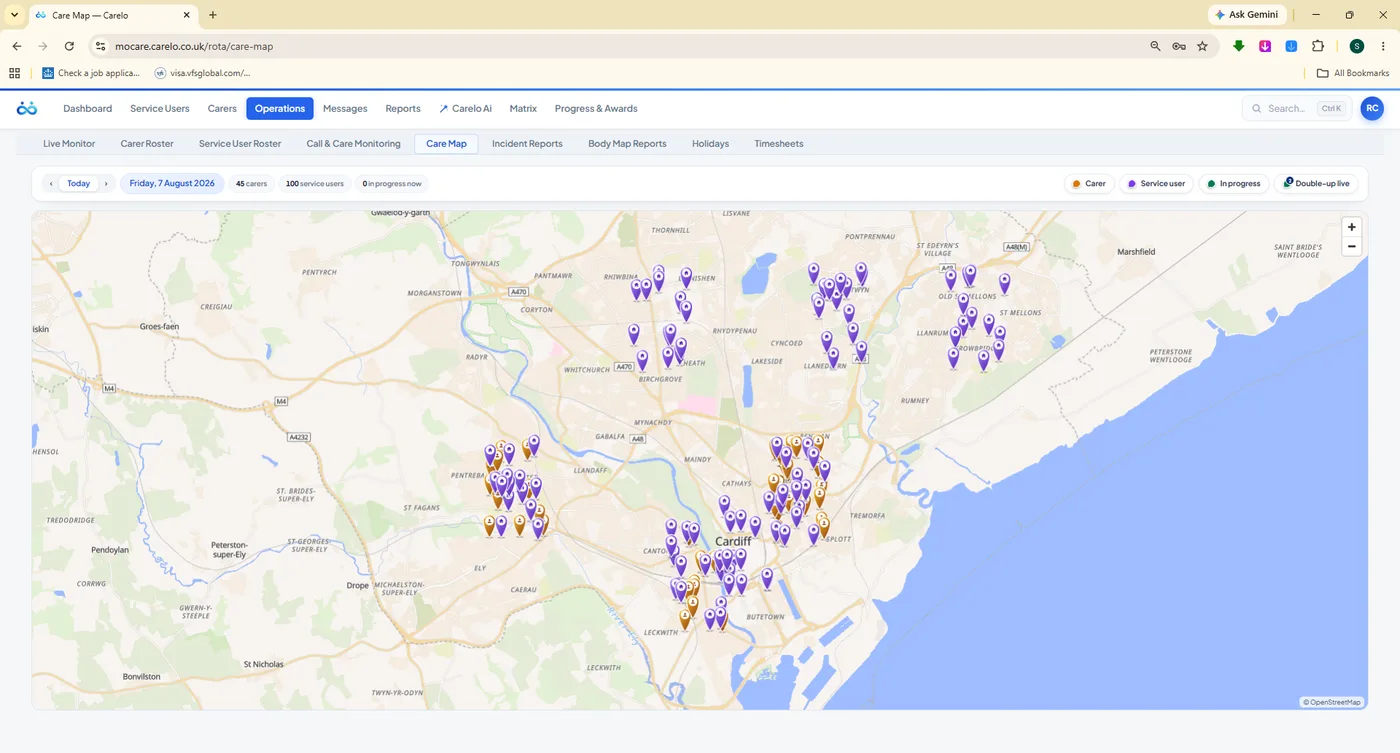
Live Monitor and Care Map show the day as it actually happens, on real roads
Every export is branded, compliance-grade evidence — Word, Excel and PDF
8Top-Level Desks, From Dashboard To Progress & Awards
9Operations Views Behind One Tab
10Compliance Registers In The Matrix
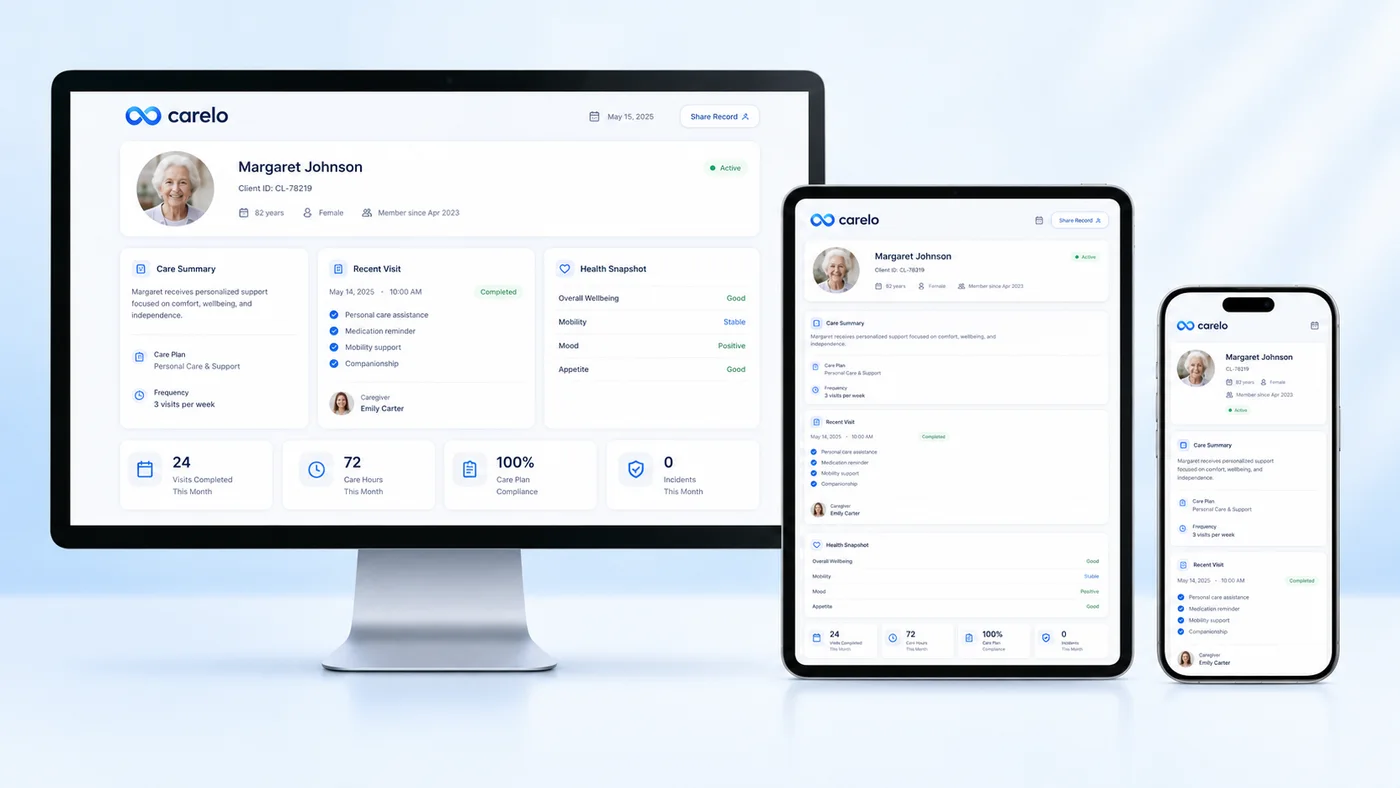
1Live Record, Shared By Office, Carers And Families
01
The Dashboard — Your Company's Vital Signs, Every Morning
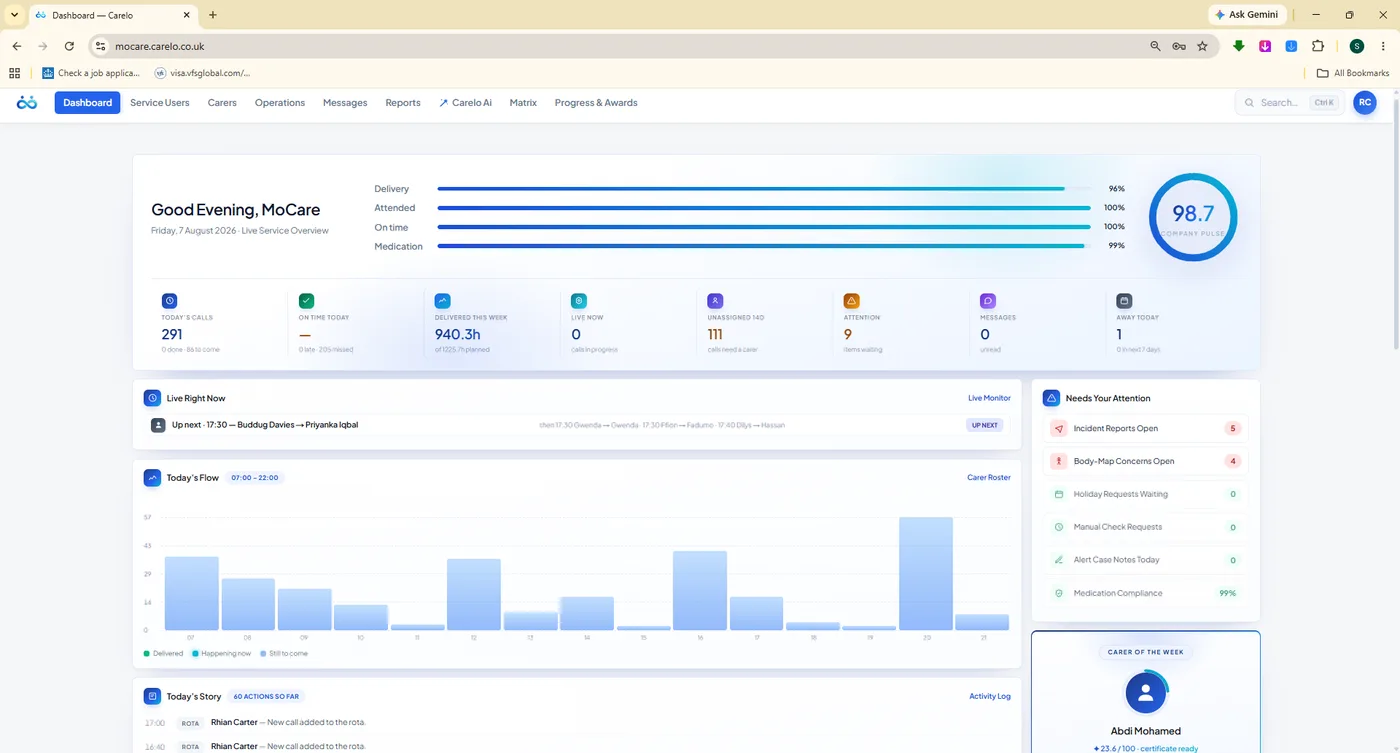
One screen answers the question every registered manager wakes up with: is the service safe today? Company Pulse scores delivery, attendance, punctuality and medication into a single honest number — and a brand-new company opens clean, never on a flattering guess.
A Number You Can Trust, Not A Vanity Score
Company Pulse is built from what actually happened: calls delivered against calls planned, visits attended, arrivals on time, medication administered as prescribed. It only scores a company that has genuinely delivered care — no activity, no number.
Today's calls, done and still to come, at a glance
Unassigned calls counted out loud so gaps cannot hide
Late, missed and live-now counts updating through the day
Needs Your Attention rail — incidents, body maps, requests waiting
mocare.carelo.co.uk/dashboardCompany Pulse
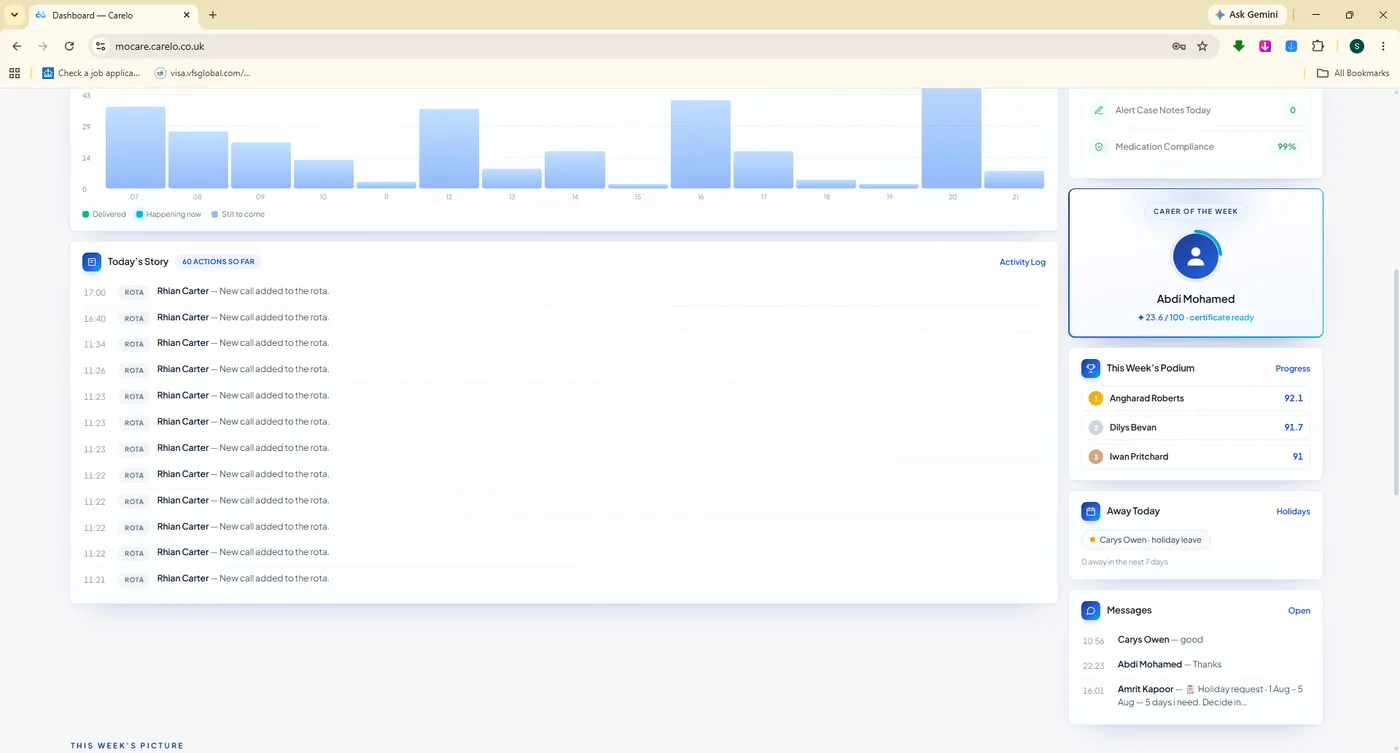
/dashboard#story
Today's Story. Every action of the day in order — rota changes, check-ins, notes — with recognition and who is away.
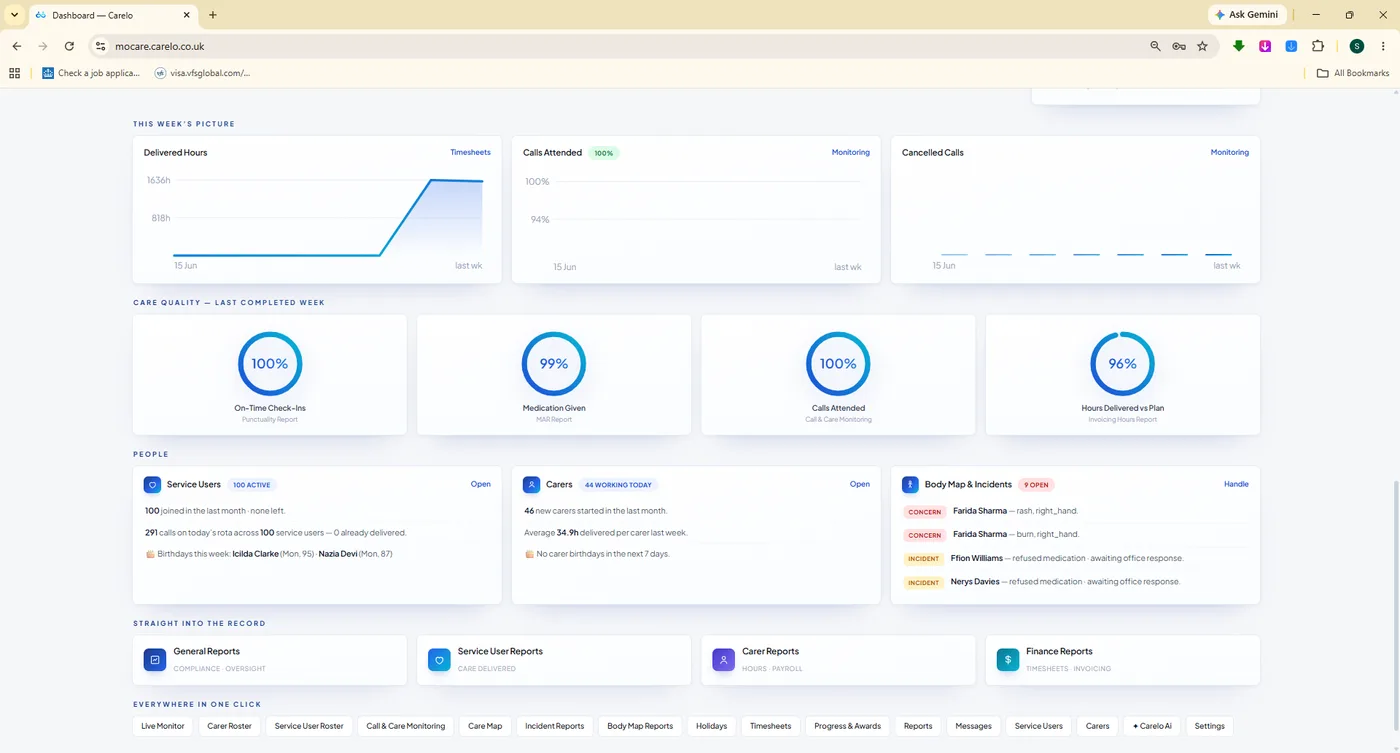
/dashboard#week
This Week's Picture. Care quality dials, the people summary and one-click links straight into the desk that needs you.
The office and the carer's phone are not two systems talking to each other. They are the same record, seen from two chairs — which is why nothing here is ever typed twice.
How Carelo Is Built
02
Rota Mastery — Total Flexibility, Without A Single Double-Booking
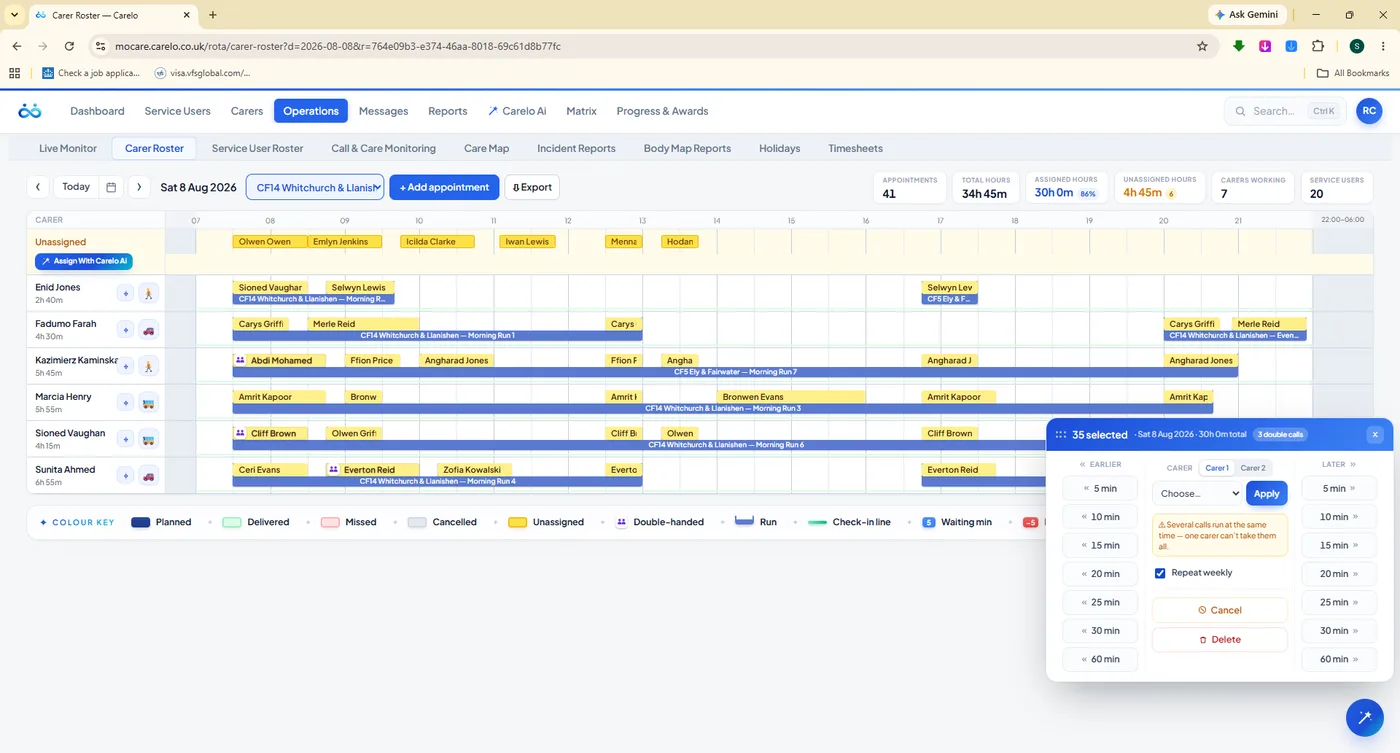
This is the part of Carelo we are proudest of. Build a whole week in an afternoon, then bend it any way the day demands: drag a call, nudge thirty-five calls ten minutes later, swap one carer for another across a fortnight, add a double-handed visit, delete a run. Seven views below — click through them.
mocare.carelo.co.uk/rota/carer-rosterOperations
Bulk Work That Takes Seconds, Not An Evening
Select a block of calls — a run, a day, a fortnight of one client's visits — and act on all of them at once. Move them earlier or later in five-minute steps, hand them to another carer, cancel or delete them, and repeat the change weekly if the pattern has genuinely shifted.
Nudge earlier or later: 5, 10, 15, 20, 25, 30 or 60 minutes
Reassign carer one and carer two on double-handed calls
Repeat the change weekly, or keep it to this week only
Honest warnings before you apply — overlaps are shown, not hidden
Delivered calls are protected: bulk actions skip them and report it
/rota/carer-roster · 35 selected
Thirty-five calls, one decision. The panel tells you what it will do — including the three double calls it found — before anything is written.
03
The Newest Decision Always Wins
Most rota software fights you: it blocks the change, or it quietly lets one carer be in two houses at once. Carelo does neither. Every assignment in the system runs through one engine — the newest decision is honoured, and whatever it displaced becomes visibly unassigned so somebody covers it.
Step One
You Make The Call
Assign Anwen to the 09:00 visit — by drag, by bulk panel, by replacing a carer across a whole week, or from the AI proposal. Every route goes through the same engine.
Anwen09:00 Visit
Bethan
Unassigned
Step Two
Never Blocked, Never Doubled
If that carer already held a clashing call, Carelo does not refuse you and does not stack two calls on one person. It takes the older call off them — because your newest instruction is the one you meant.
AnwenNew Call
BethanDelivered
Unassigned
Step Three
The Displaced Call Shouts
The older call drops into the amber Unassigned lane at the top of the rota, is counted on the dashboard, and is listed in the change report. It cannot be missed, and it cannot be forgotten.
AnwenNew Call
BethanDelivered
UnassignedNeeds A Carer
Delivered Care Is Sacred
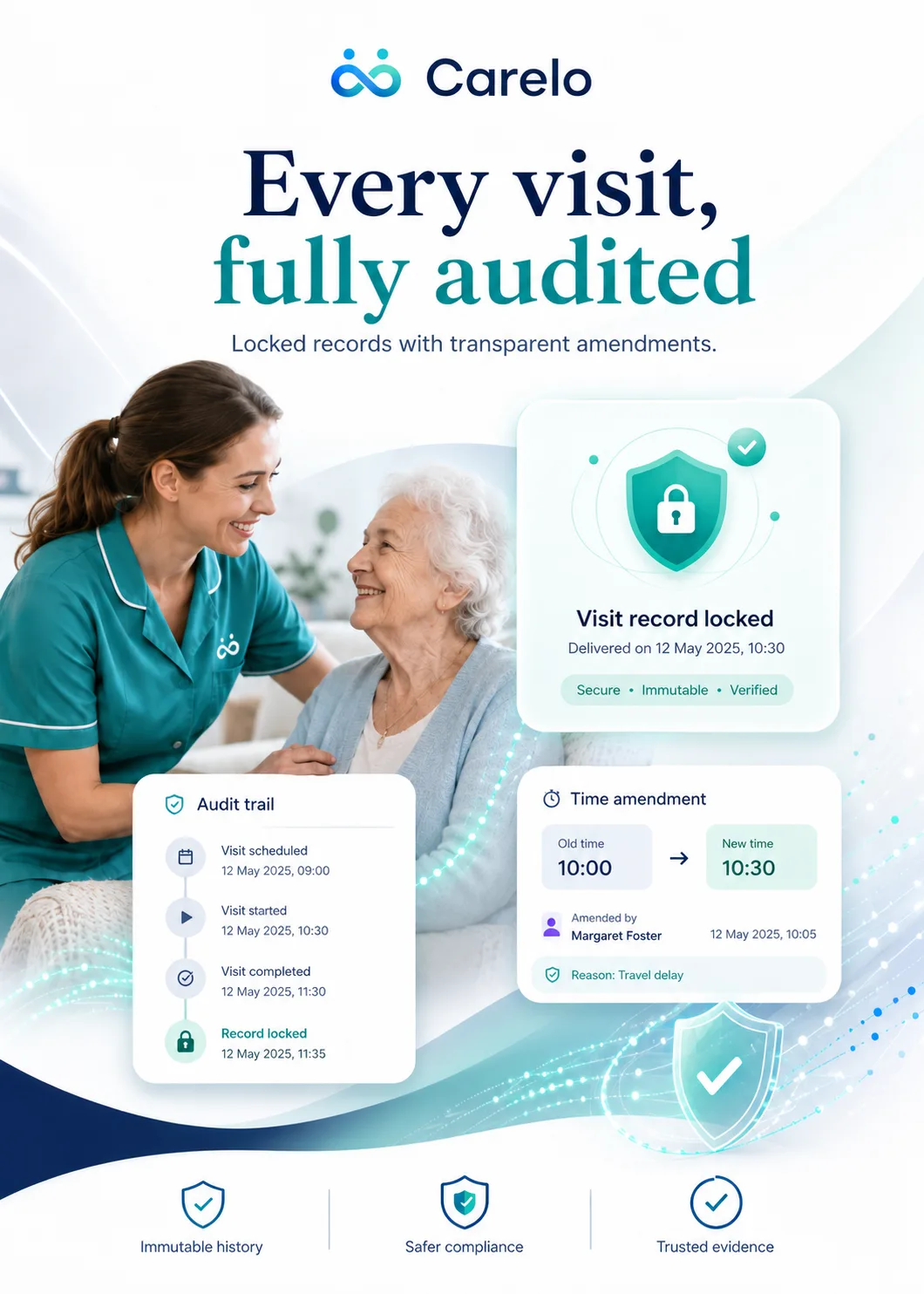
The one thing the engine will not do is rewrite history. The moment a carer checks in, that call locks: it cannot be cancelled, deleted, or handed to somebody else — by anyone, including the office. Bulk operations step around locked calls and tell you exactly which ones they skipped.
Any check-in locks the record — no cancel, no delete, no carer swap
Original GPS check-in and check-out times are kept for ever
Corrections are stamped with a name, a time and a reason
Bulk actions skip locked calls and report every one they skipped
04
Live Monitor & Care Map — The Day, As It Happens
Open Live Monitor at eight in the morning and leave it open. Check-ins arrive as carers reach doors, punctuality moves in real time, late and missed calls raise themselves before a relative has to ring you — and the Care Map shows the same day laid over real Cardiff streets.
A Command Centre That Watches The Day For You
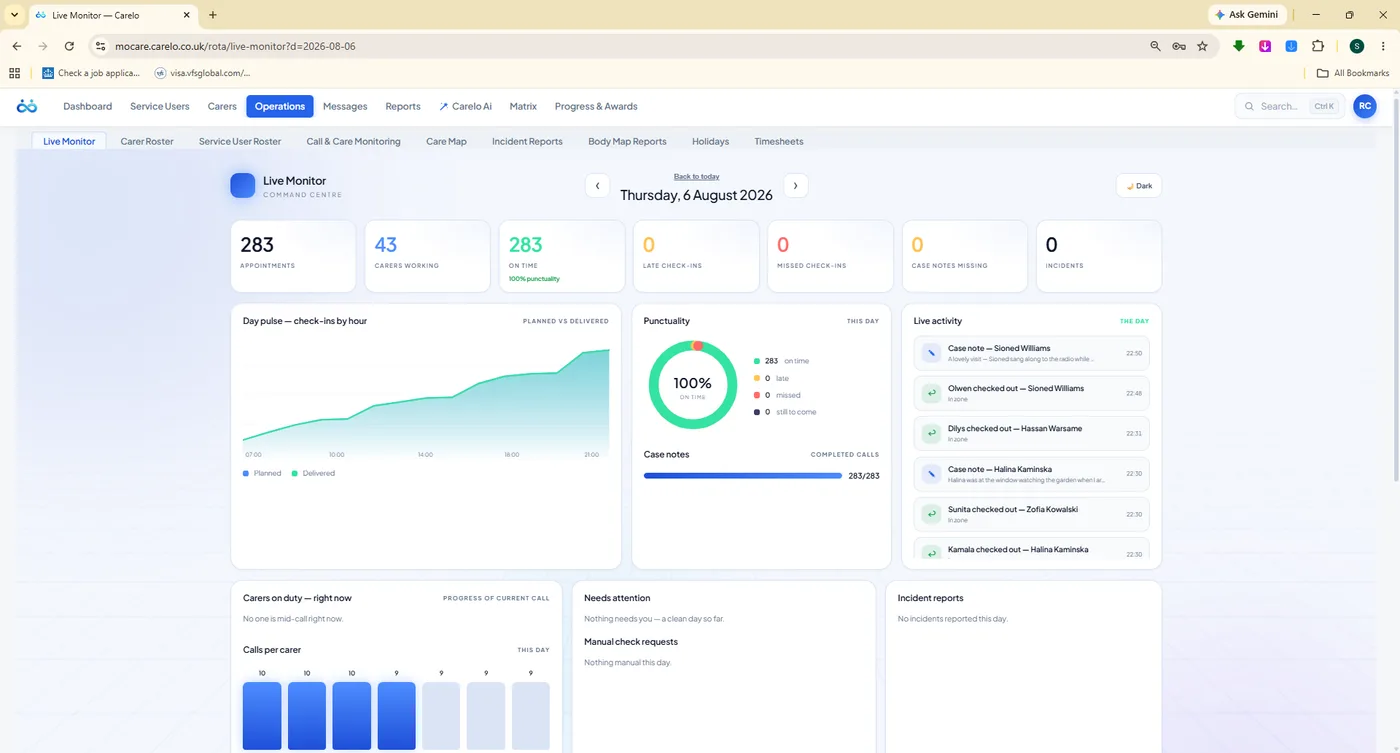
Appointments, carers working, on-time count, late check-ins, missed check-ins, missing case notes and incidents — seven numbers across the top, then the day pulse by hour, a punctuality dial and a live activity feed naming every check-out and note as it lands.
Late and missed check-ins surfaced the minute they happen
Day pulse: planned against delivered, hour by hour
Carers on duty right now, with the progress of the current call
Case-note completion tracked against completed calls
A dark theme for the wall screen, because this desk stays open
/rota/live-monitorReal Time
283 appointments, 100% on time. The feed names each check-out and case note as it arrives.
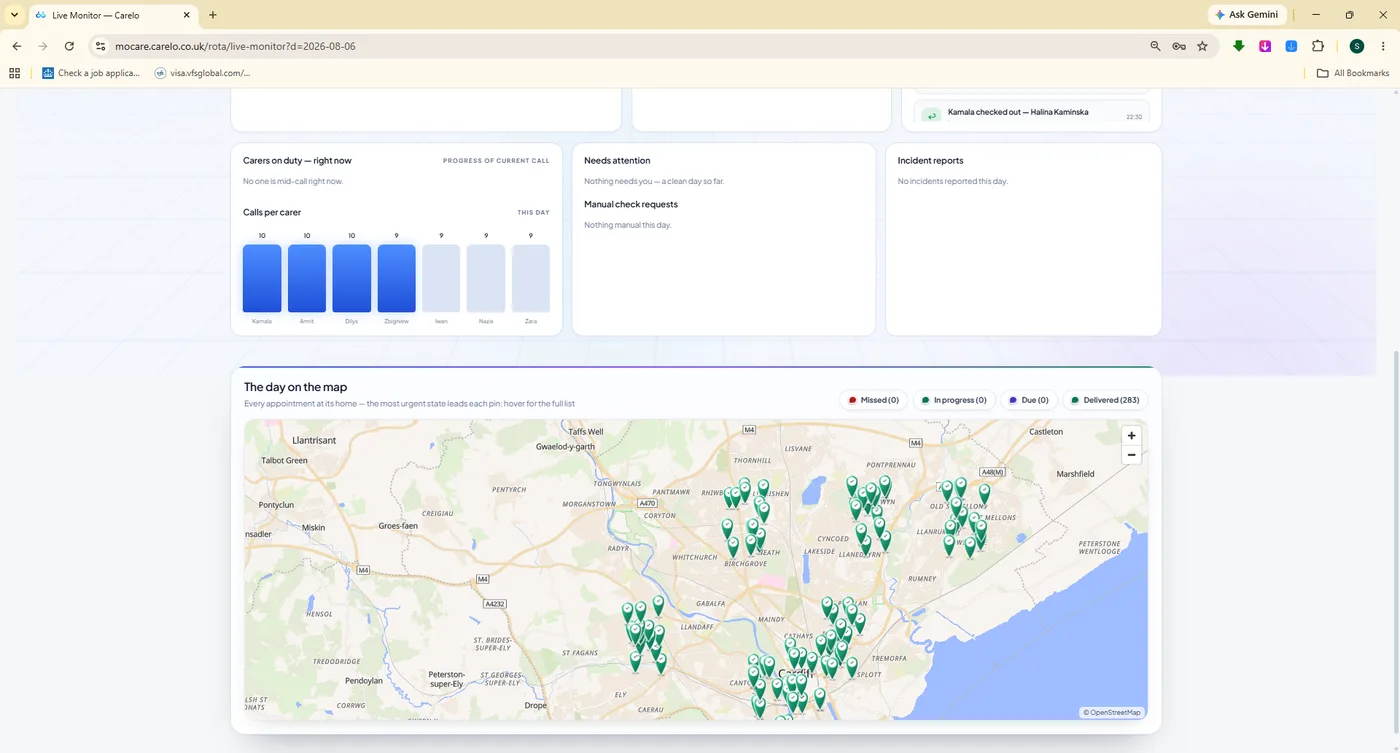
/rota/live-monitor#map
The Day On The Map. Calls-per-carer bars beside every delivered visit dropped onto the city — the shape of your day in one glance.
/rota/care-map
Care Map. Carer and client pins with day and status filters, and road routes computed once — so the map is fast, not expensive.
GPS Proof, Wall-Clock Honest
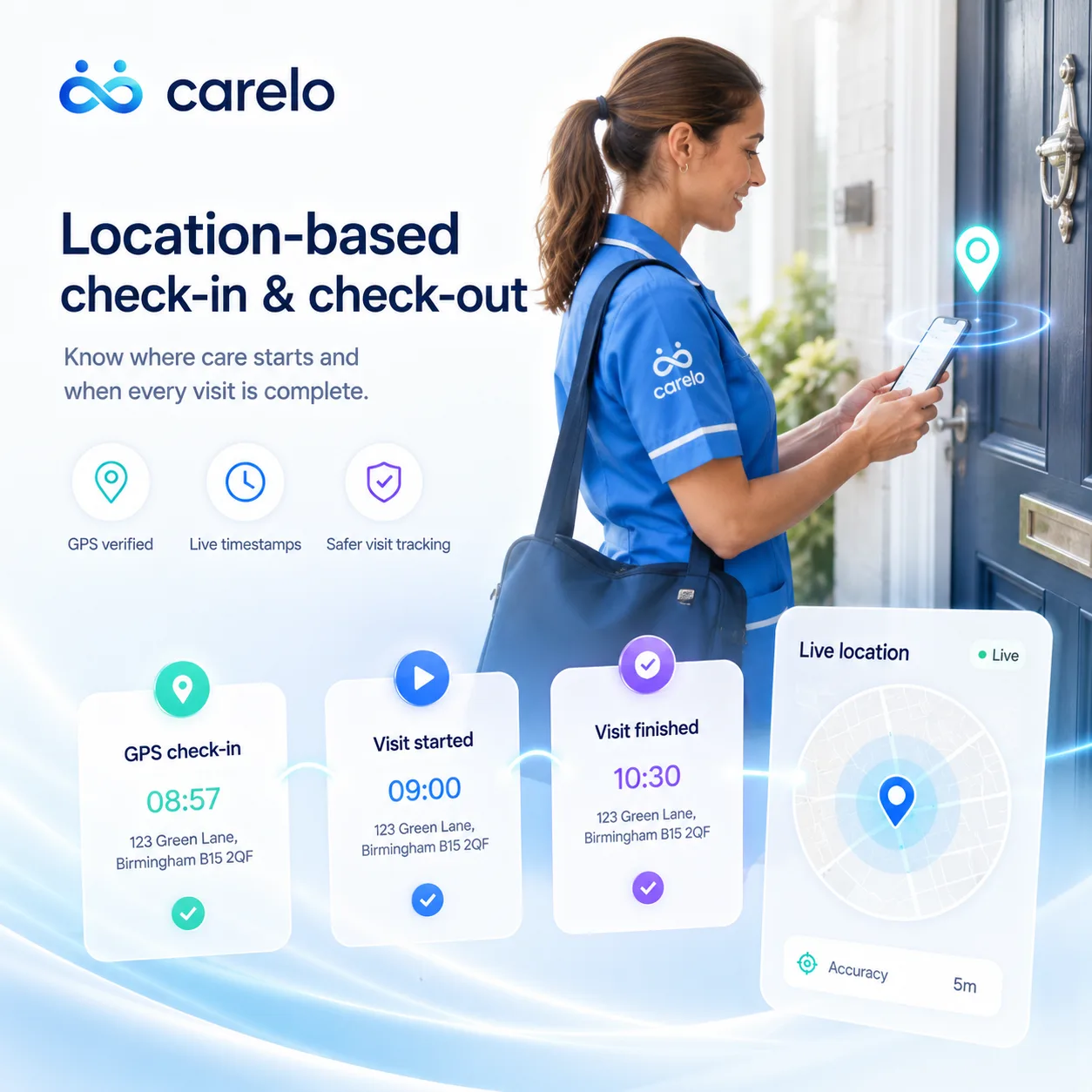
Carers check in and out at the doorstep with a geofence around the address, so arrival and departure are evidence rather than memory. Times are stored and shown as UK wall-clock — the time on the kitchen clock is the time on the record, in winter and in summer.
Geofenced check-in and check-out at the client's address
Travel and mileage between calls, so the day is realistic
Road routes computed once, then reused — never re-billed per view
The same times the family app shows, and the timesheet pays
Live MonitorReal-time day, alerts, punctuality
Carer RosterThe rota by carer, day by day
Service User RosterThe rota by client, week by week
Call & Care MonitoringEvery call, note and medicine
Care MapPins, filters and road routes
Incident ReportsGuided reports and action plans
Body Map ReportsMarks, concerns, office response
HolidaysTraffic-light team calendar
TimesheetsPayroll-grade delivered hours
Off SickSickness records and SSP guidance
05
Call & Care Monitoring — Every Visit, Provable
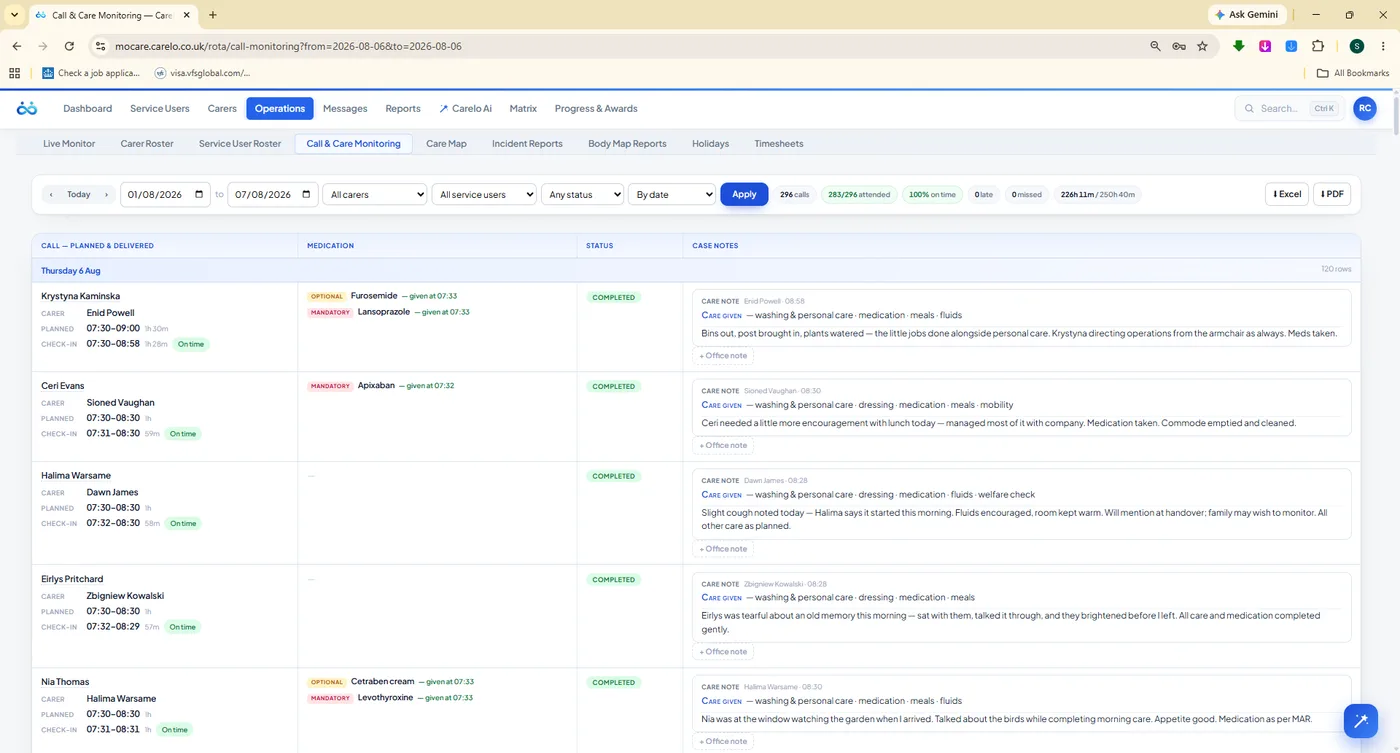
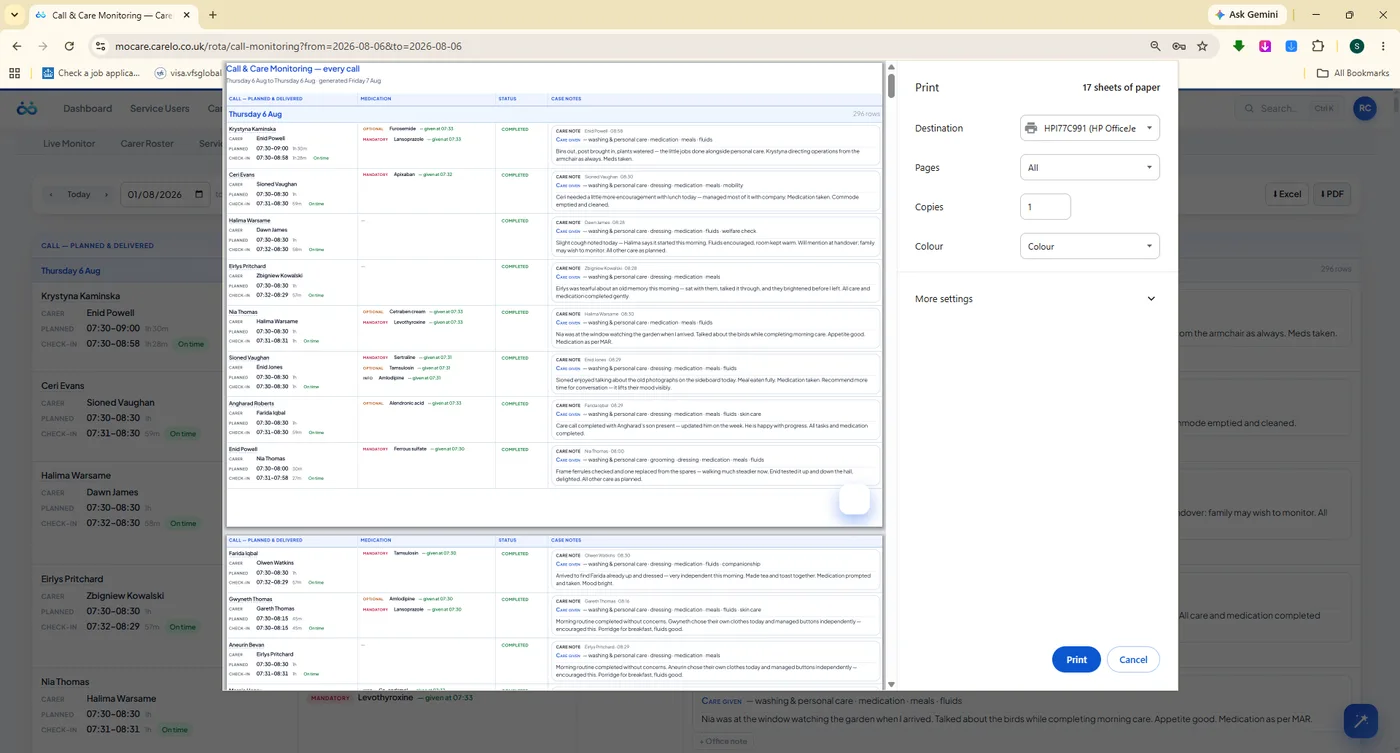
The desk you open when a commissioner asks a hard question. Planned time against actual check-in, who attended, what medication was given, and the care note the carer wrote at the door — for every call, on one page, exportable as a branded report.
Planned Versus Actual, Line By Line
Each row carries the planned window, the real GPS in and out times, the variance, the carer's name, the medication outcome and the note. Read a week in a scroll — or filter to one client, one carer, one date range and print the evidence.
Planned time, check-in, check-out and duration on every line
Medication shown as given, refused or missed with the amount
The carer's own words on the care delivered — not a tick box
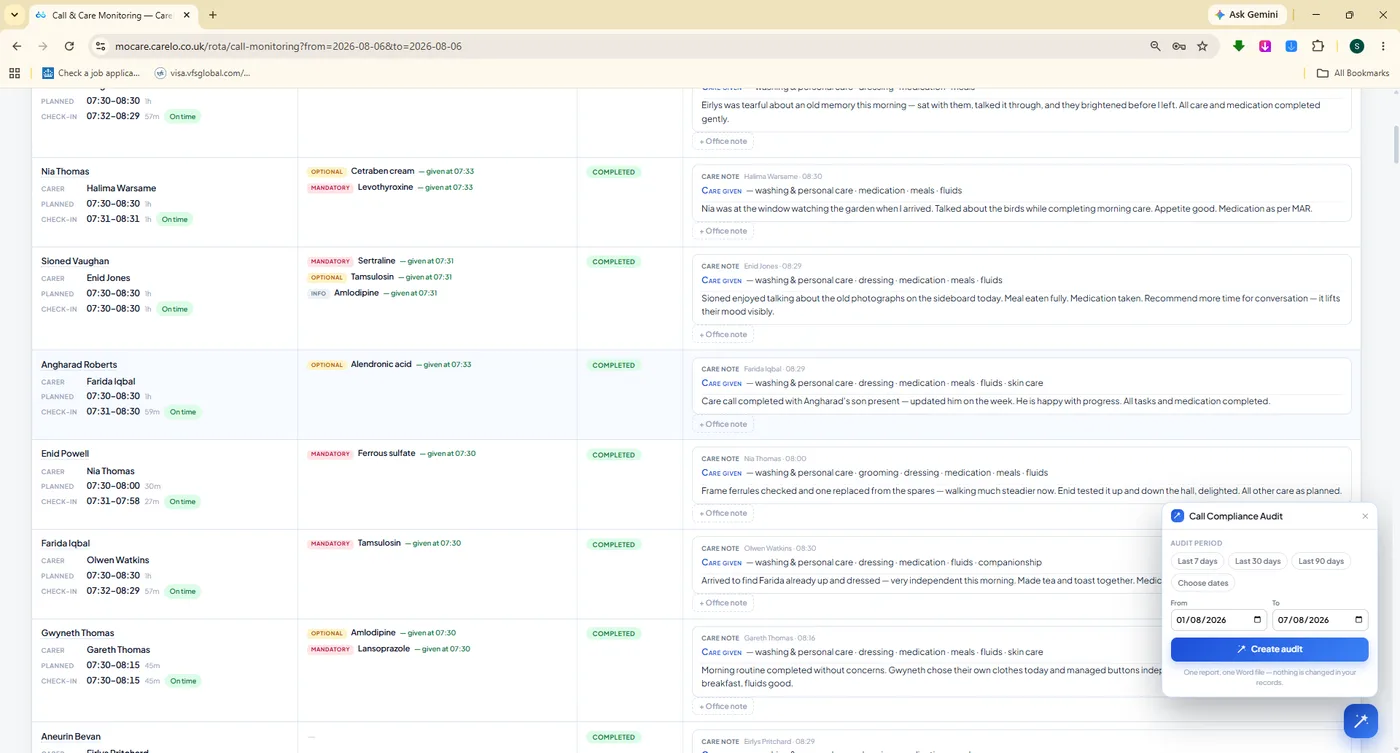
Call Compliance Audit panel for the exceptions worth a look
/rota/call-care-monitoringEvidence
#compliance-audit
Compliance Audit. The exceptions pulled out of the noise — short calls, late arrivals, notes not yet written.
#print-preview
Seventeen Sheets, Branded. The every-call report prints as a professional document, not a screenshot of a table.
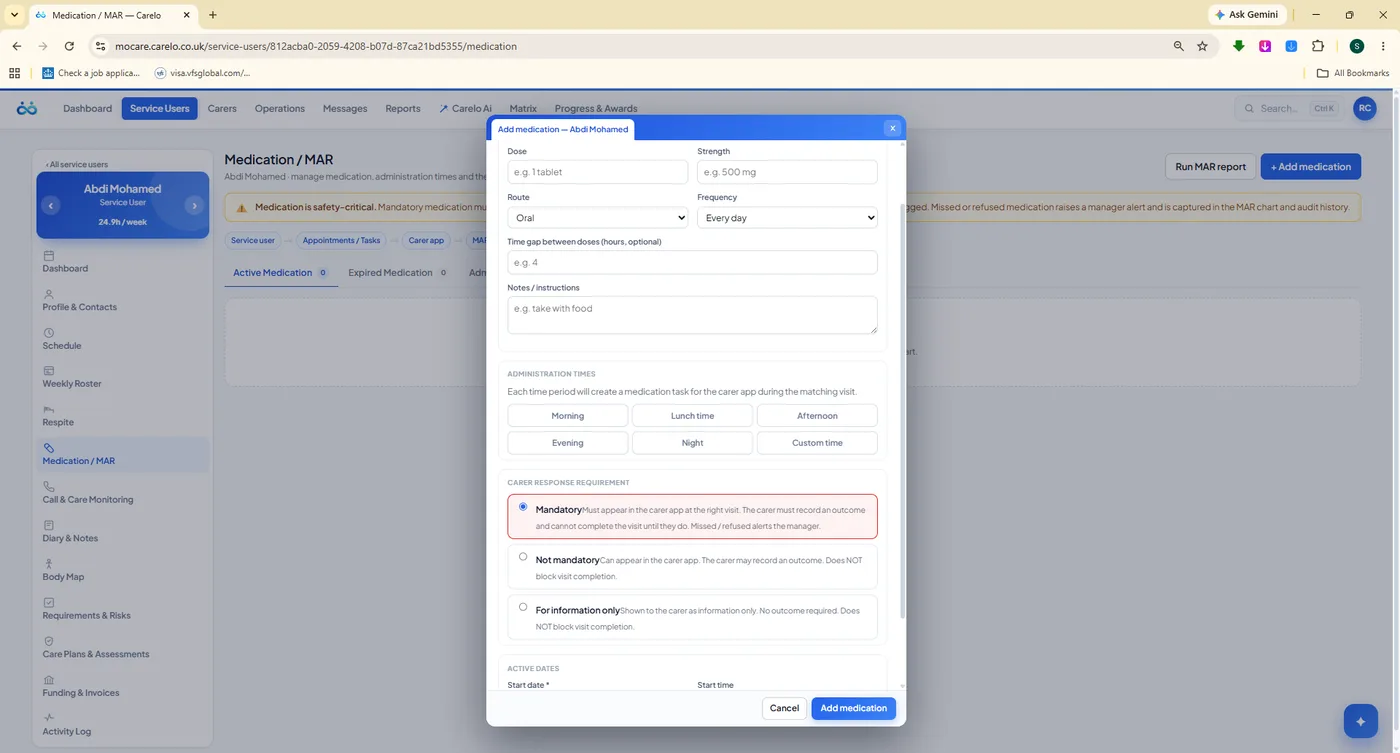
/service-users/medication
eMAR Set Up Once. Administration times and mandatory levels defined by the office, then presented to the carer only when due.
Medication Oversight Without The MAR Folder
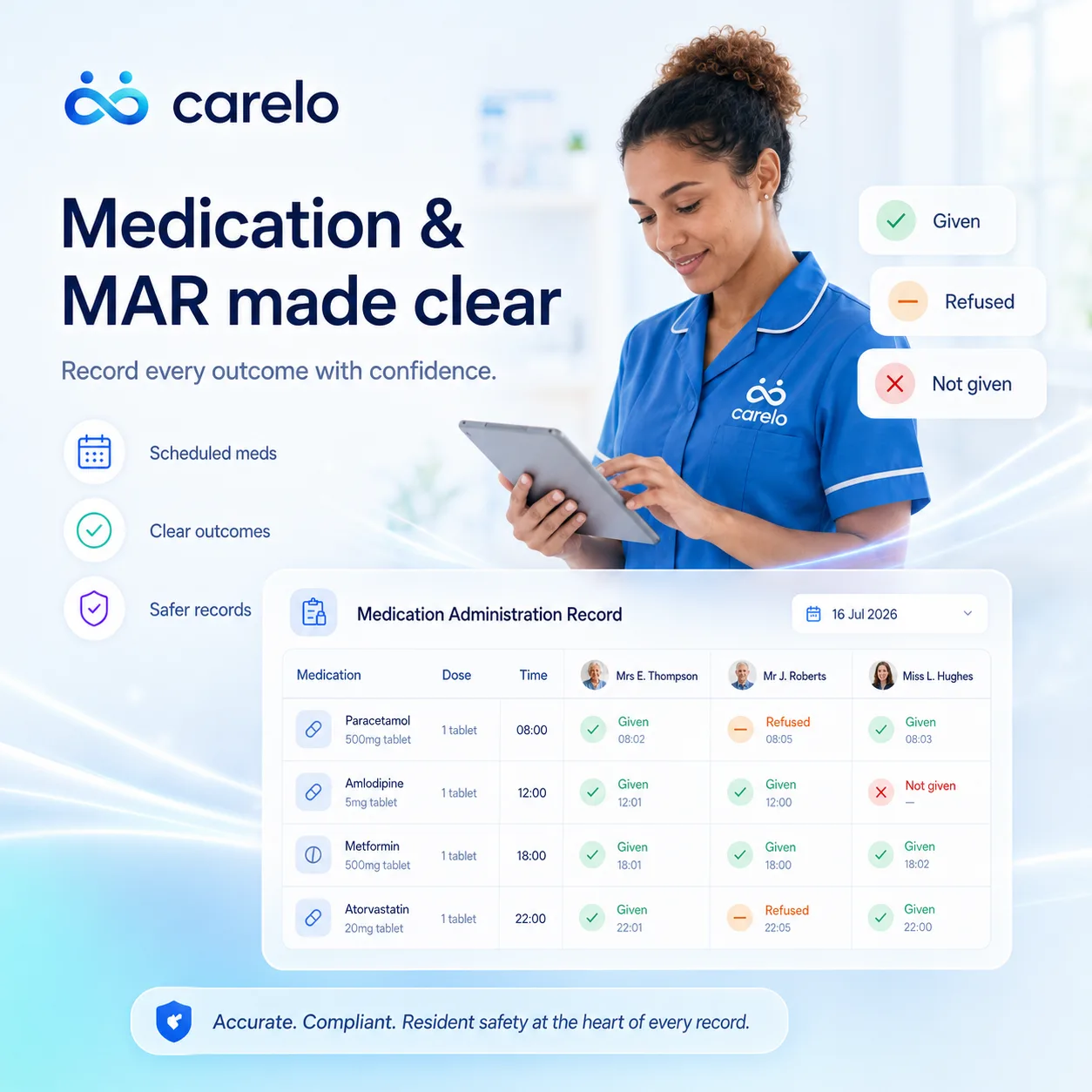
The office defines the medication and the times it is due. The carer app then shows only what is due on this call, and records it as given, refused or missed with the amount and the time. The office sees the outcome the moment it is recorded — and the family sees it minutes later.
Due-this-call slots, so nothing is administered by guesswork
Given, refused or missed — with amount, time and carer name
Refusals and misses raise themselves rather than waiting for month end
Medication compliance scored into the Company Pulse
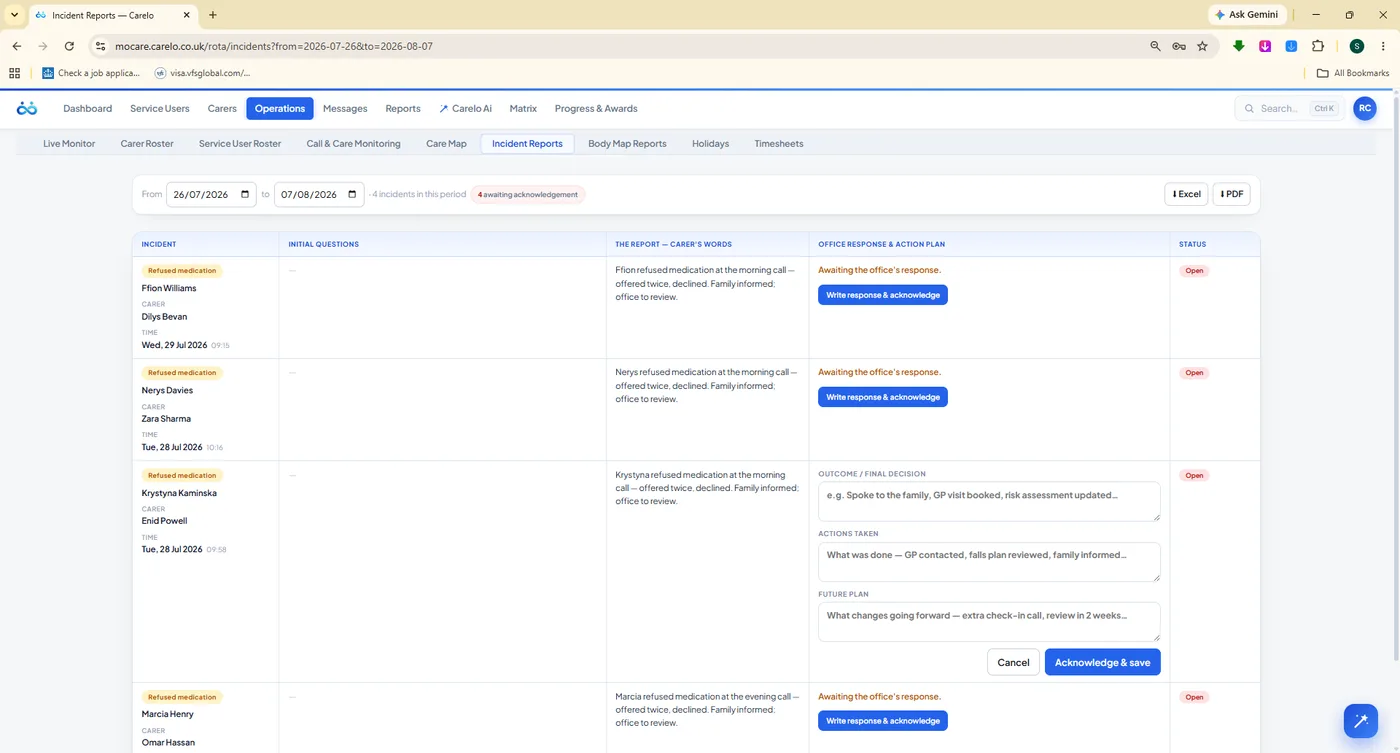
/rota/incident-reports
Incidents, Answered. Reported from the scene by the carer, then given an office response and a written action plan.
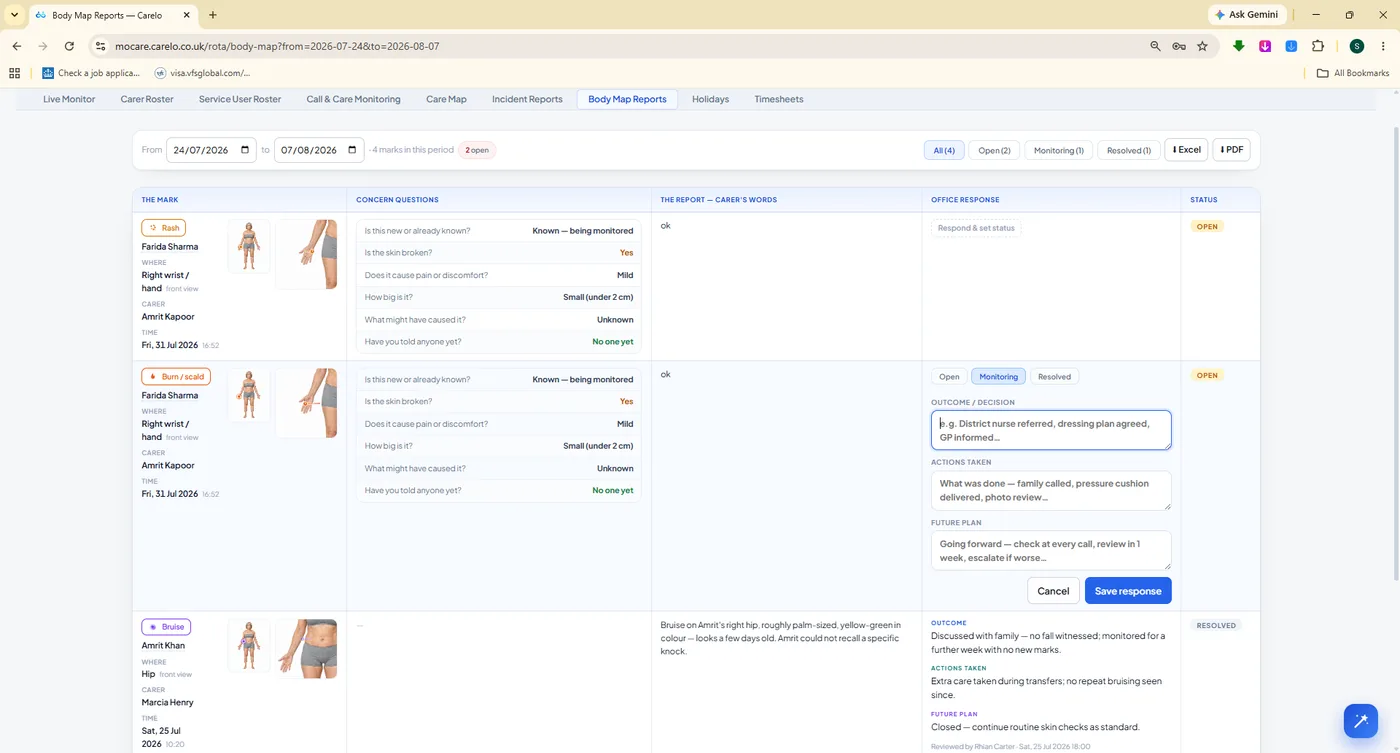
/rota/body-map-reports
Body Maps, Tracked. The exact mark, the concern questions answered at the door, and a status workflow to closure.
06
Timesheets — Payroll-Grade Hours, Already Counted
Nobody adds anything up. Delivered hours come from real check-in and check-out times, with travel shown separately, in decimal hours your payroll software understands. Week mode, month mode, or any date range — then approve, export and pay.
The Hours You Pay Are The Hours That Happened
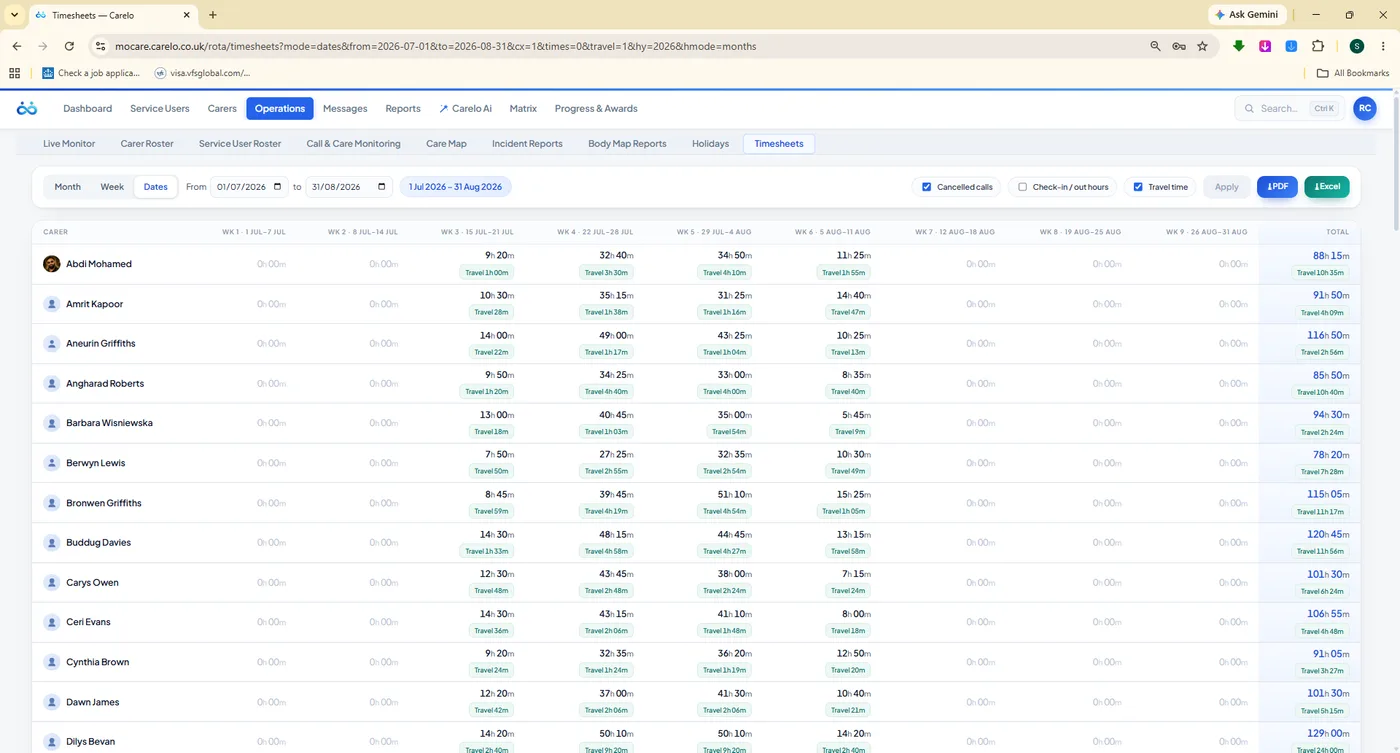
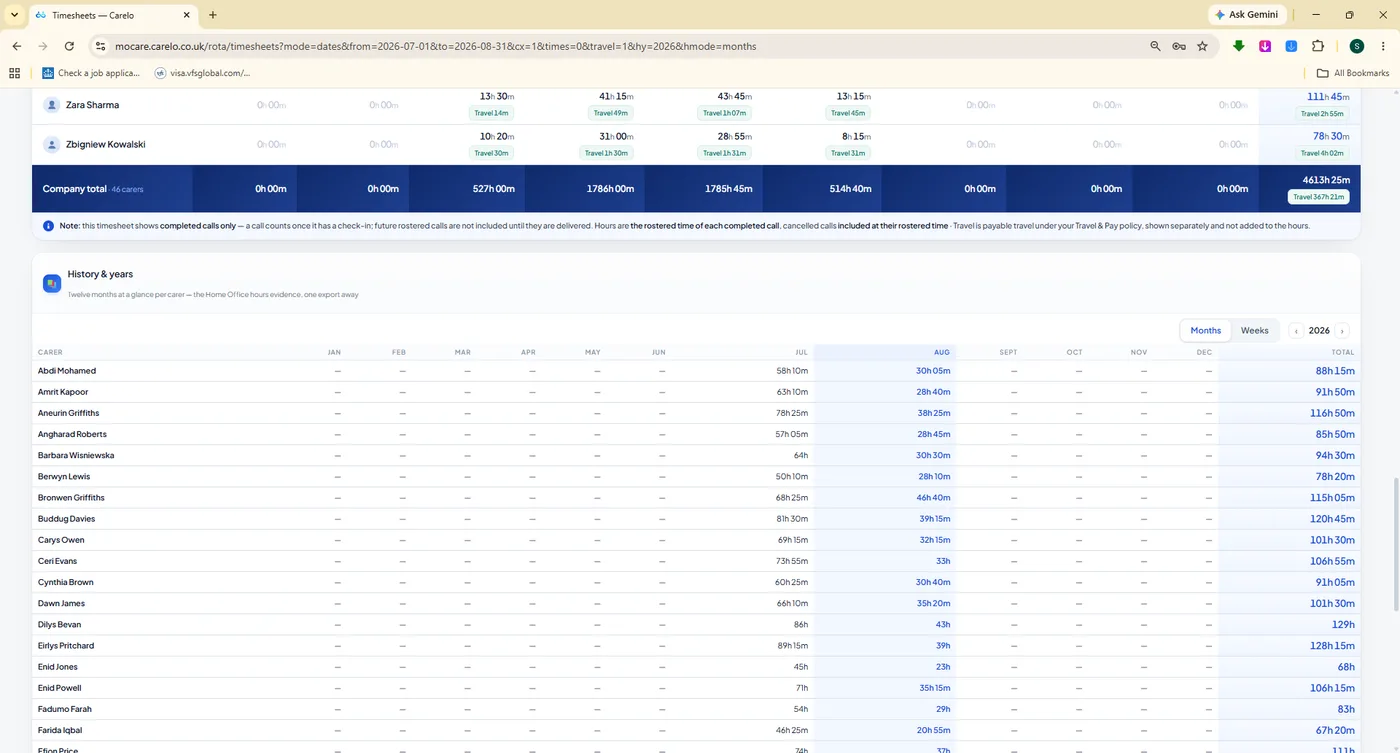
A carer-by-week grid of delivered hours, with a travel-time chip in each cell so the paid picture is complete. Company totals sit on the bottom row, and the History & Years grid keeps twelve months of evidence ready for an audit, a funder or a sponsorship application.
Delivered hours drawn from GPS check-in and check-out
Travel time shown per cell, never quietly folded into care time
Decimal hours — no converting 7h 45m by hand at midnight
Week, month and date-range modes for whatever payroll needs
Carers see the same figures in their app, so queries are rare
/rota/timesheetsPayroll
/rota/timesheets#history
Twelve Months Of Evidence. Company totals and a year-at-a-glance grid, ready for funders and sponsorship claims.
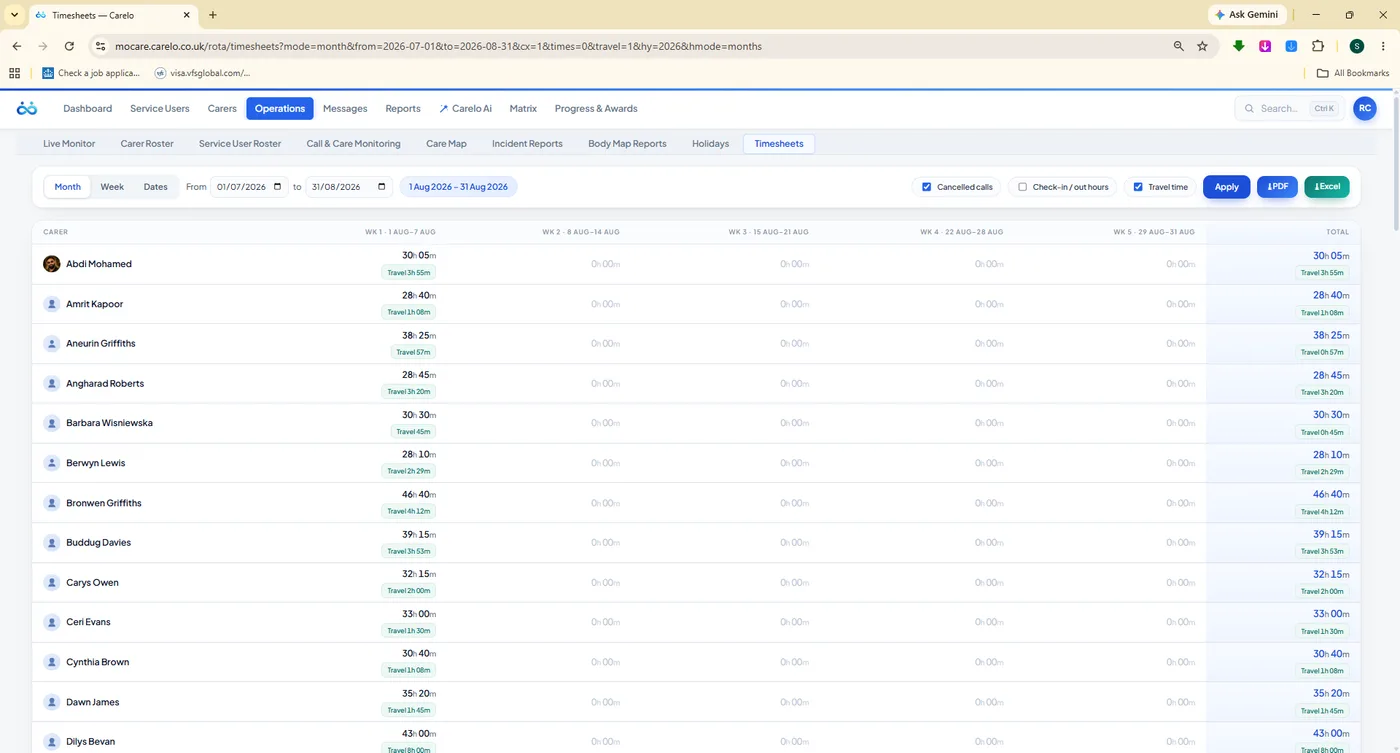
/rota/timesheets?mode=month
Month Mode. Whole-month weeks per carer with travel — the view most payroll runs actually want.
/carers/timesheets
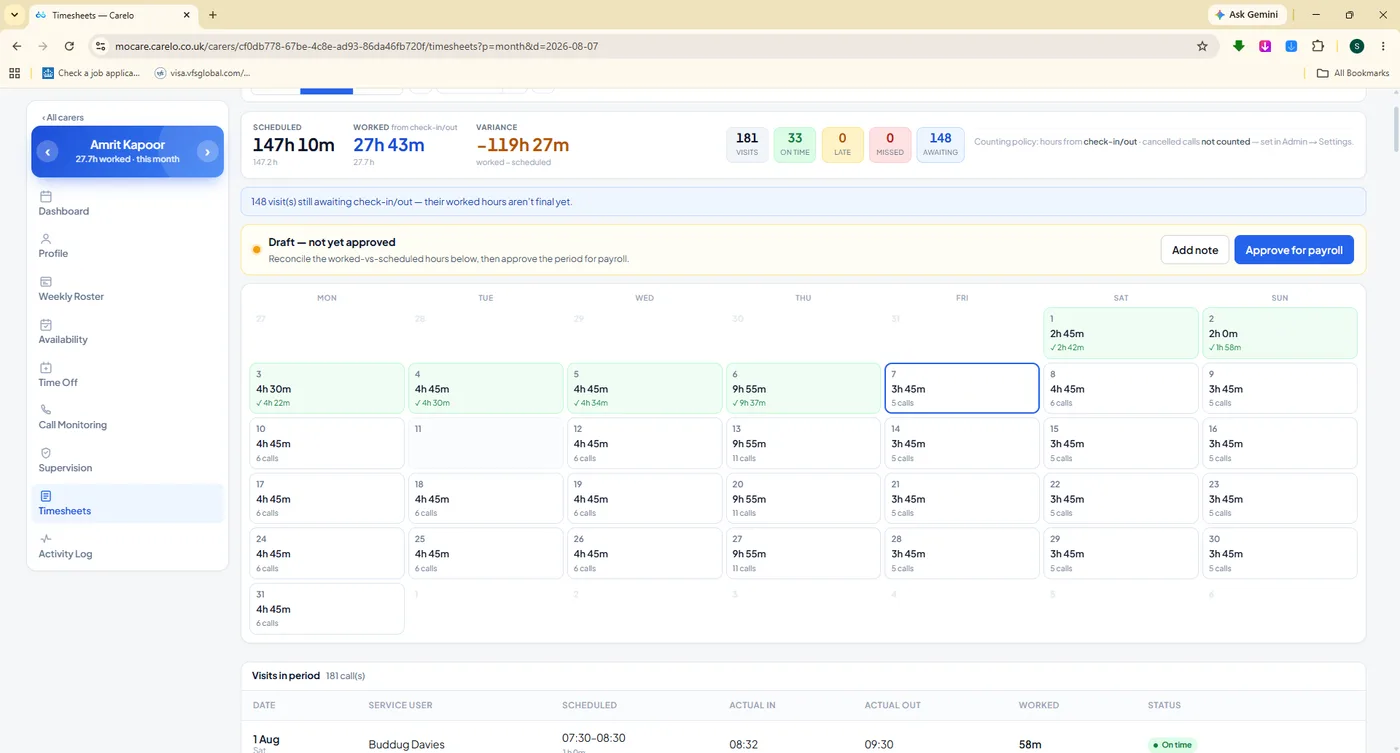
Approve For Payroll. One carer's month, with variance against planned, signed off before the export leaves the building.
Every Export Is A Branded, Compliance-Grade Document
Nothing leaves Carelo looking like a spreadsheet dump. Rotas, timesheets, incidents, body maps, call monitoring and reports all export with your company name and logo alongside Carelo, blue title bands, zebra tables and page footers — files a commissioner, an accountant or a CQC inspector can take at face value.
Your logo and company details on every page
Blue title bands, zebra rows, numbered footers
The same figures as the screen — exports are never a re-count
PDFCall monitoring, incidents, body maps, certificates
07
Holidays, Availability And Sickness — Staffed Before It Hurts
Leave is a rota problem long before it is an HR problem. Carelo puts capacity on a traffic-light calendar so you approve with your eyes open, keeps every carer's weekly availability beside the rota, and handles sickness with plain-English statutory sick pay guidance.
Approve Leave Knowing What It Costs You
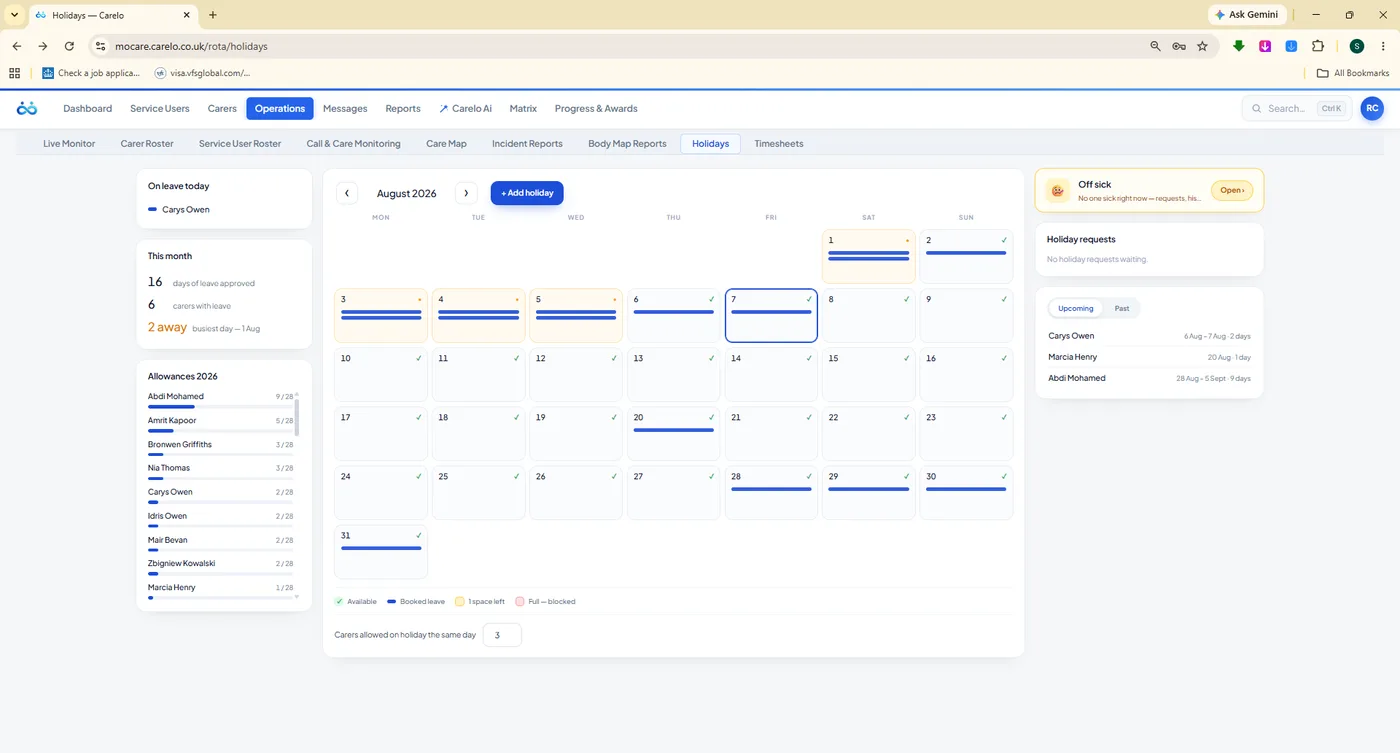
The month board colours each day by how much of the team is already away — green, amber, red. Allowances per carer sit alongside, and requests made in the carer app land in the rail on the right for a decision. Approved leave then shows as a lane on the rota itself.
Traffic-light day capacity across the whole month
Allowance used and remaining, per carer, always current
Requests arrive from the carer app — no phone calls, no paper
Approved holiday appears on the roster where it matters
/rota/holidaysCapacity
/matrix/availability
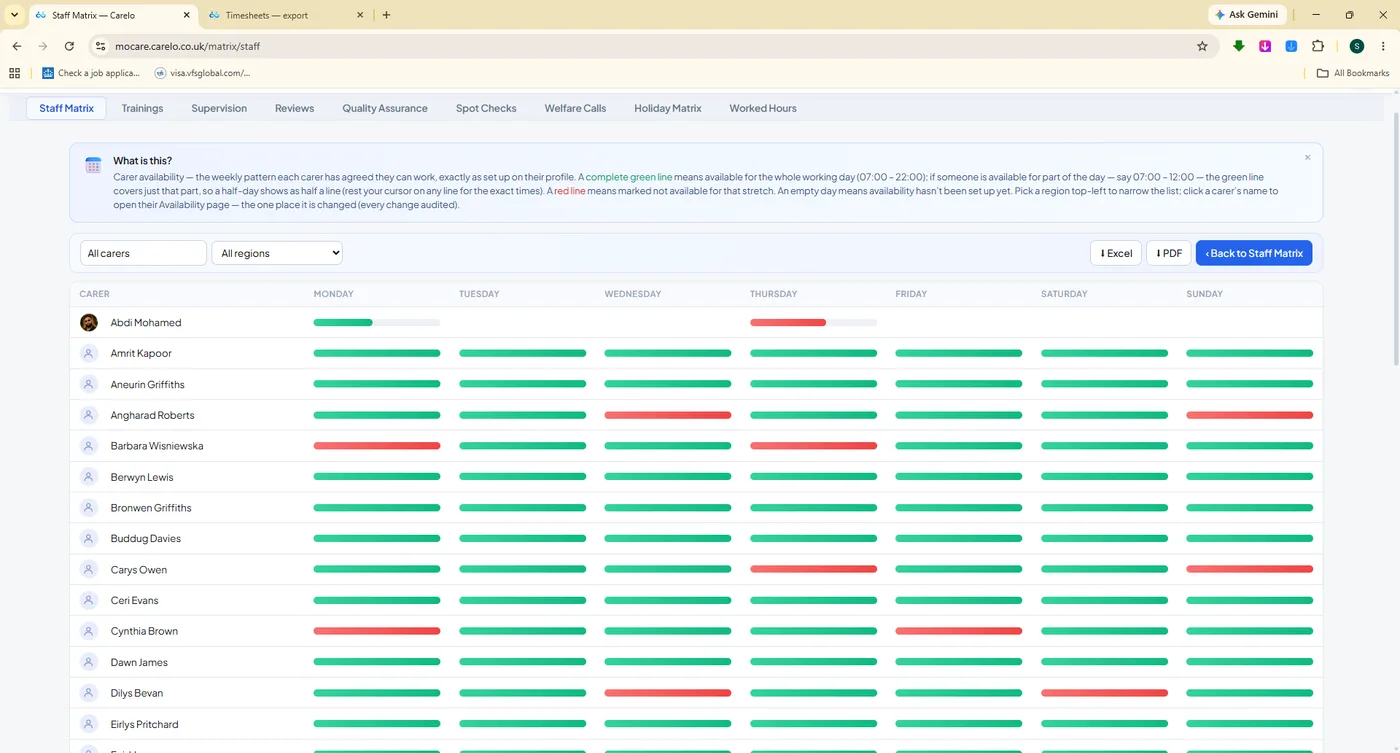
Availability At A Glance. Green and red weekly lines for the whole team — who you can actually roster, before you try.
/rota/off-sick
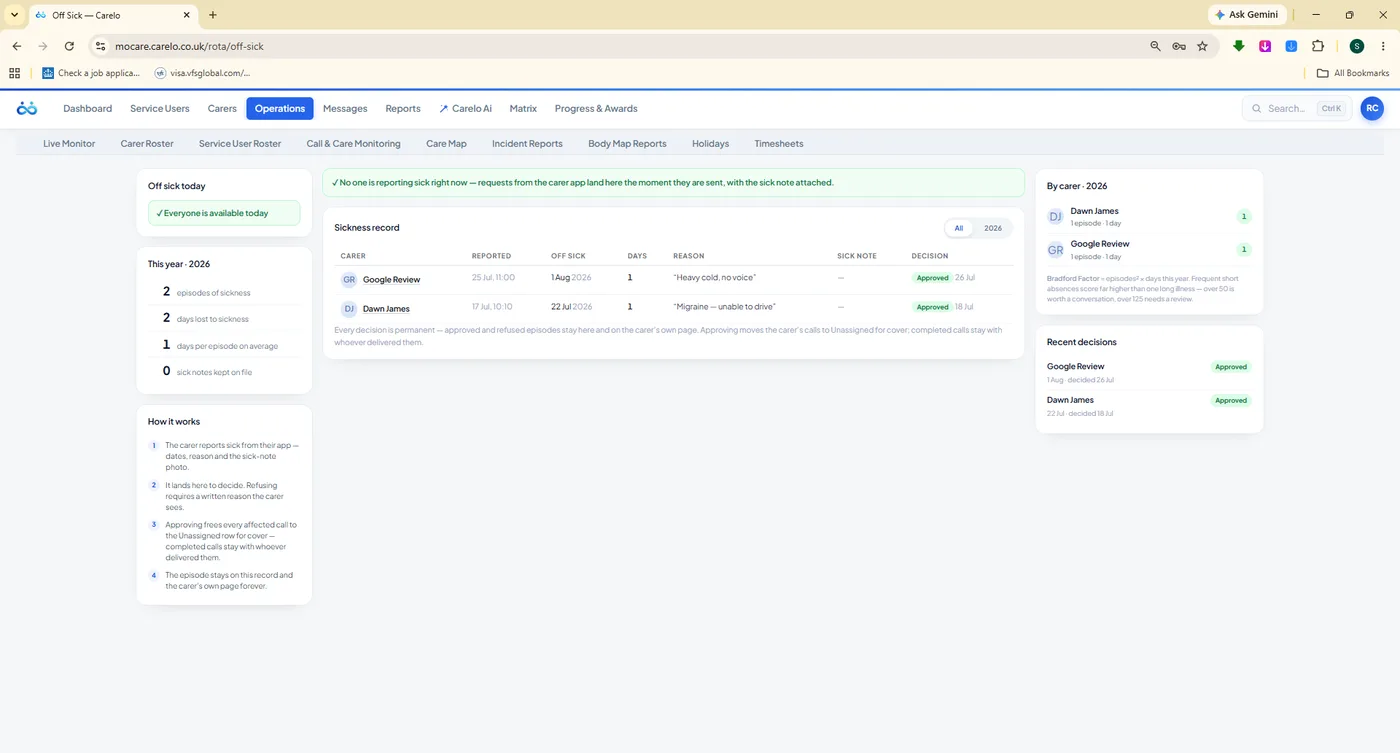
Sickness, Handled Properly. Records, Bradford factor guidance and a clear approve-or-refuse decision on each absence.
/carers/time-off
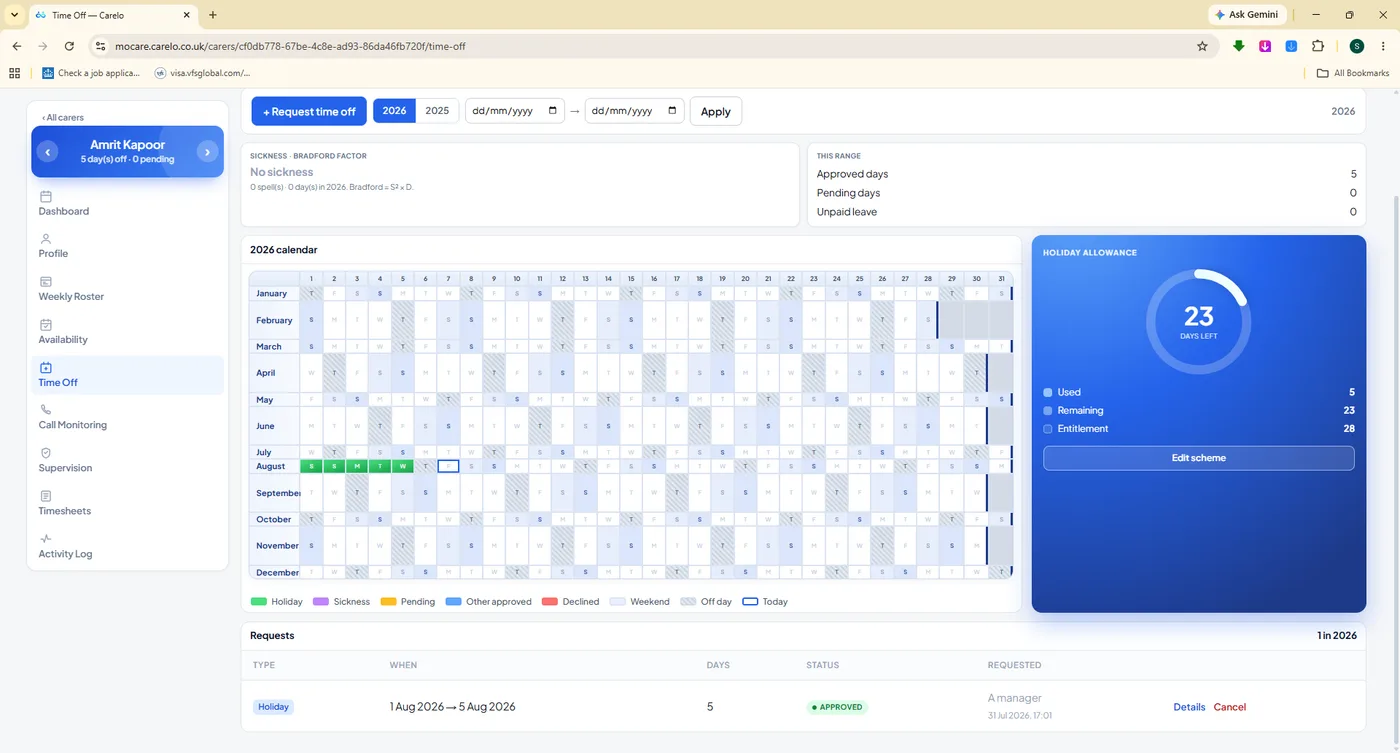
A Carer's Whole Year. The leave calendar and allowance dial for one person, when the conversation gets specific.
08
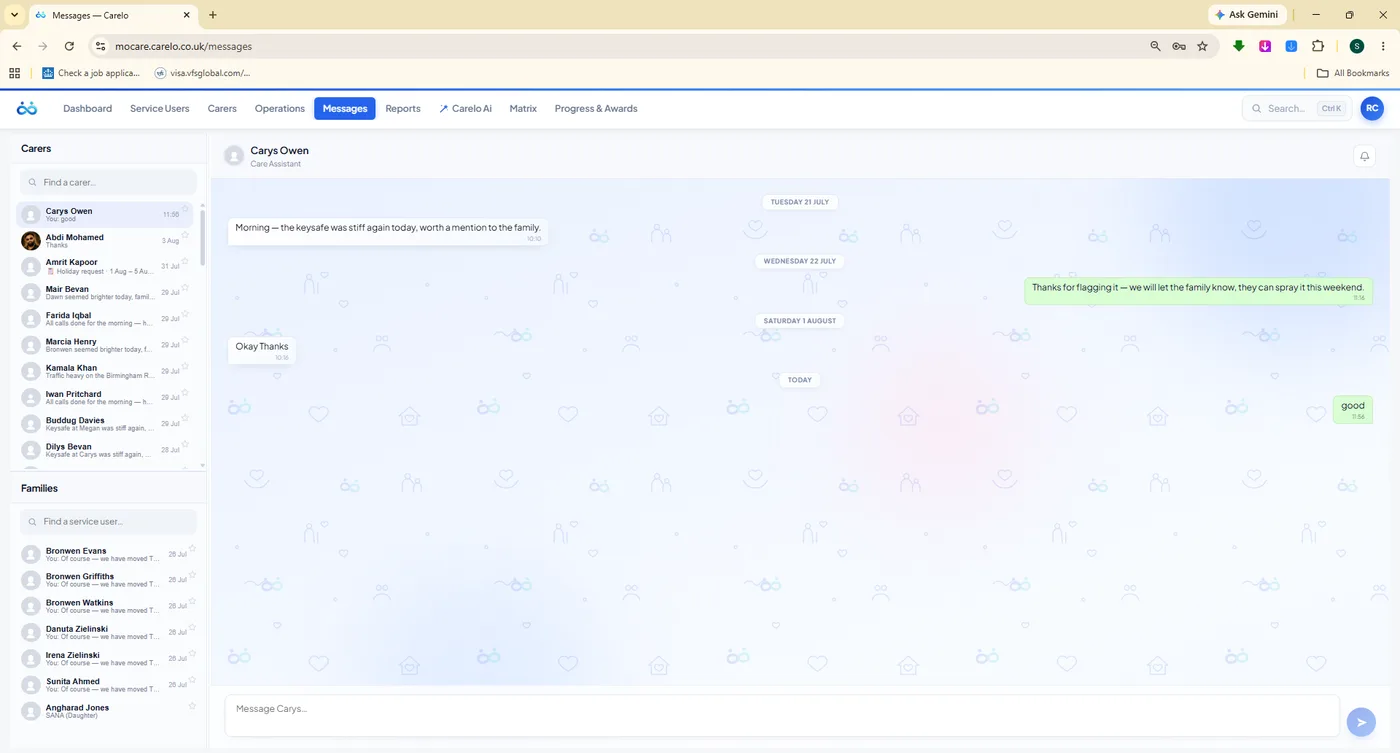
The Messages Centre — One Audited Channel, Not Twelve WhatsApp Groups
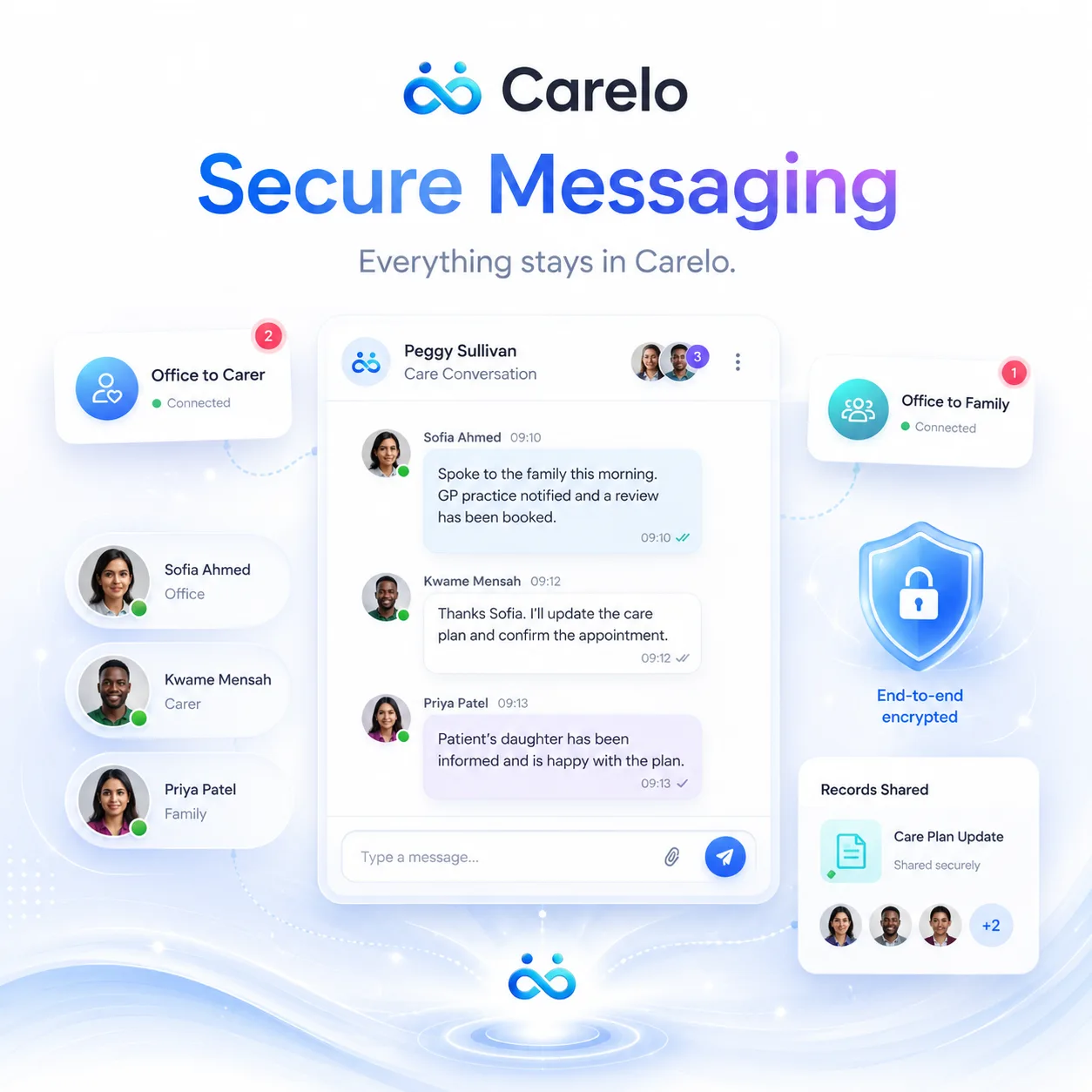
Care conversations belong in the care system. Carelo gives the office two clean lanes — office to carer, and office to family — with presence, read states and a full history the office can stand behind. There is deliberately no carer-to-family channel: that is a safeguarding decision, not a missing feature.
Every Word About Care, In The Record
Carer threads and family threads sit side by side in one inbox. Unread counts follow you onto the dashboard, so a question from a relative at four o'clock is not still unanswered at nine. And because messaging routes through the office, no conversation about a client happens where you cannot see it.
Office to carer, and office to family — nothing off-channel
Presence and read states, so you know it landed
Unread count on the dashboard until somebody answers
No carer-to-family channel, by design — safeguarding-clean
Kept with the record, not on somebody's personal phone
mocare.carelo.co.uk/messagesAudited
The Office Writes, The Carer Sees It At The Door
Beyond the inbox, the office can write directly onto a call. An instruction added at nine appears at the top of that carer's call screen before they knock — and a handover note written after one visit surfaces on the next carer's screen, headed "from the last call".
Instructions attached to a specific visit, not a group chat
Handover notes carried forward to the next carer automatically
Acknowledgements come back so you know it was read
Families read the note minutes after the carer checks out
09
Reports And Recognition — Evidence Out, Motivation In
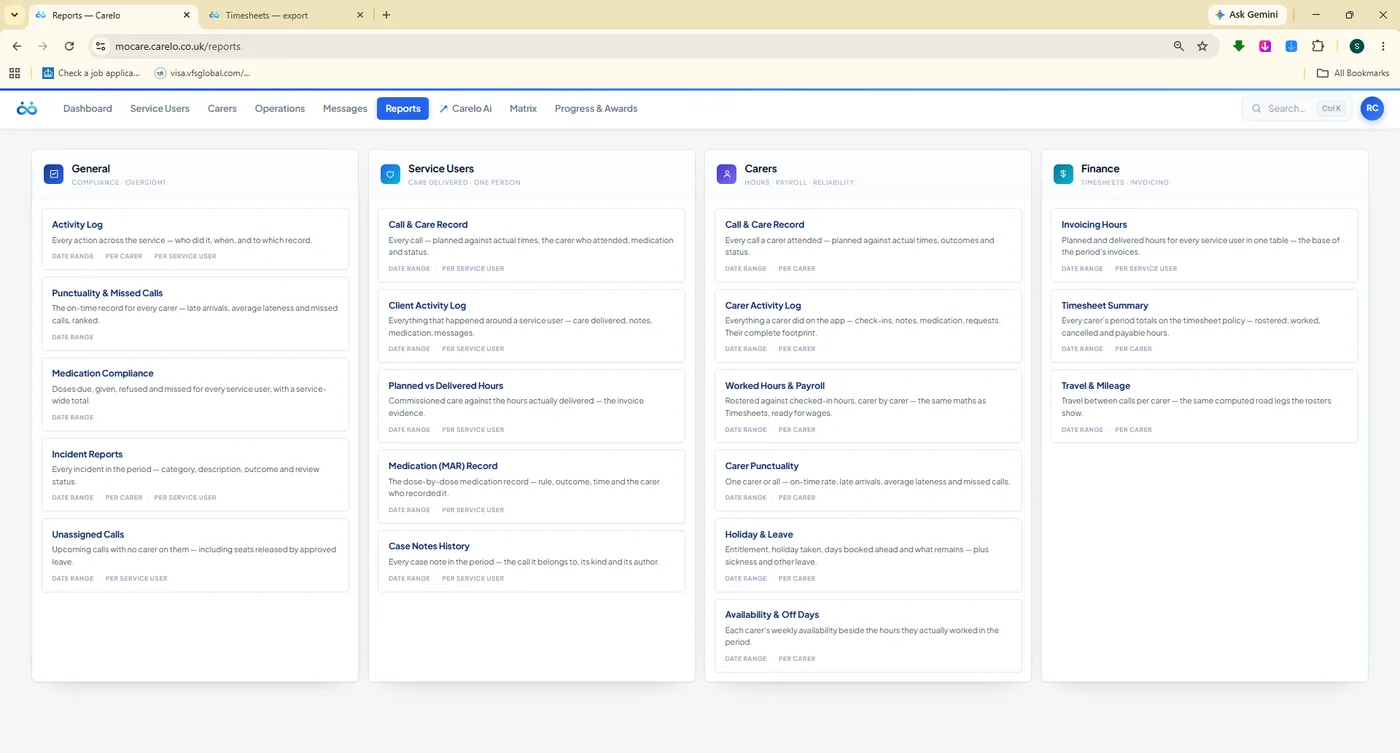
A four-column report library covering the whole business, and a Progress & Awards desk that turns the same data into something your team actually wants to see: an open care score on one scale for everyone, and printable Carer of the Week and Month certificates.
The Report Library
General, Service Users, Carers and Finance — every report your week asks for, built from the live record rather than assembled by hand. Choose the range, pick the people, export it branded. The evidence was written by the care itself; this desk just hands it over.
Four columns: General, Service Users, Carers, Finance
Built from delivered care, so figures always reconcile
Branded Word, Excel and PDF outputs on every report
Ready for commissioners, funders and CQC inspection
mocare.carelo.co.uk/reportsLibrary
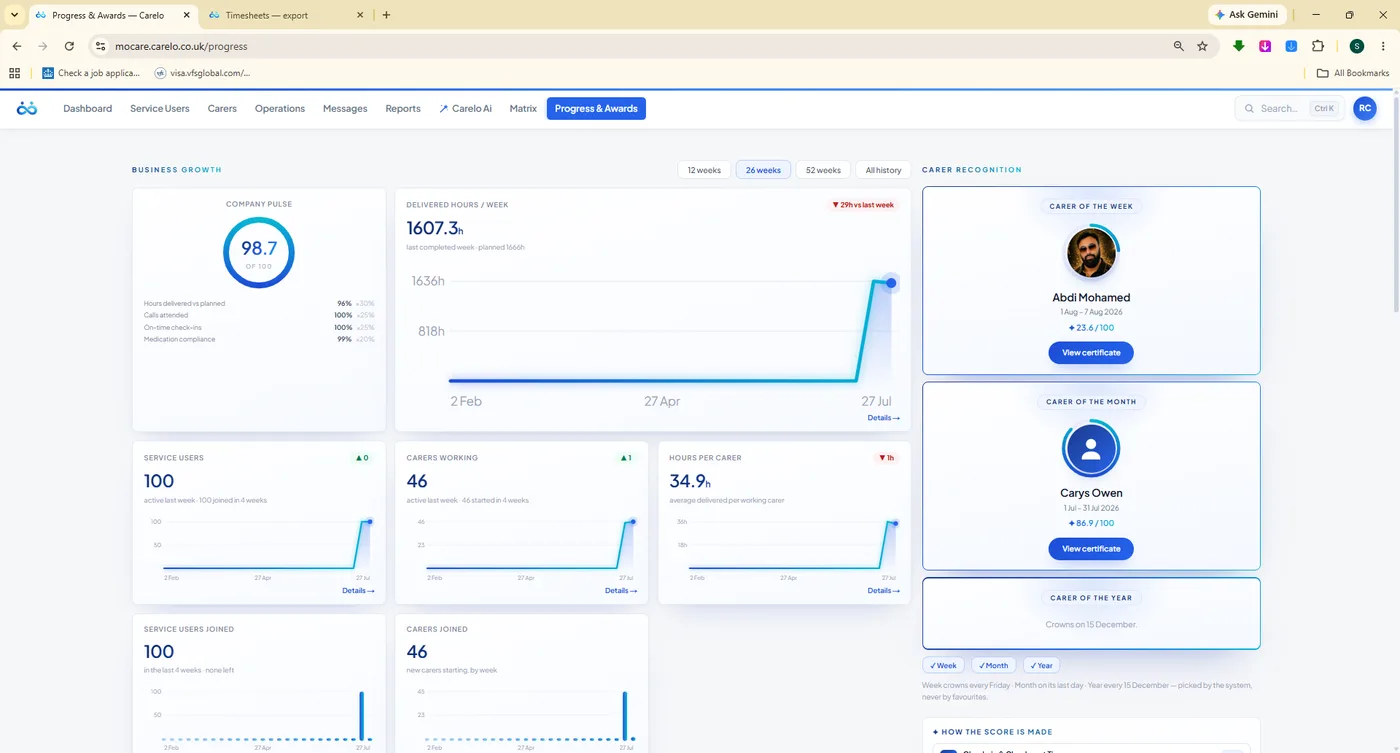
/progress-awards
Growth, Visible. Delivered-hours trend, growth tiles and this period's Carer of the Week and Month.
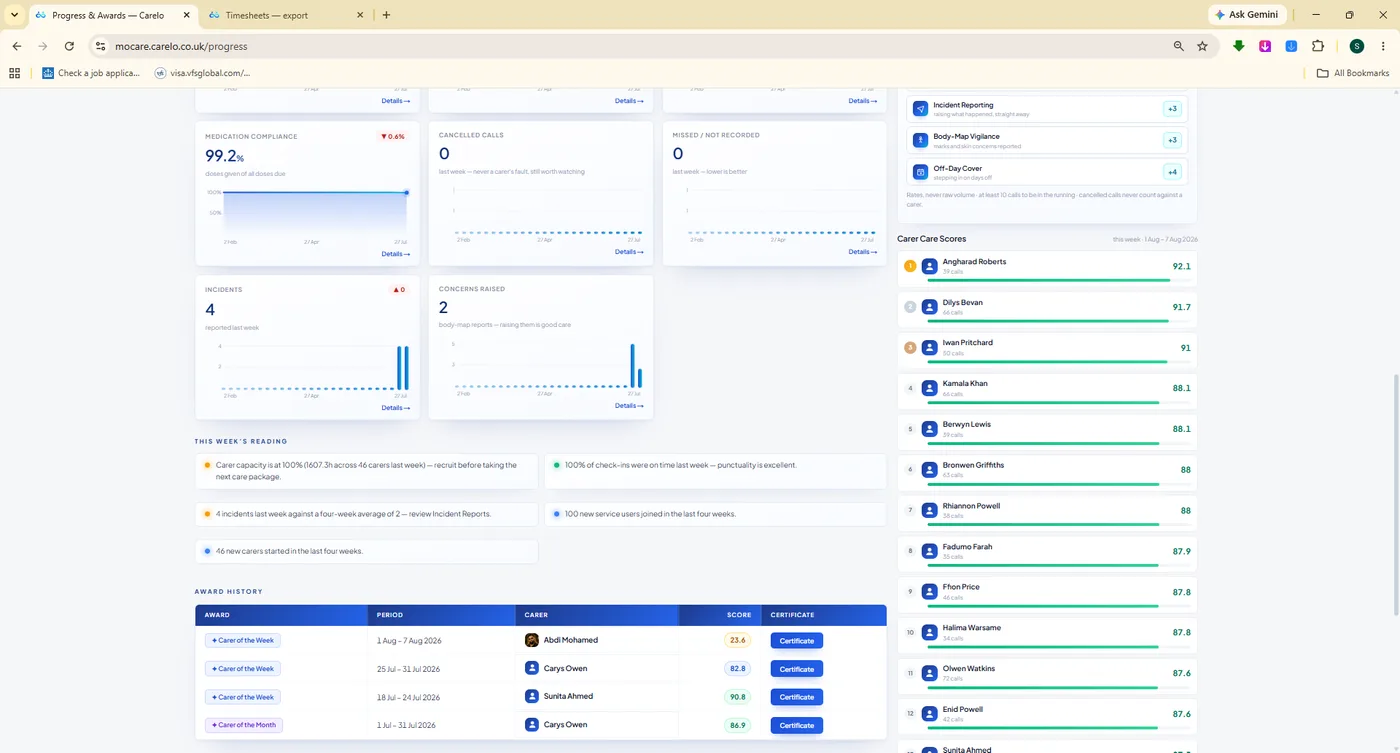
/progress-awards#leaderboard
One Open Scale. Award history and a ranked care score every carer can see — earned by the record, not by favouritism.
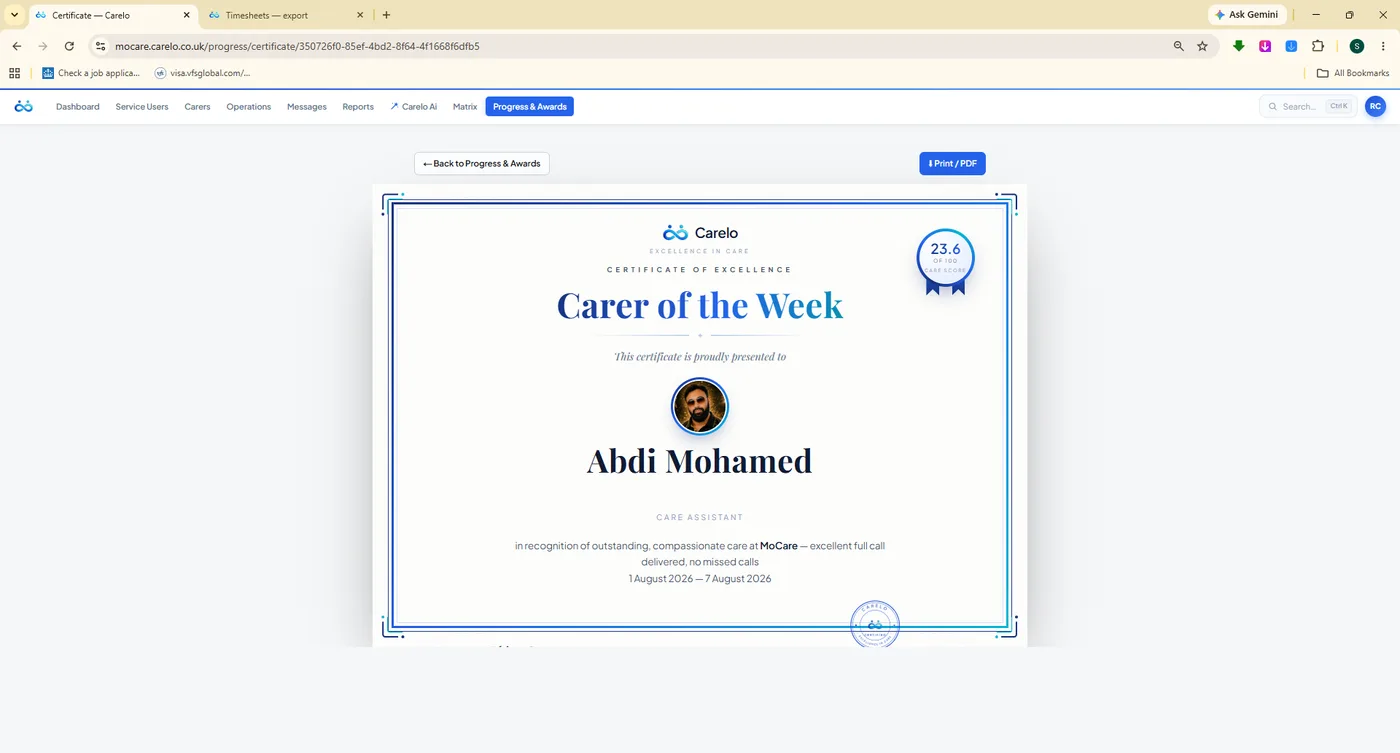
/progress-awards#certificate
Print It And Pin It. Carer of the Week and Month certificates, ready for the office wall and the manager's signature.
Carelo AI Sits Beside The Desk, Not Above It
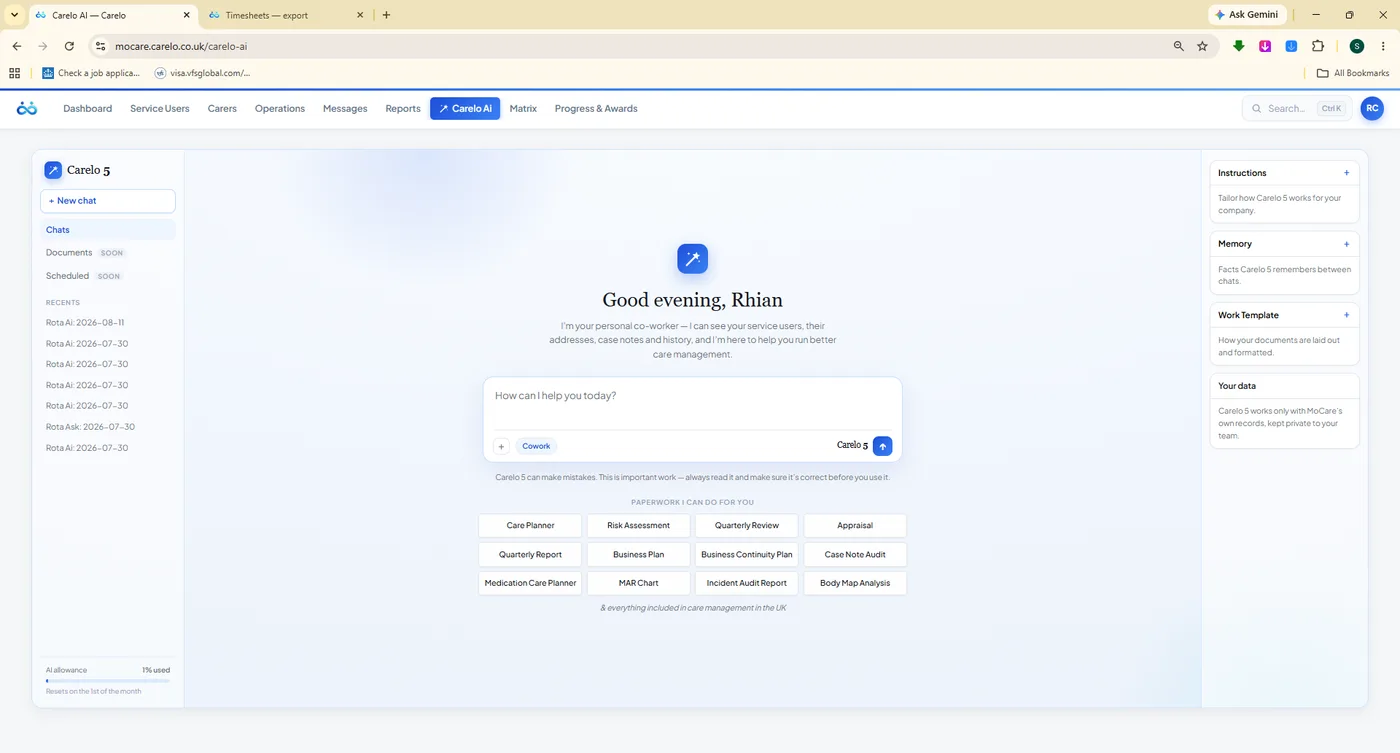
The assistant is scoped to your company's own data — your visits, your carers, your clients, your compliance — never a general chatbot. Ask it to propose a rota and it returns placements with honest "worth knowing" notes and a stays-unassigned list. Ask it for paperwork and it drafts a care plan or risk assessment for you to approve.
Answers only from your company's record, with per-company budgets
Rota proposals you approve or discard — nothing saved until you do
Paperwork drafted: care plans, risk assessments, MAR charts
ChatGPT-style spending limits so the cost never surprises you
Unlimited office logins on every plan, each with named access and role-based permissions. Nothing here is an add-on module you discover the price of later.
Dashboard & Company Pulse
Delivery, attendance, punctuality and medication in one honest score, refreshed as the day runs.
Carer Roster
The full day grid per carer with runs, travel, double-handed calls and an unassigned lane that shouts.
Service User Roster
The same week seen from the client's side — bulk assign, expire a schedule, add respite.
New-Wins Assignment
Every carer change runs through one engine: newest decision honoured, displaced calls unassigned.
Bulk Operations
Nudge, reassign, cancel or delete dozens of calls at once — with delivered calls protected.
Assign With Carelo AI
Plain-English instructions and per-carer limits in; a reviewable placement plan out. You approve.
Live Monitor
The day as it happens, with late and missed check-ins raising themselves before the phone rings.
Care Map
Carer and client pins, day and status filters, and road routes computed once and reused.
Travel & Mileage
Realistic gaps between calls, with travel time shown on the rota and paid separately on timesheets.
Call & Care Monitoring
Planned against actual on every visit, with medication outcomes and the carer's own note.
eMAR Oversight
Administration times set by the office, given or refused recorded at the door, compliance scored.
Incident Reports
Guided reports from the scene, an office response and a written action plan tracked to closure.
Body Map Reports
The exact mark, the concern questions, the office response and a status workflow that ends.
Timesheets
Payroll-grade decimal hours from real check-ins, with travel separated and a year of history kept.
Holidays & Sickness
Traffic-light capacity, allowances per carer, app-made requests and plain SSP guidance.
Office to carer and office to family, audited, with presence and read states — nothing off-channel.
Reports Library
General, Service Users, Carers and Finance reports, branded and reconciled with the live record.
Progress & Awards
One open care score for everyone, award history and printable Carer of the Week certificates.
Funding & Invoices
Funder setup per client, invoices raised from delivered care, and the finance reports behind them.
Service User Records
Profile, contacts, care needs, risks, requirements, care plans, respite and full visit history.
Carer Compliance
DBS, right to work, training and a profile-complete meter — the file an inspector asks for first.
Named Access
Unlimited office logins with role-based permissions, self-service password reset, no shared accounts.
Knowledge Centre & Manual
The in-app handbook and a full user manual, so a new coordinator is useful on day one.
See The Console Drive Your Own Rota.
Twenty minutes, live, with your questions. We will build a week, break it on purpose, and show you exactly where the displaced calls go. Then we will move your data across for nothing.
Free migration · Unlimited clients and office logins on every plan · Family app included