Carelo Live Tracking: carers on visits on a live map, on the web and on mobile

Live Tracking For Home Care Visits

Every visit live on one map — only while the carer is checked in.

Your office sees which carers are on a visit right now and whether they are inside the client’s home zone, with an alert the moment something needs a look. It starts at check-in, stops at check-out, and carers agree to it once in the Carelo app.

Check-in to check-out only Carers agree once Policy & DPIA built in Android & iPhone
The Tour

Everything Your Office Sees, In One Screen

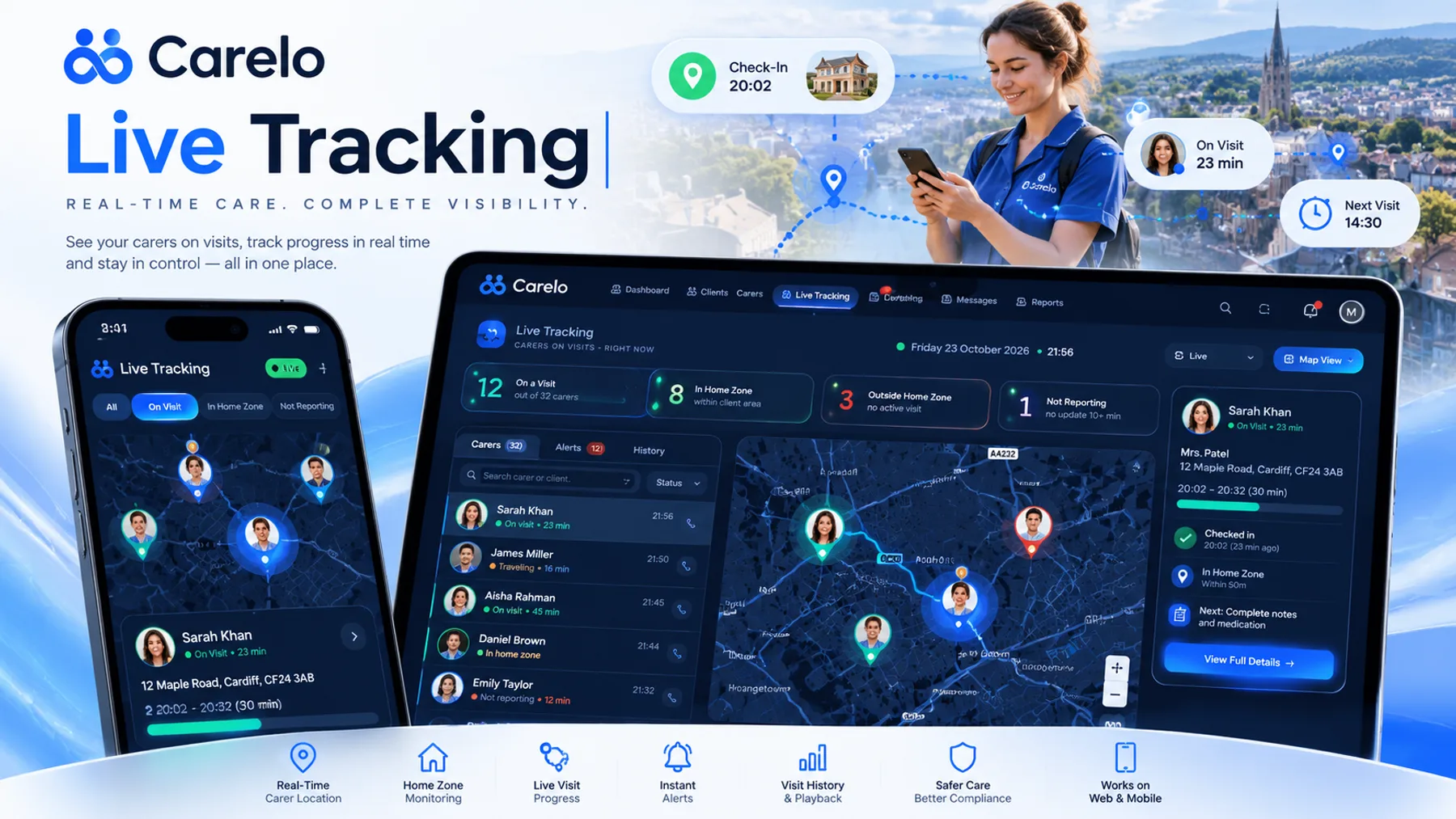
The Live Tracking board: carers on visits, home-zone status and visit details
A carer inside the client's home zone
An outside-home-zone alert during a visit
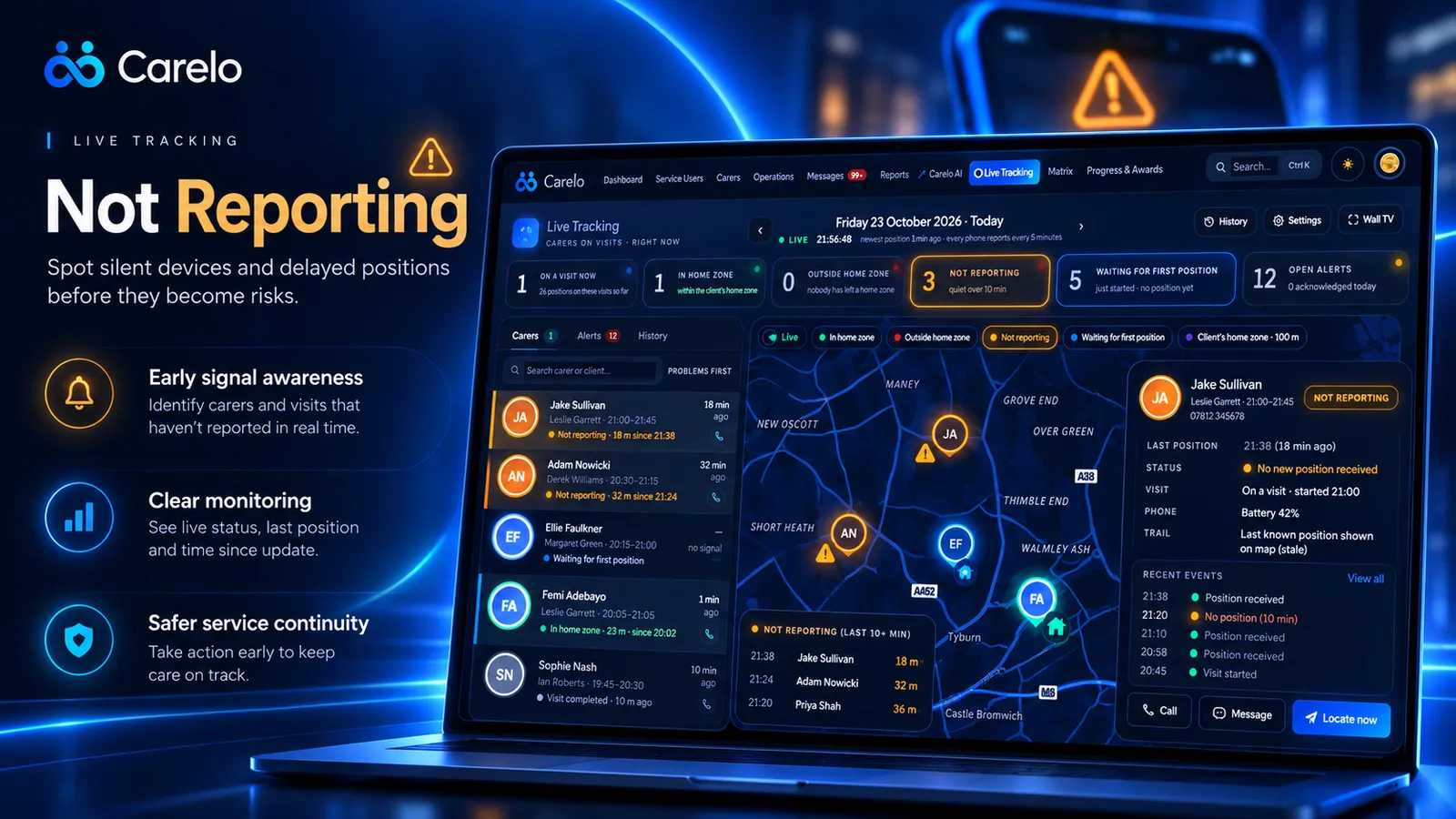
Carers whose phones are not reporting
Locate now, call and history on the live map
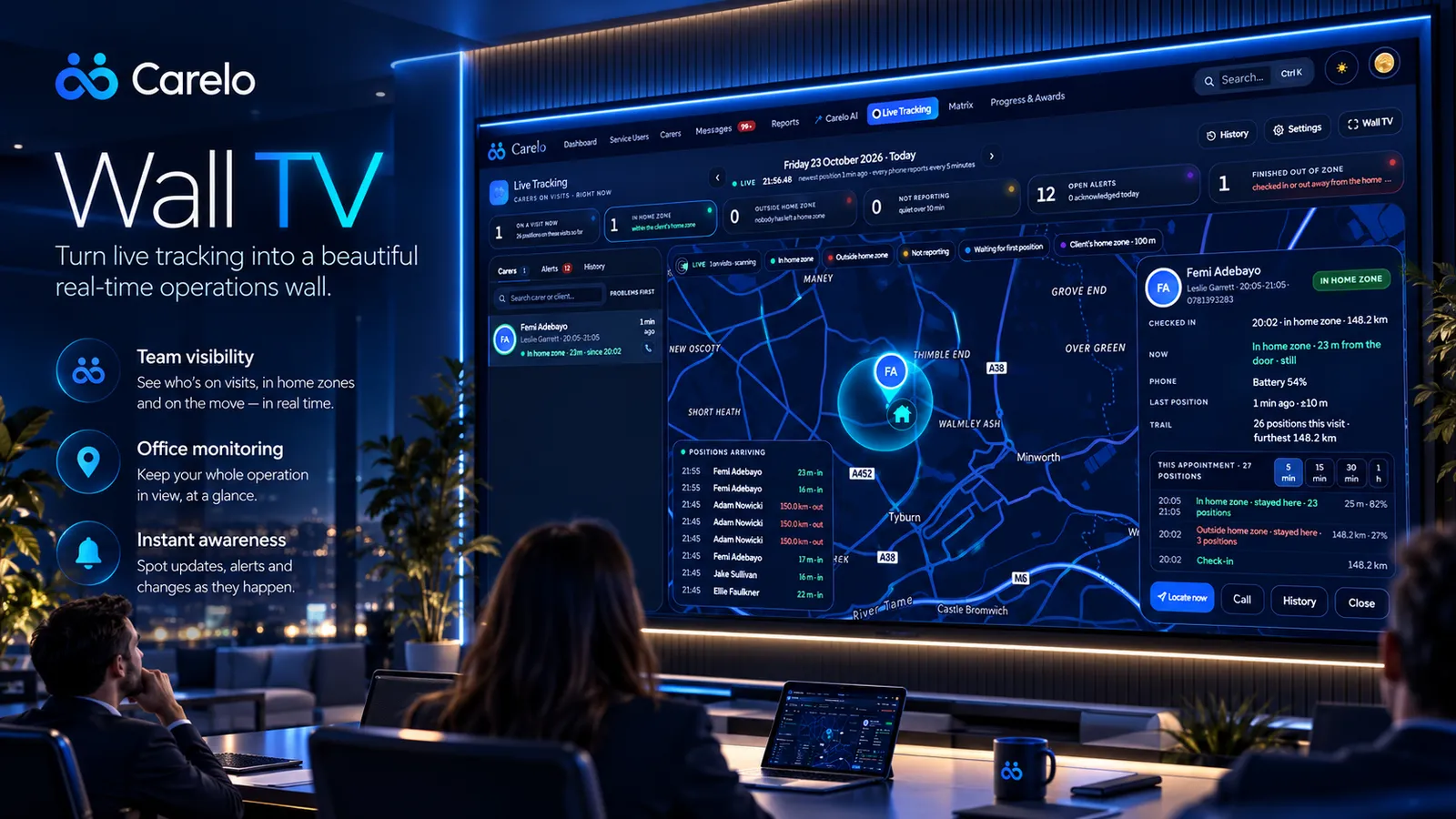
Live Tracking on the office wall screen

Live map. Who is checked in right now, their home-zone status and the newest position — the whole operation at a glance.

Check-in starts it. Check-out stops it. Nothing in between.

Only during active appointmentsBefore check-in, between visits and after check-out, the app shares nothing.
Carers told clearly, agree onceA plain notice in the app before the first tracked visit — never a reminder on every call.
Seen by your office onlyNever families, never other carers, never another company.
How It Works

Switched On In Minutes, Fair From Day One

1

Your Company Signs

An owner or manager signs the monitoring policy and DPIA — both pre-filled — and sets the home zone and alert times.

2

Each Carer Agrees Once

The Carelo app explains what is shared, when and with whom. The carer agrees, and the phone asks its own permission.

3

Every Visit Shows Live

From check-in, a position every 5 or 10 minutes. At check-out it stops by itself, and the visit keeps its trail.

What You Get

Calm By Default. Clear When It Matters.

Two alerts, on purpose — a carer away from the home, or a phone gone silent. Everything else stays quiet.

Home Zones

A zone around every client’s home — 100 m unless you choose otherwise — with the carer’s distance from the door.

Outside-Zone Alert

One alert when a carer stays away longer than your setting. It closes itself when they return or check out.

Not-Reporting Alert

A silent phone is flagged with its last position and battery. Offline positions upload when signal returns.

Locate, Call, History

Ask the phone for a fresh position, call the carer, or open their visits — straight from the map.

Visit Trail & Replay

Every appointment keeps its trail from check-in to check-out. Replay any visit, any day.

Wall TV

Full screen for the office screen, in light or dark, so the whole team sees the day as it happens.

Call Monitoring, Then Live Tracking

Electronic Call Monitoring Proves The Visit. Live Tracking Shows It As It Happens.

Every Carelo plan already includes electronic call monitoring (ECM): carers check in and out on their phone with GPS, and late or missed calls are flagged. Live Tracking is the optional next step for providers who want to see the visit in between.

In every plan

Electronic Call Monitoring

  • GPS check-in and check-out at the client’s home
  • Late, missed and short calls flagged to the office
  • Actual times feed timesheets and invoices
  • The evidence commissioners and CQC ask for
Read the ECM guide →
Optional add-on

Live Tracking

  • Positions every 5 or 10 minutes during the visit
  • Home zones with an outside-zone alert
  • Not-reporting alert for a silent phone
  • Locate now, visit trail and replay, Wall TV
See Live Tracking prices →
Privacy By Design

Built To Be Fair To Your Carers

Monitoring staff is only right when it is necessary, proportionate and transparent. Live Tracking was built around exactly that — so you can explain it to any carer, family or inspector with confidence.

On the law. Under UK GDPR an employer normally relies on its legitimate interests — safe, verified care visits — to use location data like this; the carer’s one-time agreement is how they are clearly told. Your company stays the data controller and should keep the policy and DPIA under review with its own adviser.

  • Policy and DPIA firstLive Tracking cannot be switched on until both are signed. Pre-filled templates you can print and keep.
  • Working time on a visit onlyPositions are shared between check-in and check-out — there is nothing between visits to view or replay.
  • The phone shows it tooAndroid shows a Carelo notification and iPhone its location indicator while a visit is tracked.
  • Walled off by companyYour positions are visible to your office only. Carelo is ICO registered; our data processing agreement covers Live Tracking.
  • Off in any monthSwitch it off from Settings at any time — the app then shares nothing beyond normal check-in and check-out.
Prices

One Add-On, Sized To Your Plan

Optional on every Carelo plan. Monthly or yearly — yearly gets the same discount as your plan.

Up To 15 Carers£19/monthor £182 a year · 20% off
Up To 30 Carers£29/monthor £278 a year · 20% off
Up To 50 Carers£39/monthor £374 a year · 20% off
Up To 100 Carers£59/monthor £496 a year · 30% off
Unlimited Carers£79/monthor £569 a year · 40% off

Prices exclude VAT · Android and iPhone included · no per-carer charges · See full Carelo pricing

Questions

Live Tracking, Answered Honestly

No. A carer’s position is shared only between their check-in and check-out of a care visit. Before check-in, between visits and after check-out the app sends nothing, and there is nothing between visits to view or replay.
Employers can use location data when it is necessary and proportionate, the workers are clearly told, and a data protection impact assessment has been done. Live Tracking is built that way: limited to working time on a visit, a one-time notice the carer agrees to in the app, and a monitoring policy and DPIA your company signs before it can be switched on. Your company stays the data controller, so keep both documents under review with your own adviser.
Every carer sees a clear notice in the Carelo app before their first tracked visit — what is shared, when, and with whom — and agrees once. They are never reminded on every call. The phone also asks for its own location permission, and shows its location indicator while a visit is tracked.
Every 5 or 10 minutes while the carer is checked in — your company chooses. The office can also press Locate now during a visit to ask the phone for a fresh position.
Two, on purpose: outside the home zone (a checked-in carer stays away from the client’s home longer than your setting, five minutes by default) and not reporting (a checked-in carer’s phone is quiet longer than your setting, ten minutes by default). Each opens once and closes itself when things are back to normal or the visit ends.
The app keeps the positions on the phone and sends them as soon as signal returns, so the visit’s trail fills in. Until then the office sees the last known position, marked as old.
Positions are taken every few minutes, only during visits, so the impact is small. The office sees the phone’s last battery level, which also explains a phone that goes quiet.
No. Live Tracking is for your office team only. Families continue to see visits, notes and updates in the Carelo family app, never carer locations.
Electronic call monitoring (ECM), included in every Carelo plan, records the carer’s GPS check-in and check-out at the client’s home and flags late and missed calls. Live Tracking is an optional add-on that also shows where the carer is during the visit — every 5 or 10 minutes between check-in and check-out — with home-zone and no-signal alerts and a replayable trail.
It helps your office notice sooner when something may be wrong on a visit — a carer away from the home for longer than expected, or a phone that has gone silent — and act with Locate now and a call. It is not an emergency alarm button, so keep your lone-working procedures in place alongside it.
No. Carers use the Carelo app on their own Android phone or iPhone. Live Tracking needs the latest version of the app and the phone’s permission to use location while the app runs in the background during a visit.
Yes, in any month, from Settings. When it is off, the app shares no location at all beyond the normal check-in and check-out.

See Your Visits Live, On Your Own Company

Twenty minutes: we check a carer in on a demo company and you watch the map, an alert and a replay — the way your office would use it tomorrow.