Rota and scheduling, the care record, eMAR, call monitoring, the Matrix compliance suite, branded exports, Live Monitor, Care Map, timesheets, holidays, awards, AI and two apps. Every screen below is a photograph of live software delivering real care in the UK today — not a roadmap, not a mock-up.
Build the week once and then bend it as life happens. Swap a carer, move a call, shift a whole run, delete a visit, nudge thirty-five appointments ten minutes later — single or in bulk, on the carer grid or the service-user grid. The rota is the beating heart of a care company, so we made it the most forgiving screen in the product.
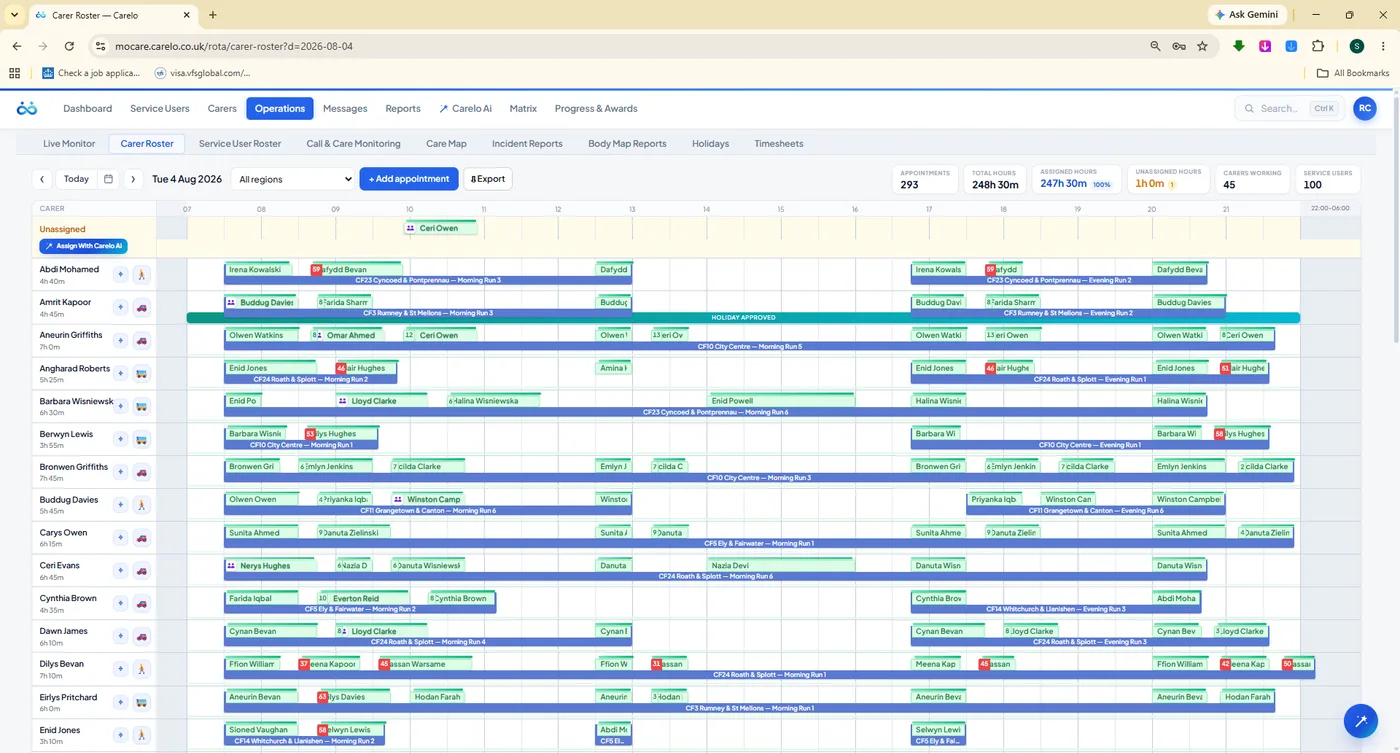
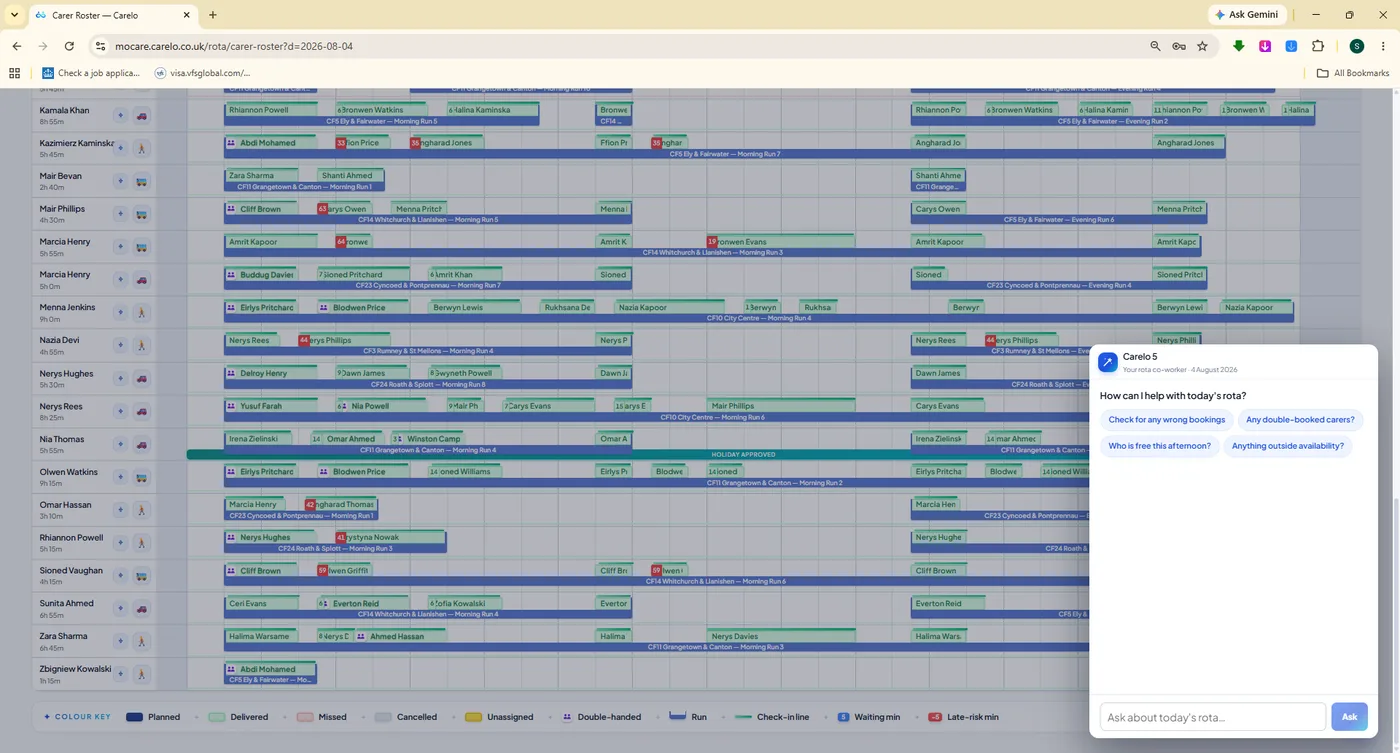
mocare.carelo.co.uk/rota/carer-roster
The day, at a glance. Green delivered chips sit over blue planned runs, holiday lanes are marked, and the strip above counts appointments, total hours, assigned hours, unassigned hours, carers working and service users — live, as the day happens.
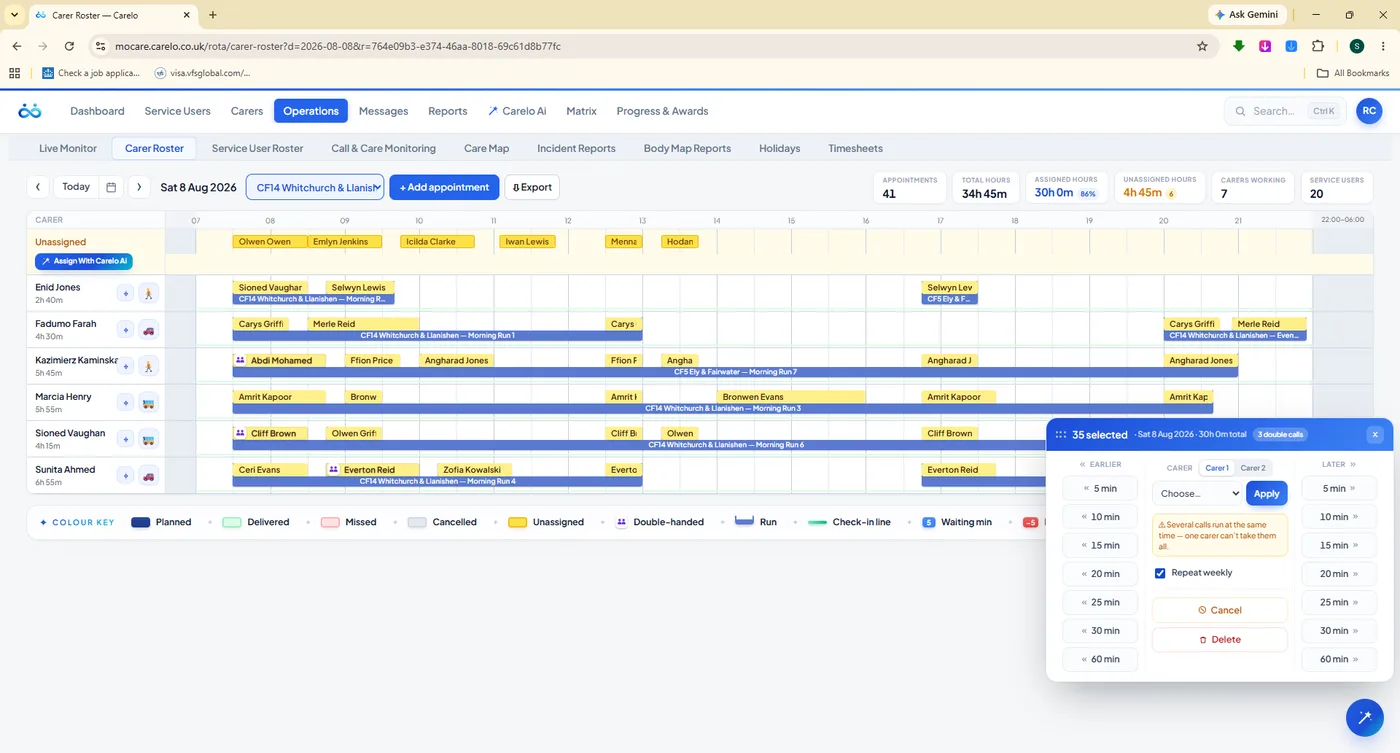
Change One Call Or Thirty-Five In The Same Motion
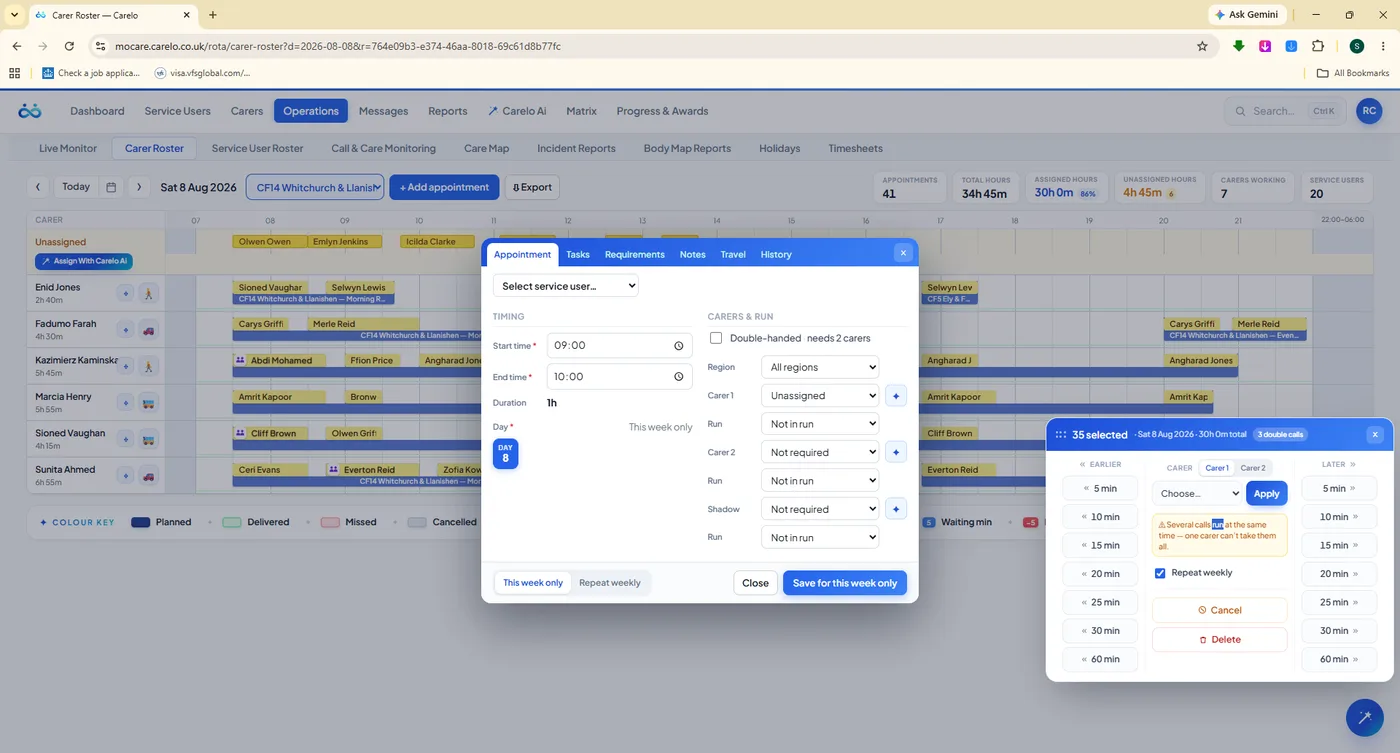
Select a single appointment or lasso a whole block. The bulk panel then reassigns the carer, nudges the times earlier or later, changes the run, or removes the calls — with delivered visits protected and reported rather than silently overwritten.
Swap, move, shift, replace and delete — single calls or bulk selections
Nudge times earlier or later across an entire selection
Reassign a carer across a week in one action
Delivered calls are locked: never cancelled, never quietly re-carer'd
Double-handed calls, runs and regions all respected
mocare.carelo.co.uk/rota/carer-roster
35 calls selected. One panel, one decision, the whole block moves.
The Newest Decision Wins — And The Rota Stays Honest
Most systems either block you or double-book someone. Carelo does neither. When your newest instruction clashes with an older one, the new decision wins and the displaced call is returned to the unassigned lane in plain sight, listed for you to cover. Nobody is ever booked in two places, and nothing disappears quietly.
Step 01You make a change — a swap, a move, a bulk reassignment.
Step 02The engine accepts it. Your newest decision always wins.
Step 03Any call it displaced becomes clearly UNASSIGNED.
Step 04You get the list of what needs cover — before the shift starts.
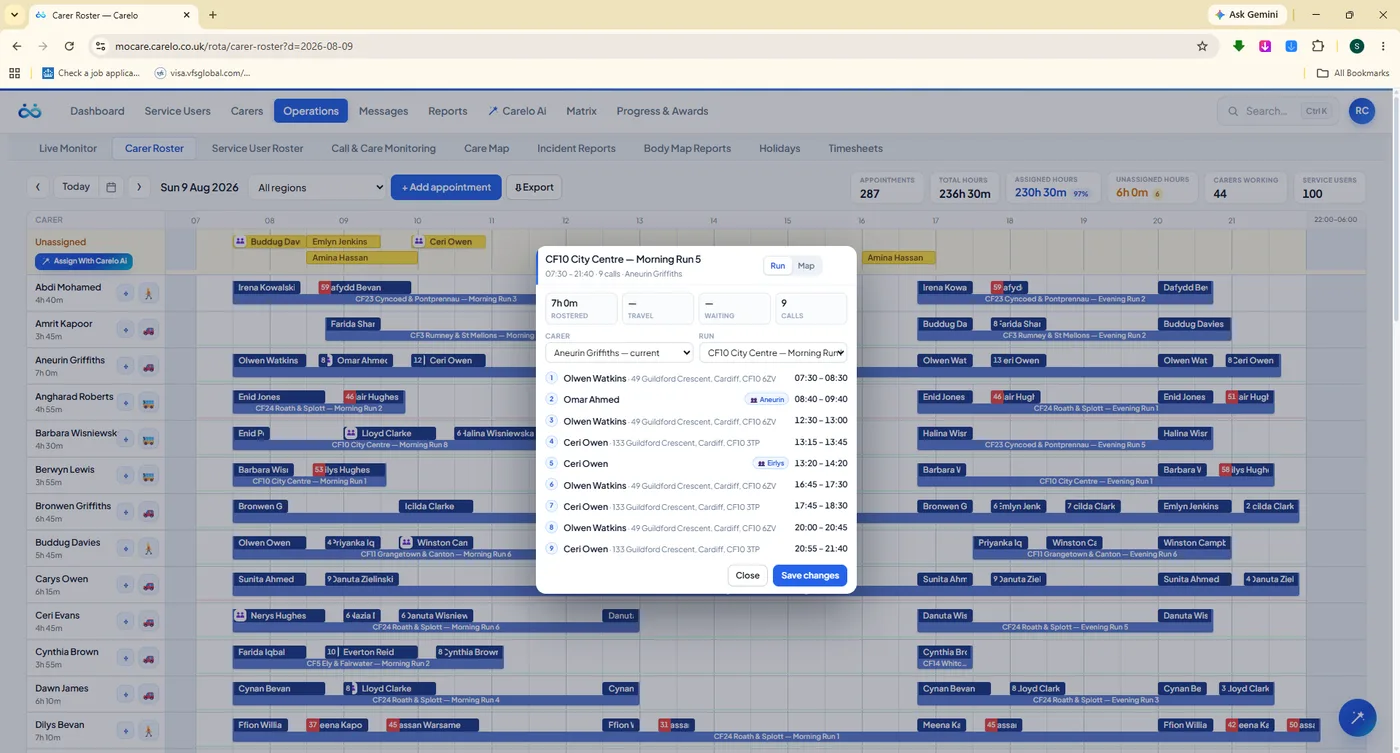
mocare.carelo.co.uk/rota/carer-roster
Runs, not guesswork. Open a geographic run to see all nine calls, addresses and times in order.
mocare.carelo.co.uk/rota/carer-roster
Add in seconds. Timing, double-handed cover, carers and runs on one modal.
mocare.carelo.co.uk/rota/carer-roster
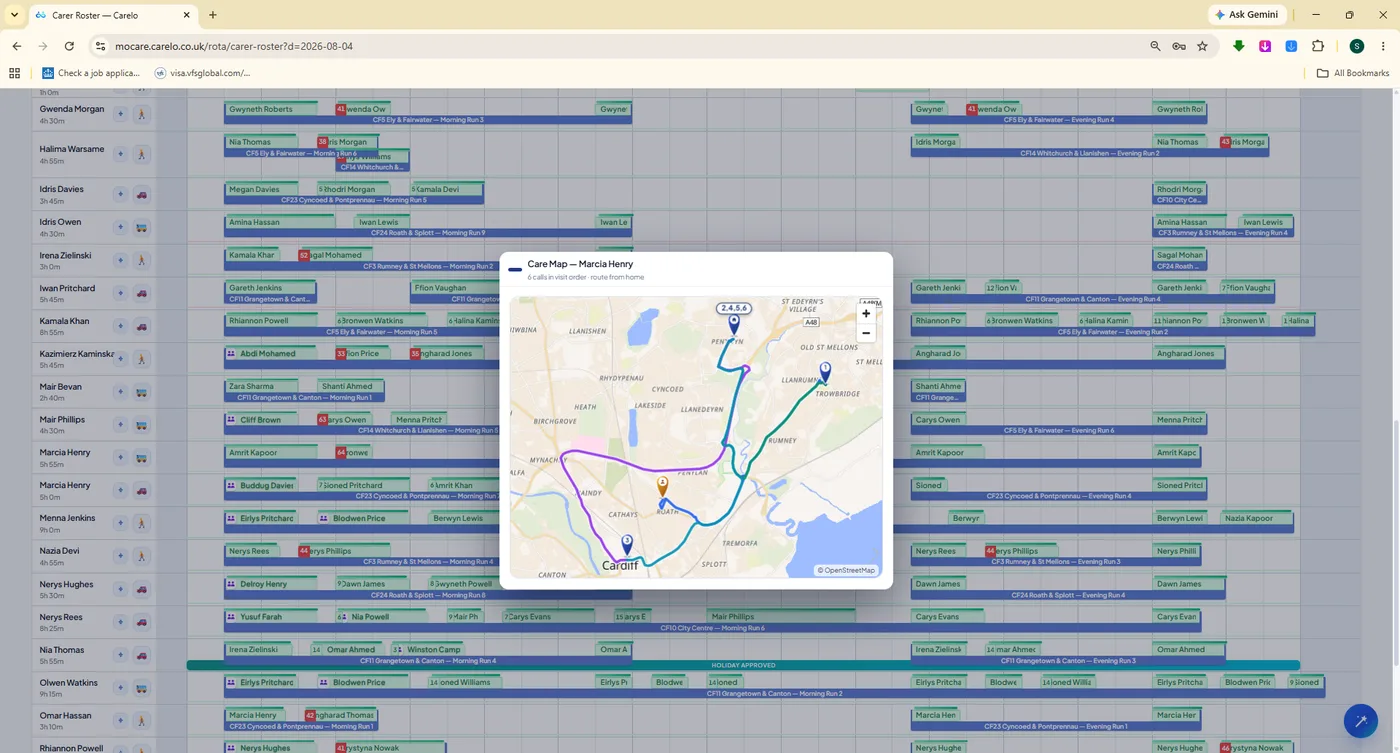
See the round. One carer's day drawn on the map in real visit order.
Ask Carelo AI To Plan The Week For You
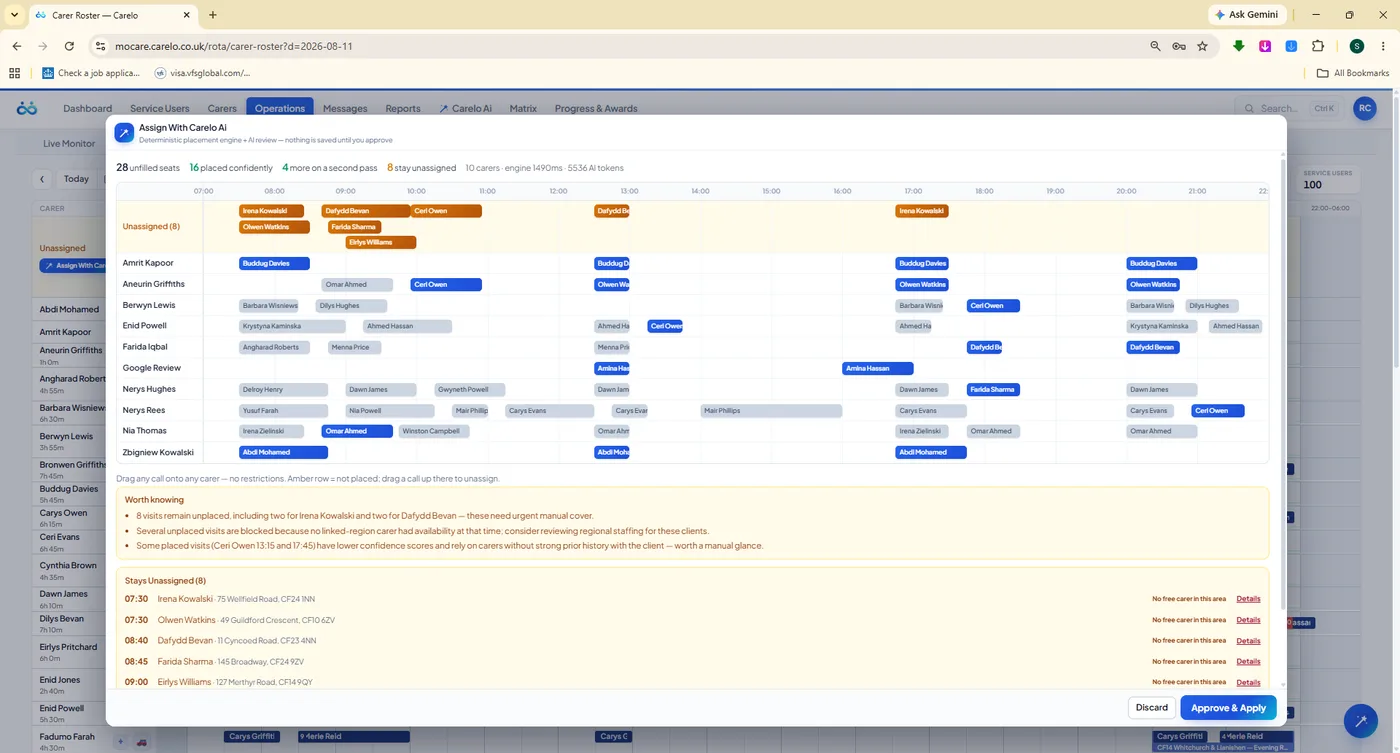
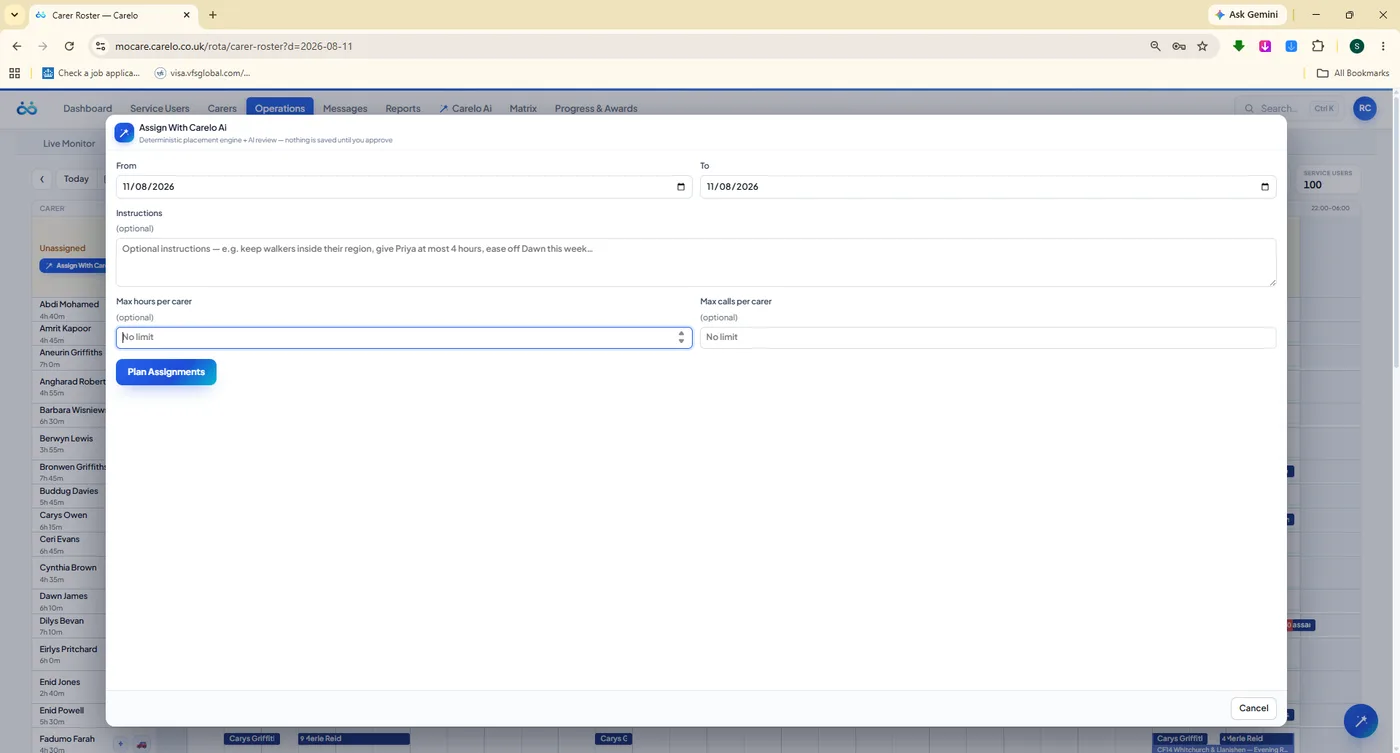
Describe the week in plain English — dates, per-carer limits, who must not be paired — and the assignment engine proposes a full placement grid. It shows what it placed confidently, what it placed on a second pass, and, most importantly, what it could not place and why. You review it, then approve. Nothing is saved until you say so.
Plain-English instructions and per-carer daily limits
Honest "worth knowing" notes — including its own low-confidence picks
A named "stays unassigned" list with the reason for each call
Continuity respected — favourite carers, blocked carers, regions
Approve and apply, or discard entirely
mocare.carelo.co.uk/rota/assign-with-ai
28 unfilled seats, 16 placed confidently, 8 honestly left for you. An assistant that admits what it could not solve.
mocare.carelo.co.uk/rota/service-user-roster
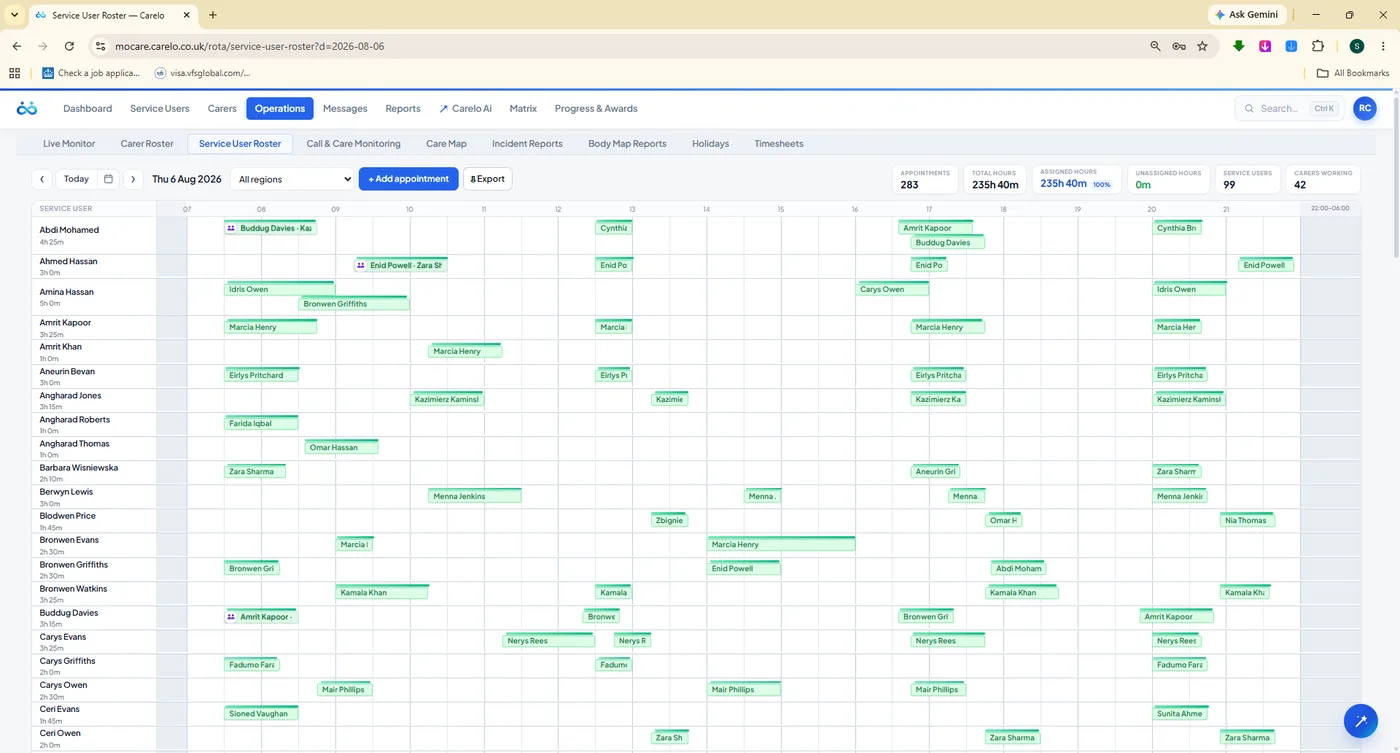
The same day, the other way round. Plan by service user when the person matters more than the carer.
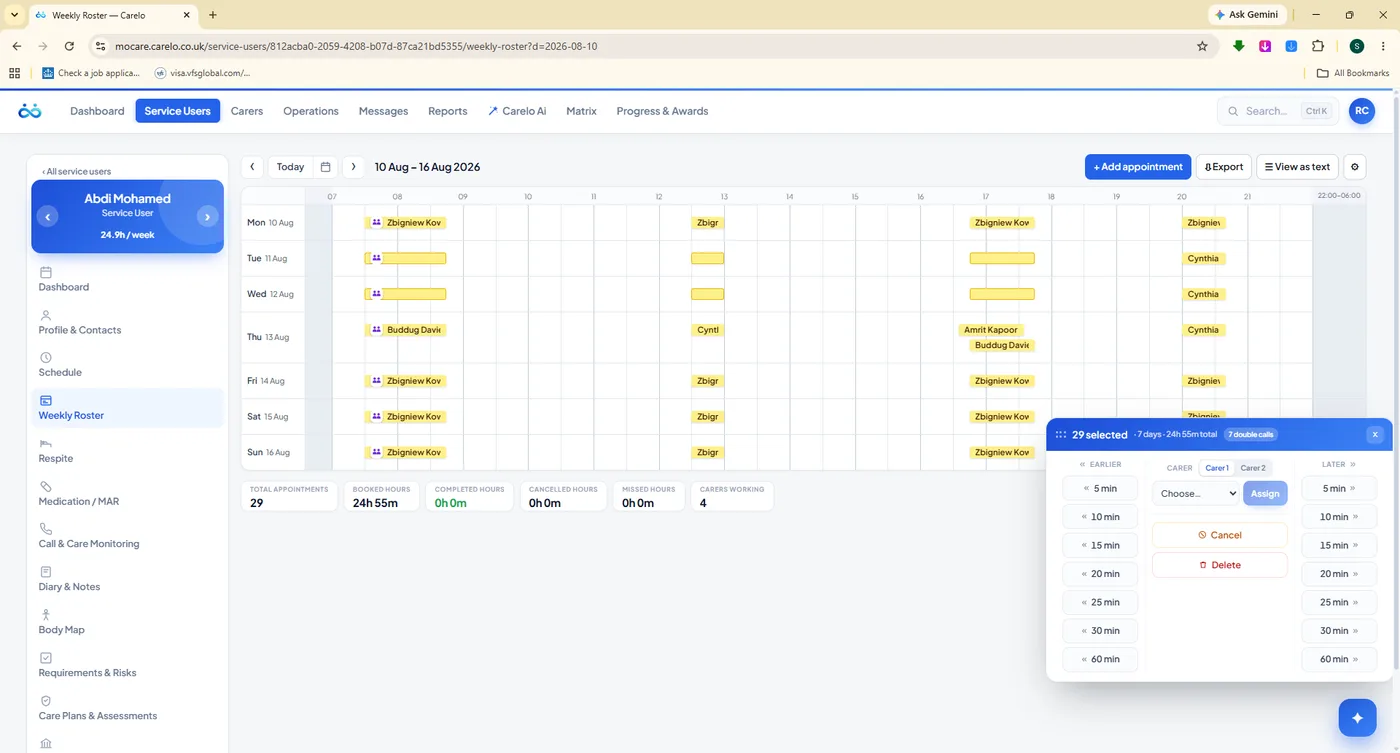
mocare.carelo.co.uk/service-users/weekly-roster
One client's whole week. 29 visits selected and handed to a carer in a single decision.
Replace A Carer Everywhere
Someone leaves or goes off sick — hand their calls to another carer across a date range in one pass.
Geographic Runs
Group calls into named rounds by area, then plan, view and assign the whole round together.
Travel Time Built In
Real road travel between homes, computed once and remembered, so the day on the screen is the day that happens.
Double-Handed Calls
Two carers on one visit, planned and evidenced as one call — not two disconnected records.
Repeating Schedules
Set the repeating week per client, expire it now or from a future date, and the rota rebuilds itself.
Favourite & Blocked Carers
Continuity is a care outcome. The rota knows who a person wants — and who they must not have.
Regions
Filter the whole grid to one region so a branch manager sees only their own patch of the day.
Export The Rota
The published week as a branded file for carers, commissioners or the wall in the office.
The Care Record
One Person, One Complete Record
Everything about a service user in one place, and every part of it visible to the people who need it: the office plans from it, the carer app reads it at the door, the family app shows the parts you choose to share. Identity and contacts, care requirements and risks, the repeating schedule, medication, care documents with review cycles, funders and invoices — one record, no second system.
A Profile That Actually Holds Everything
Personal details, contacts and the care address, the care preferences that keep continuity honest, and the settings that decide regions, appointment flexibility and whether the family app is switched on for this person. It is the front page of a life, not a database row.
Personal, Contact, Care and Settings tabs on every profile
Favourite carers and blocked carers, honoured by the rota engine
Regions and appointment flexibility per person
Family app access switched on or off from the profile itself
Respite and hospital admissions, with a choice about existing calls
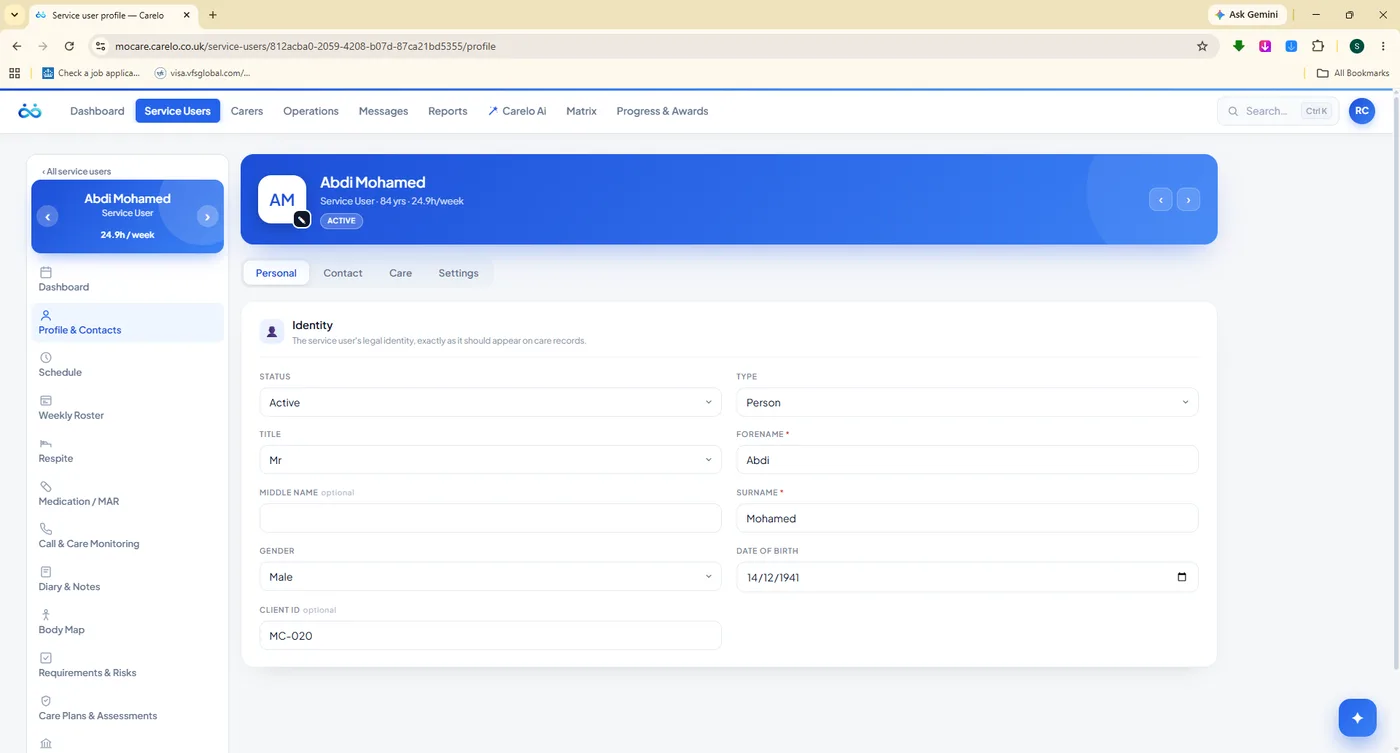
mocare.carelo.co.uk/service-users/profile
The person first. Identity, then everything that follows from it.
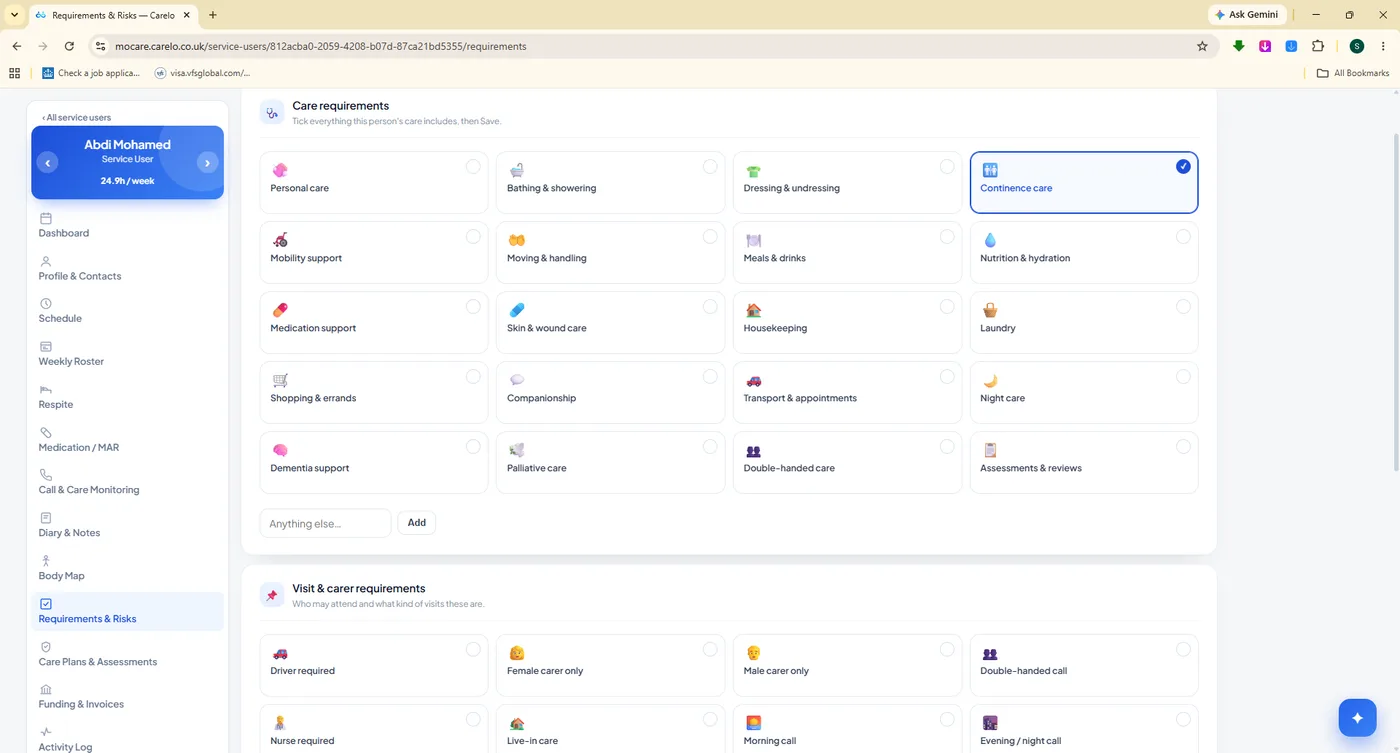
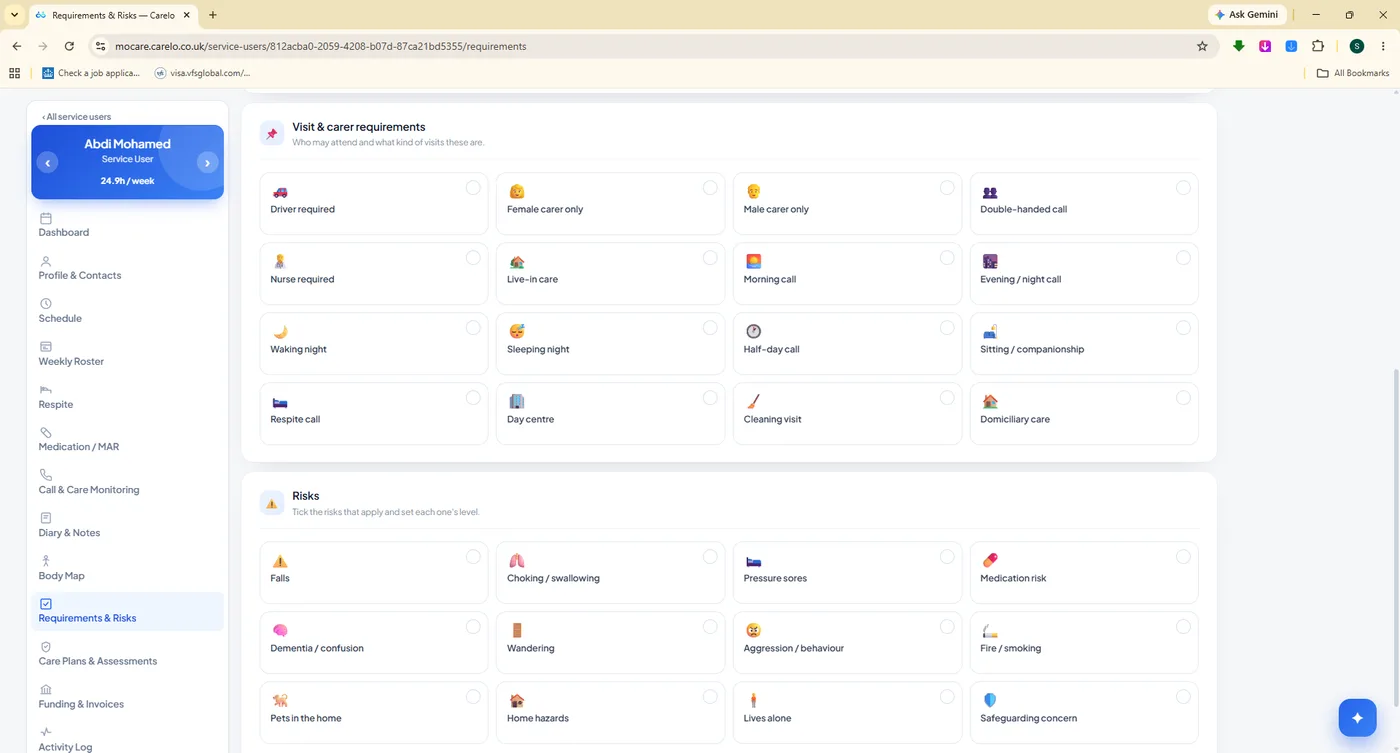
Risks in front of the carer. Visit requirements, carer requirements and risks travel with the call into the app.
mocare.carelo.co.uk/service-users/care-plans
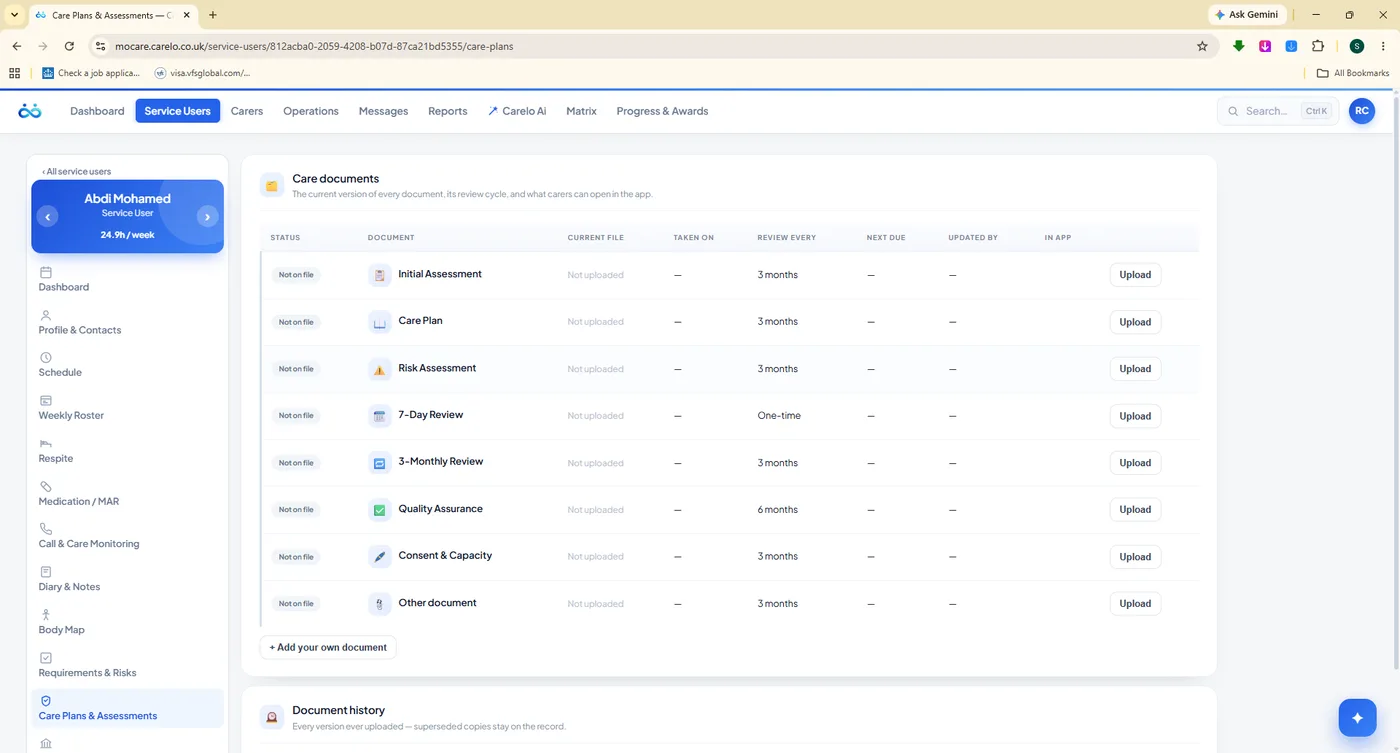
Documents with a clock on them. Initial assessment, care plan, risk assessment, reviews and consent — each with its review cycle, next-due date and full version history.
mocare.carelo.co.uk/service-users/funding
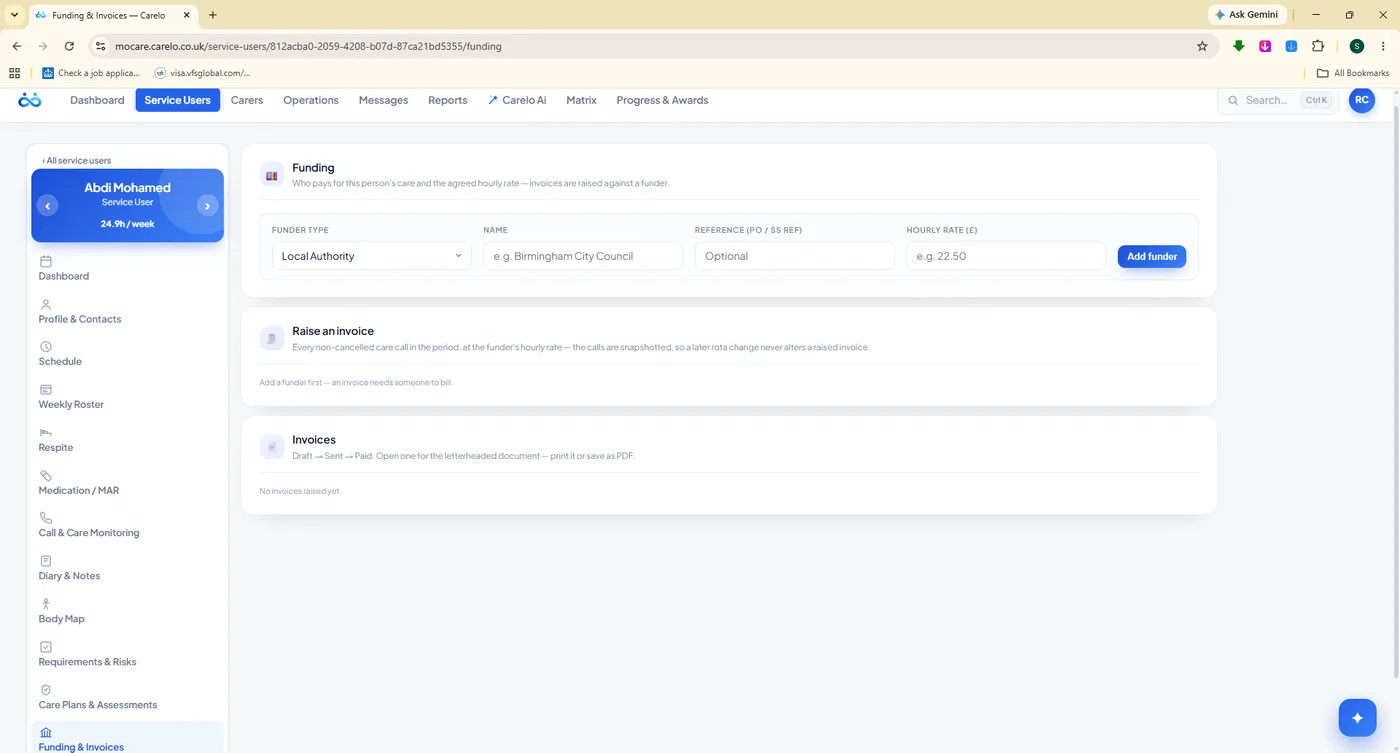
Who pays, and what for. Funder setup, invoice raising and the full invoice history against the person's delivered care.
Notes That Reach The Right Person
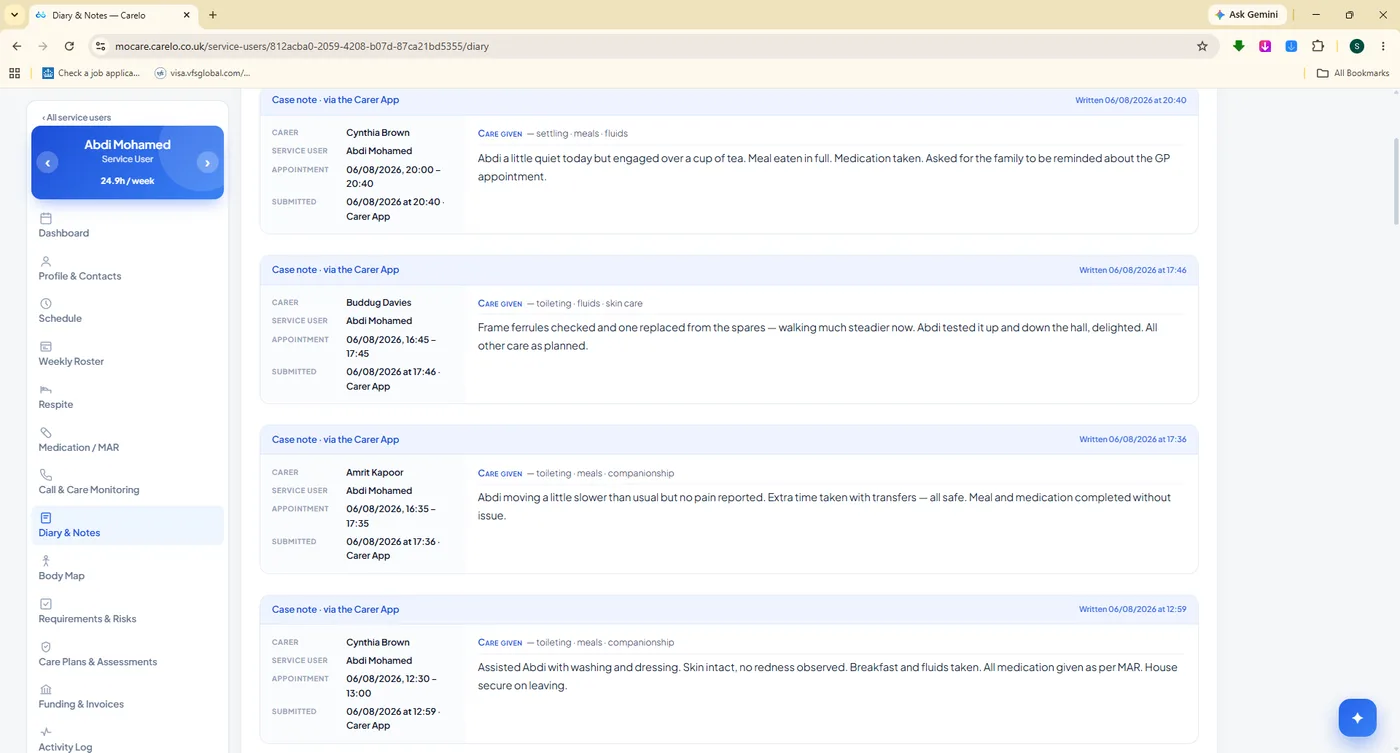
Case notes written at the door land on the office record instantly. A handover note surfaces on the next carer's screen before their call, headed "from the last call". A family reads the same note minutes after checkout — with the option to comment on it, so a small worry is answered before it grows.
Diary and case notes submitted straight from the carer app
Handover notes carried forward to the next carer automatically
Office instructions lead the carer's call screen
Family comments captured against the visit they refer to
Every entry stamped with who wrote it, and when
mocare.carelo.co.uk/service-users/diary-notes
Written at the door, read in the office.
eMAR & Medication
Medication Recorded At The Moment It Is Given
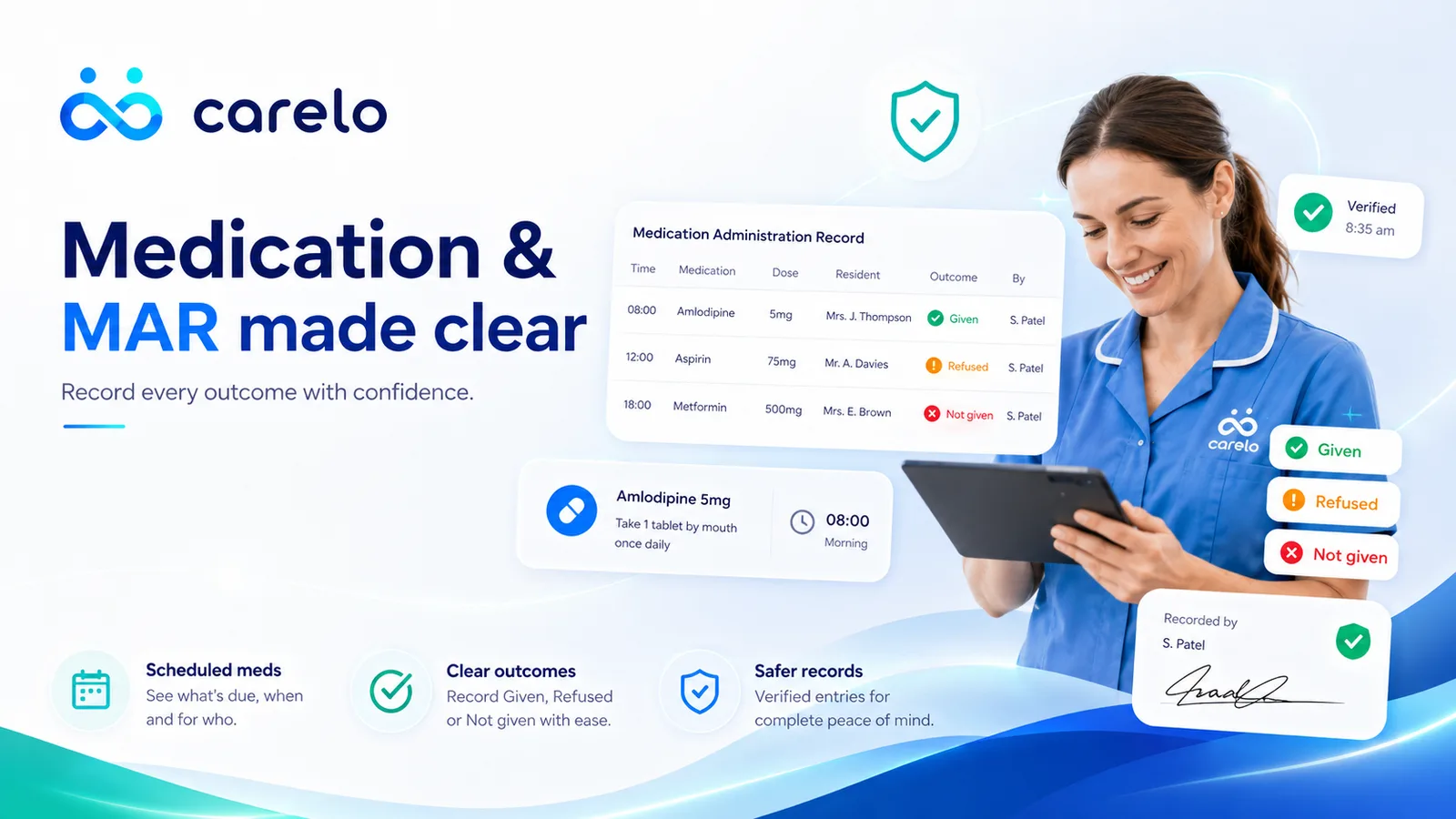
The MAR is where care is most often audited and most easily lost. In Carelo it is set up once in the office and answered on the doorstep: only the medicines due at this call sit at the top of the carer's screen, each one recorded as given, refused or not given — with the amount and the exact time — straight onto the record the manager and the family will read.
Set Up Once, Answered Every Call
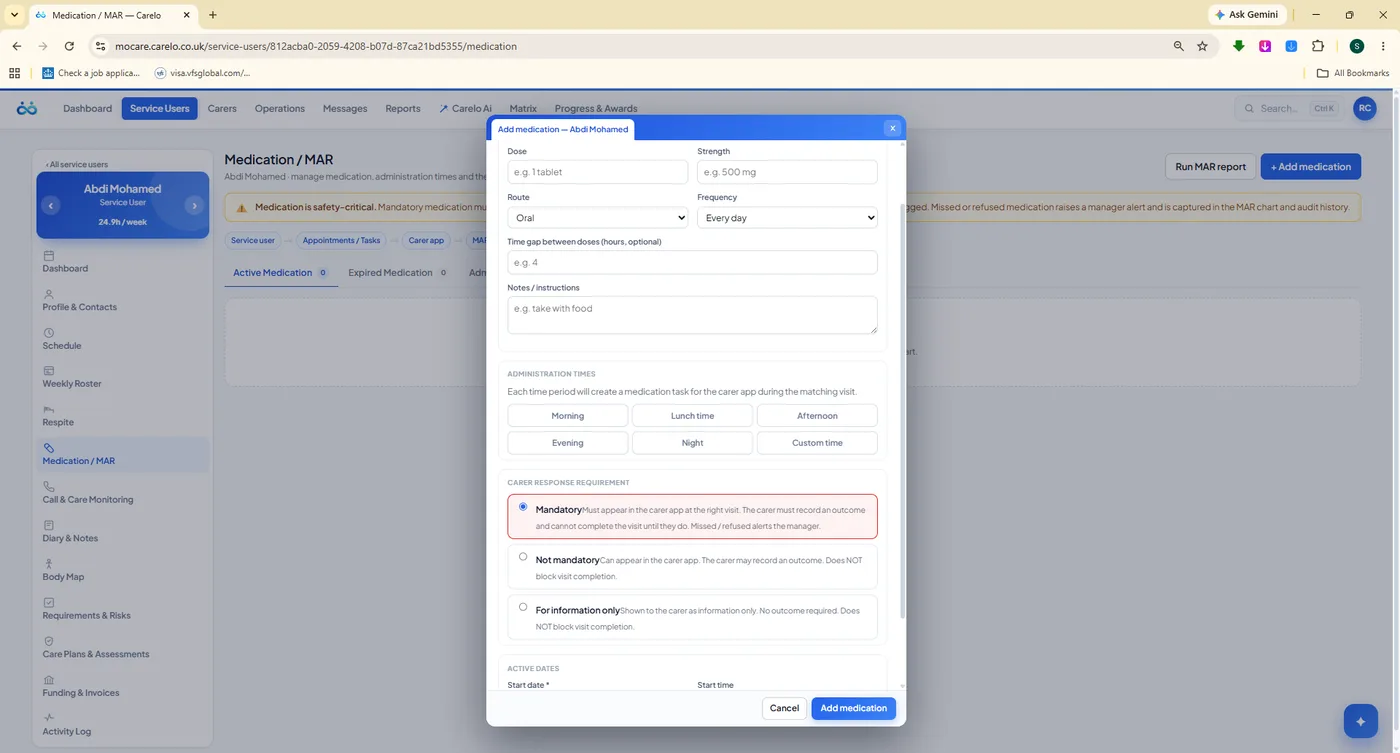
Add a medication with its administration times, dose and mandatory level, and the rota does the rest: it appears on exactly the calls where it is due, and nowhere else. No carer scrolls a list of twelve medicines looking for the two that matter right now.
Administration times and dose recorded per medicine
Mandatory levels so critical medicines cannot be skipped quietly
Due-this-call slots surfaced first on the carer's screen
Given, refused or not given — with the amount and the real time
A refusal can raise an incident with the reason attached
Family sees the medication log, newest first, with the carer's name
mocare.carelo.co.uk/service-users/medication
The set-up screen behind every MAR entry.
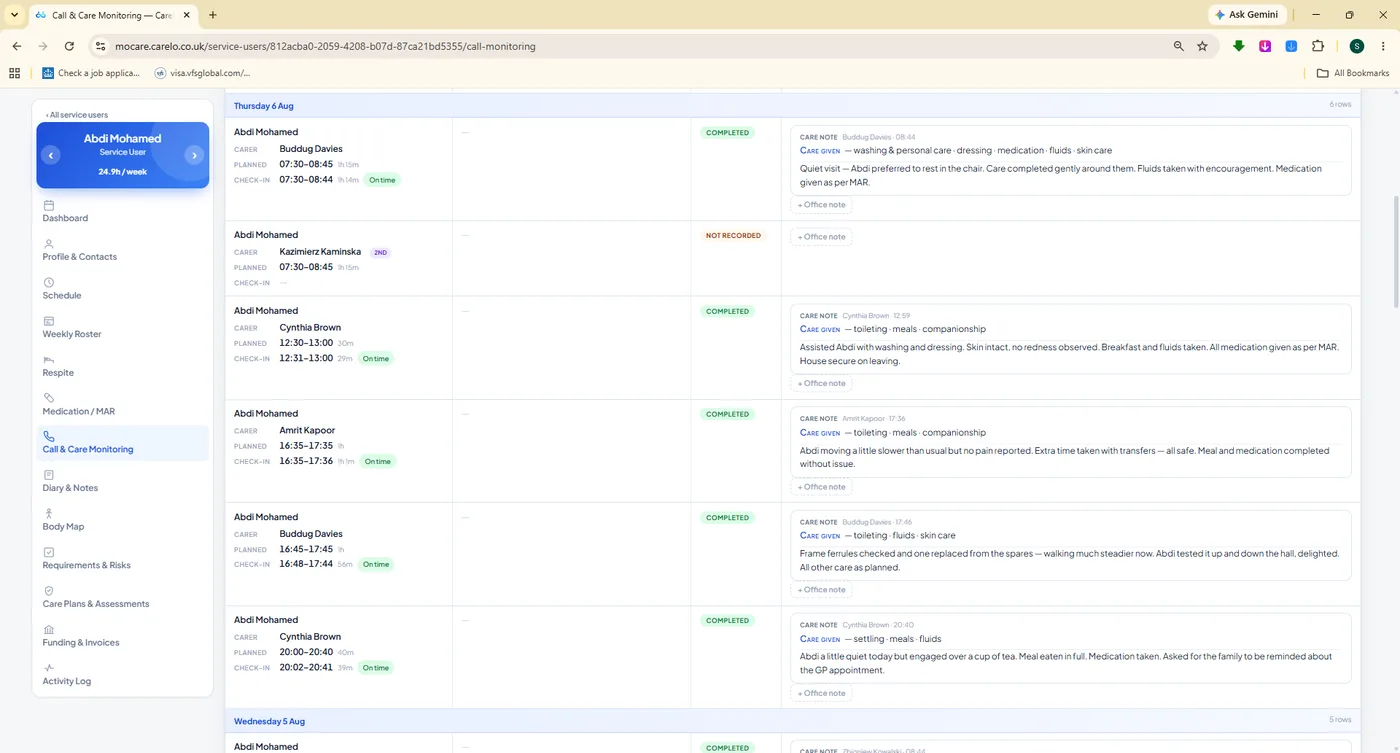
mocare.carelo.co.uk/service-users/call-monitoring
The MAR in context. Every visit for this person, with the medication outcome and the note written at the same call.
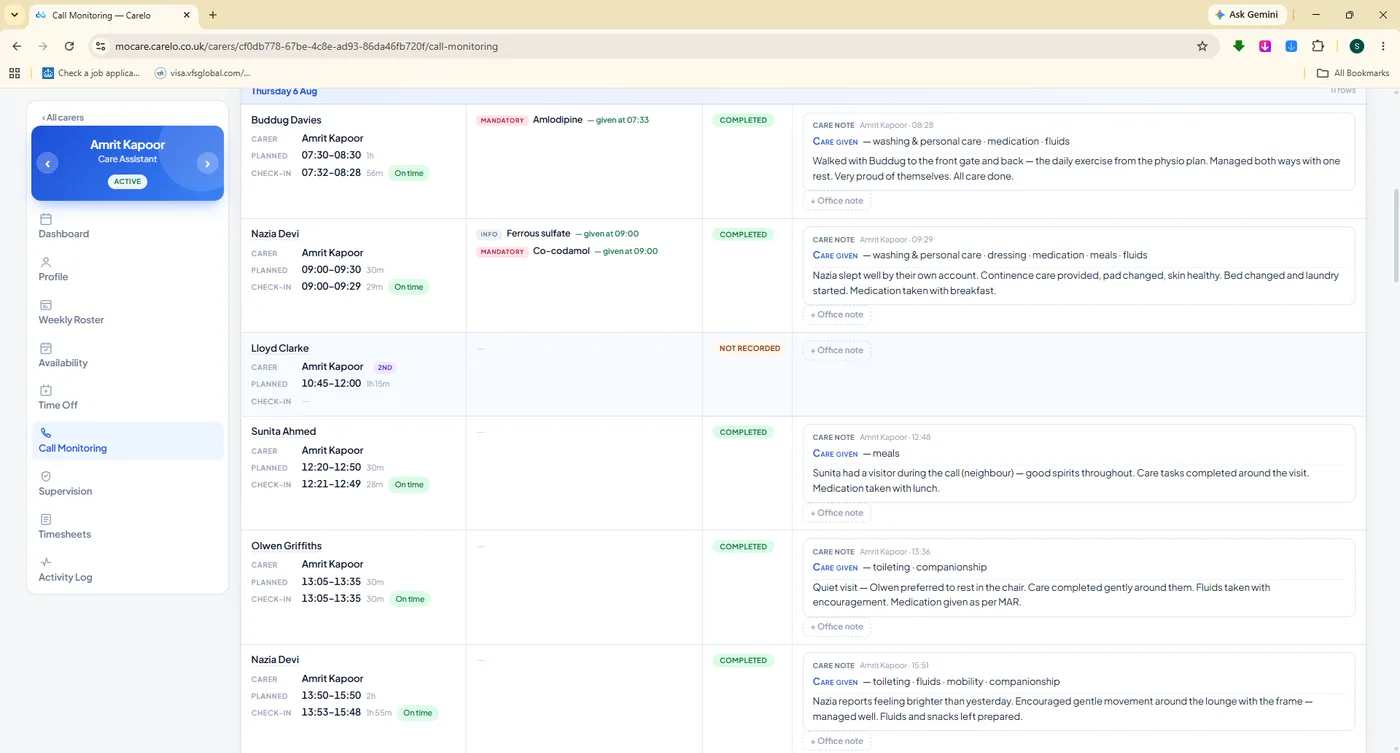
mocare.carelo.co.uk/carers/call-monitoring
And by carer. The same truth read from the other direction — useful in supervision, essential in an investigation.
Call & Care Monitoring
Every Call, Planned Versus What Actually Happened
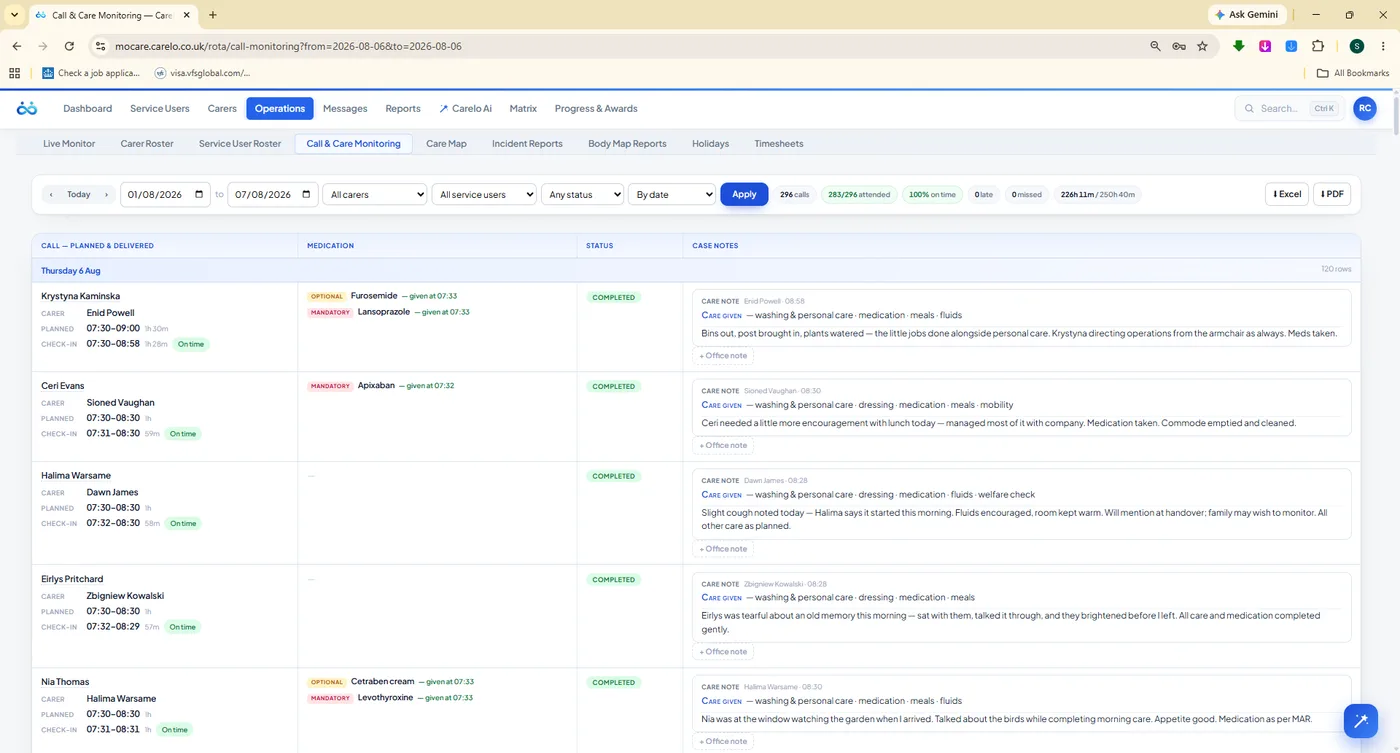
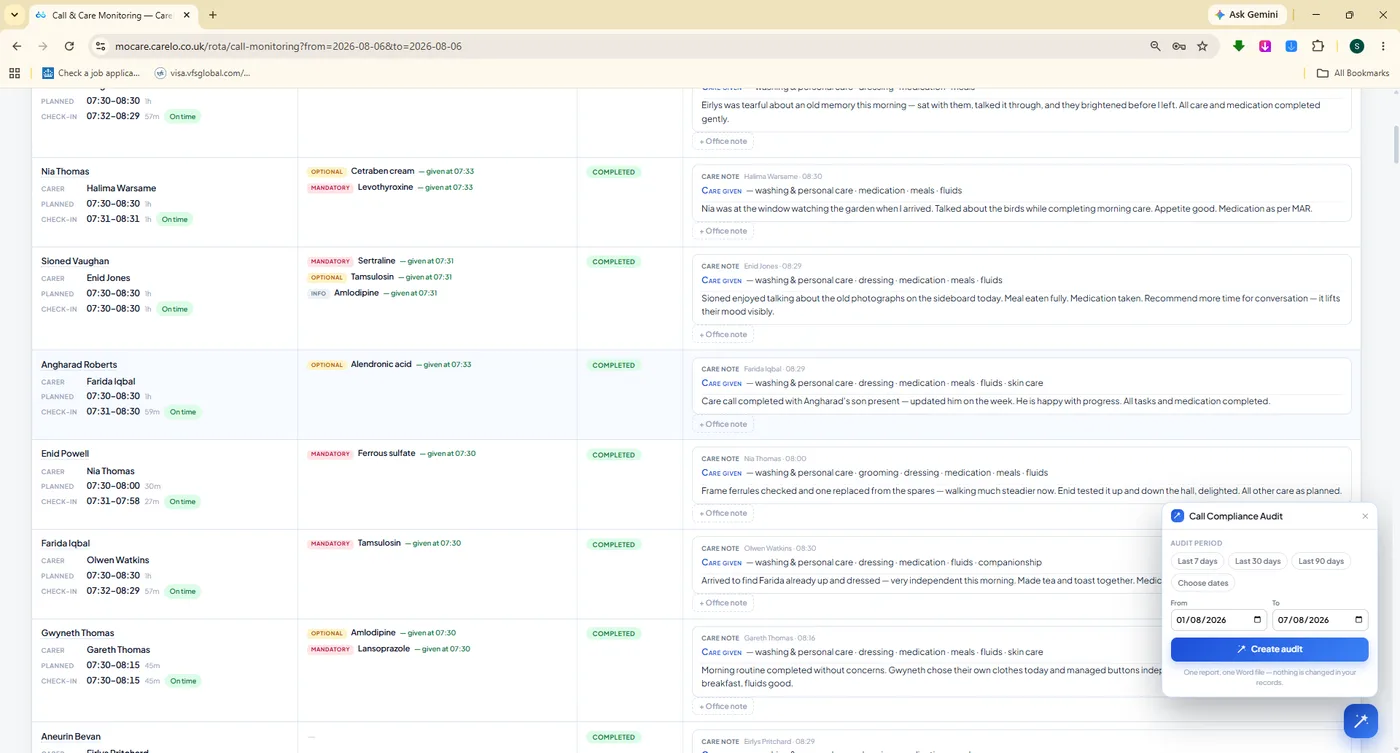
The single most requested screen in an inspection. Planned time beside the real GPS check-in and check-out, the duration delivered, the medication outcome and the carer's own words about the visit — for every call, filtered any way you like, and printable as a compliance-grade report.
mocare.carelo.co.uk/operations/call-monitoring
Times, medication and warm, real care notes in one dense table. Nothing retyped, nothing remembered — this is what the carers recorded at the door.
mocare.carelo.co.uk/operations/call-monitoring
Call Compliance Audit. Late, early, short, missed — the exceptions pulled out of thousands of calls so a manager reviews minutes, not hours.
mocare.carelo.co.uk/operations/call-monitoring
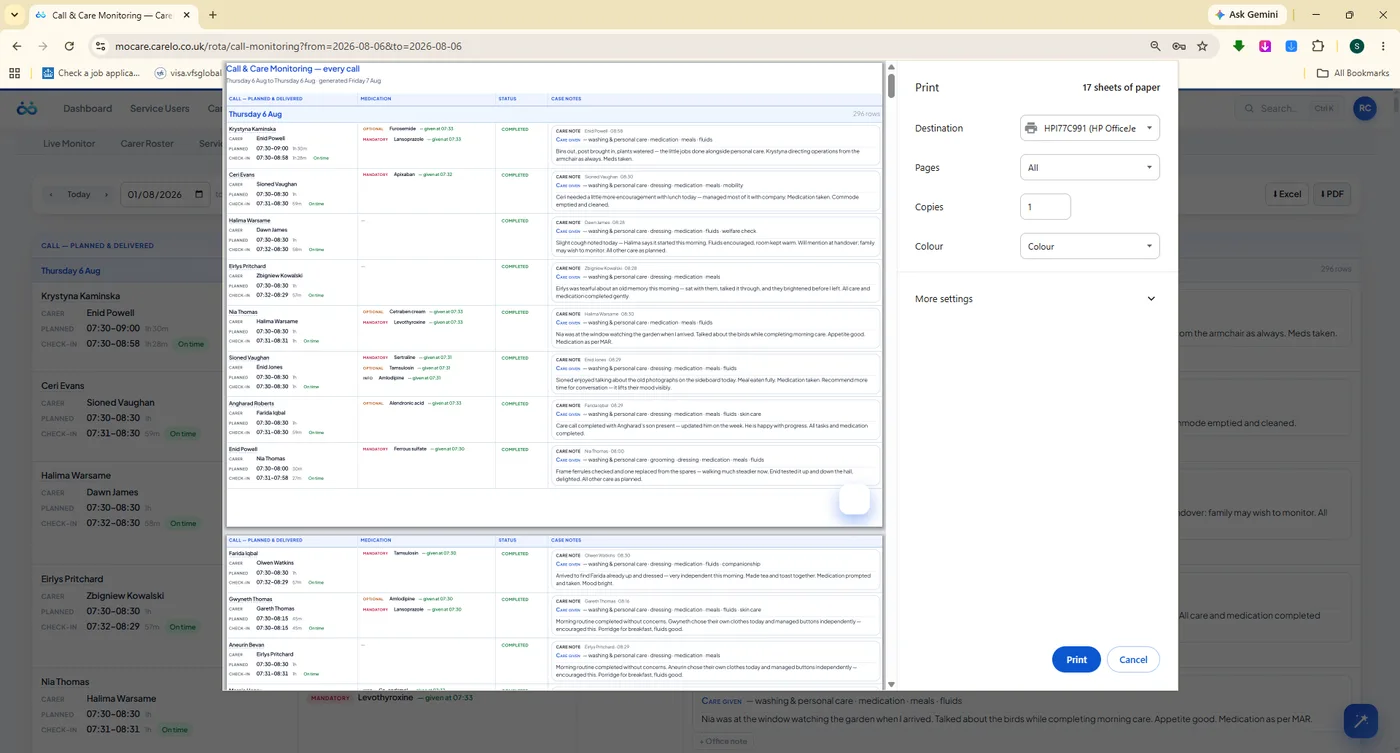
Seventeen sheets, branded, ready. The every-call report as it prints for a commissioner or an inspector.
Incidents Reported From The Scene
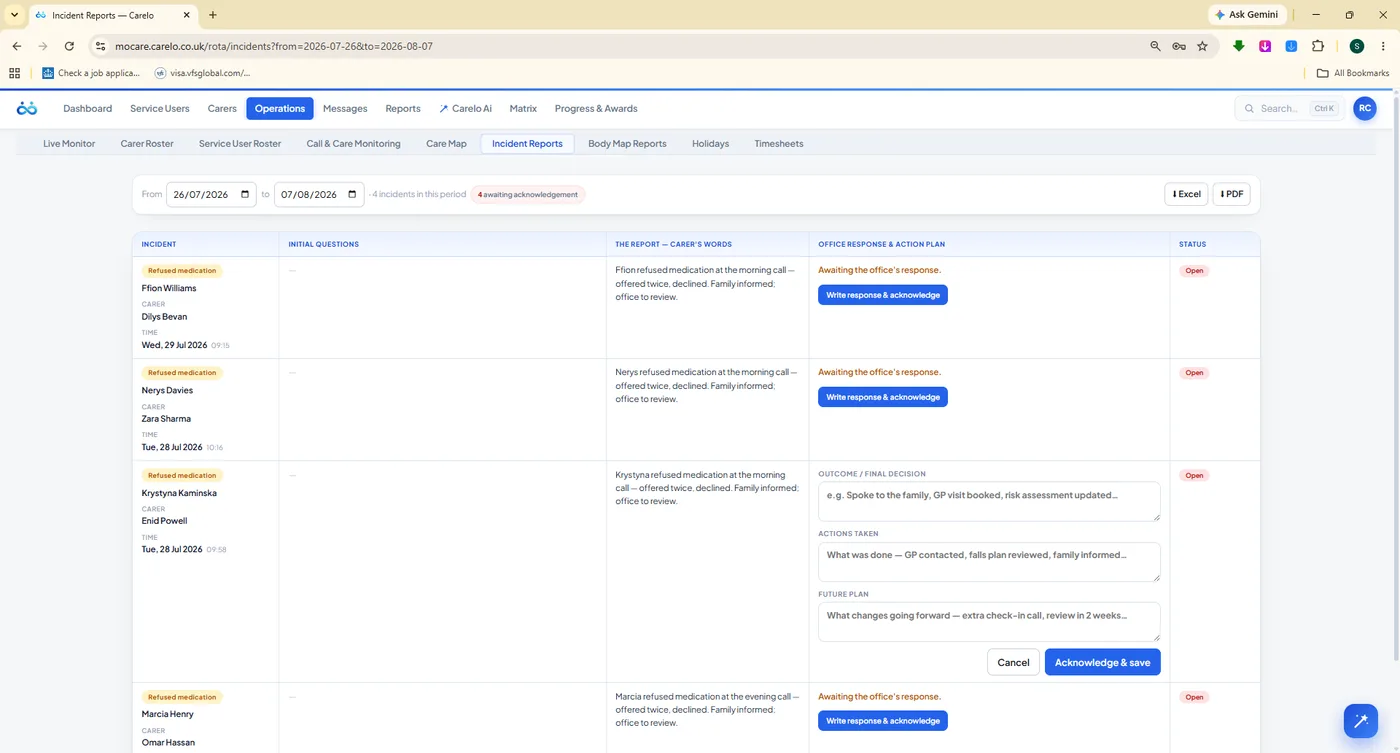
When something happens, the carer answers guided questions in the app while it is fresh — what happened, who was present, what was done. It reaches the office immediately, where a manager writes the office response and builds an action plan against it, with a status workflow that ends in a closed, evidenced record.
Guided incident questions, answered at the scene
Office response and action-plan editor on every report
Status workflow from open through to reviewed and closed
Refused medication raises an incident automatically
Shared with the family app — plainly and promptly
mocare.carelo.co.uk/operations/incident-reports
An incident with a plan attached is a service that learns.
Body Maps, Tapped Not Described
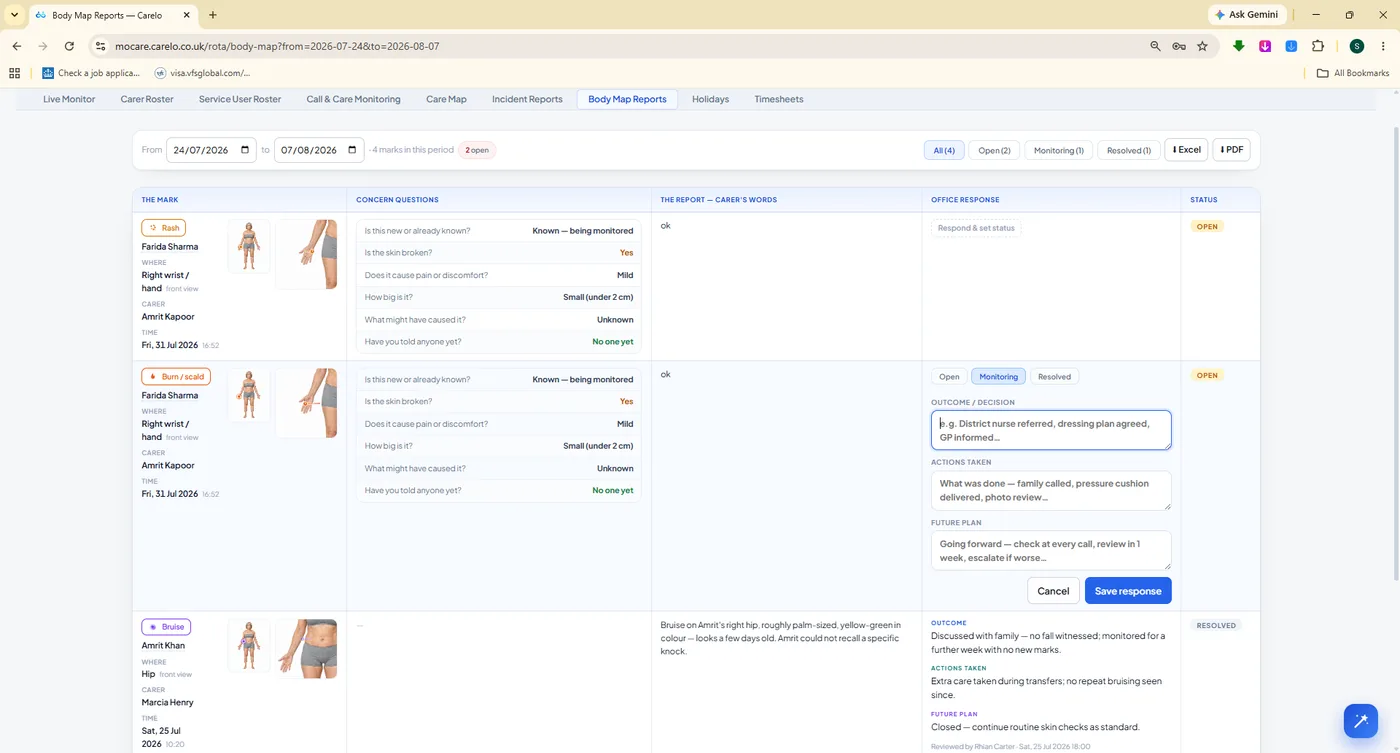
Skin concerns are the hardest thing to describe in a note and the easiest to miss. The carer taps the body figure, opens a close-up and marks the exact spot, then answers a short set of concern questions. The office sees the figure, the mark and the answers, writes its response and moves the report through to resolution.
Front and back figures, with close-up marking
Concern questions captured with the mark
Office response and status workflow on every report
Explained to families in words they understand
Exports as a branded document for the safeguarding file
mocare.carelo.co.uk/operations/body-map-reports
The mark, the questions and the response on one record.
The Matrix Suite
Nine Compliance Desks. One Inspection-Ready Wall.
This is the part managers lose whole weekends to, and the part inspectors ask for first. Carelo turns supervision, appraisals, reviews, quality assurance, spot checks, welfare calls, training, leave and worked hours into nine live grids — quarterly and monthly columns, green ticks for done, amber chips for due, red for overdue. Click any cell to open the record. Click Word, Excel or PDF to hand it over.
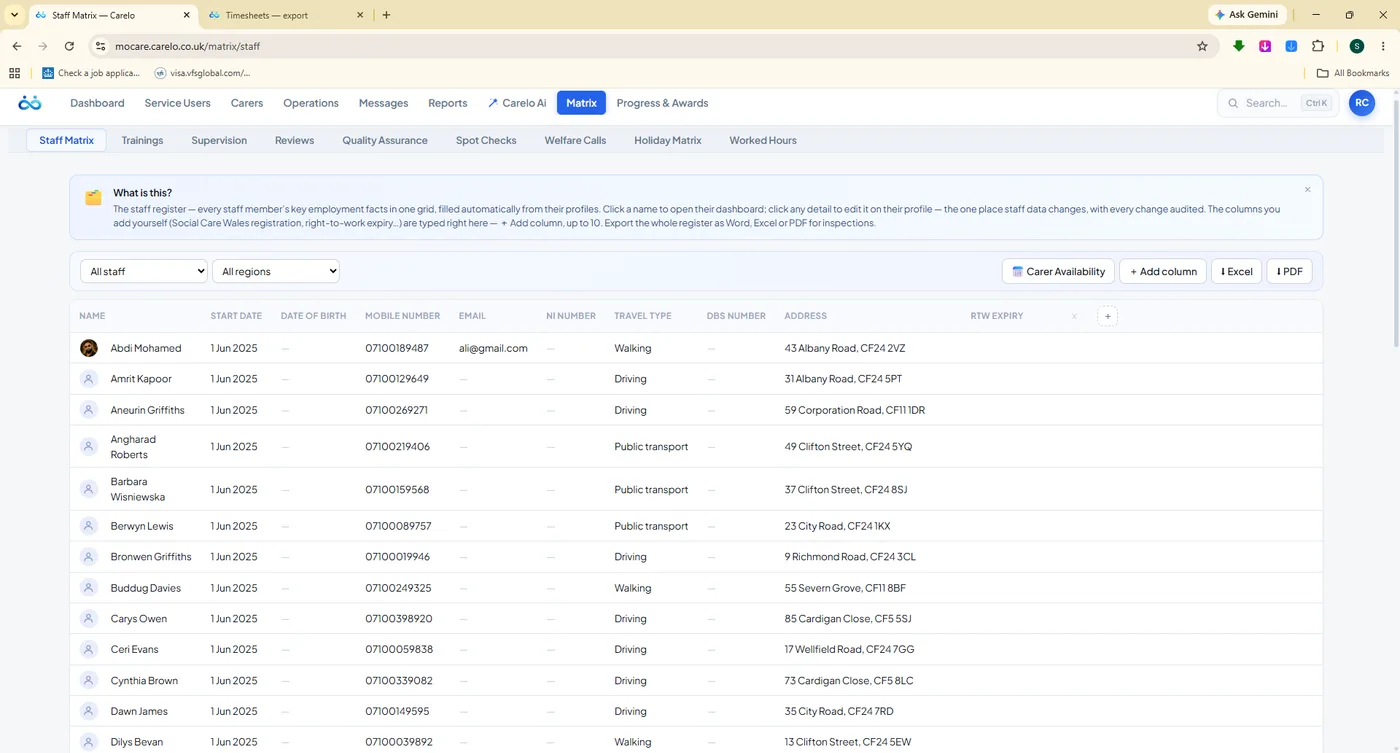
Staff MatrixThe whole team register — contact, travel type, address, region — in one exportable grid.
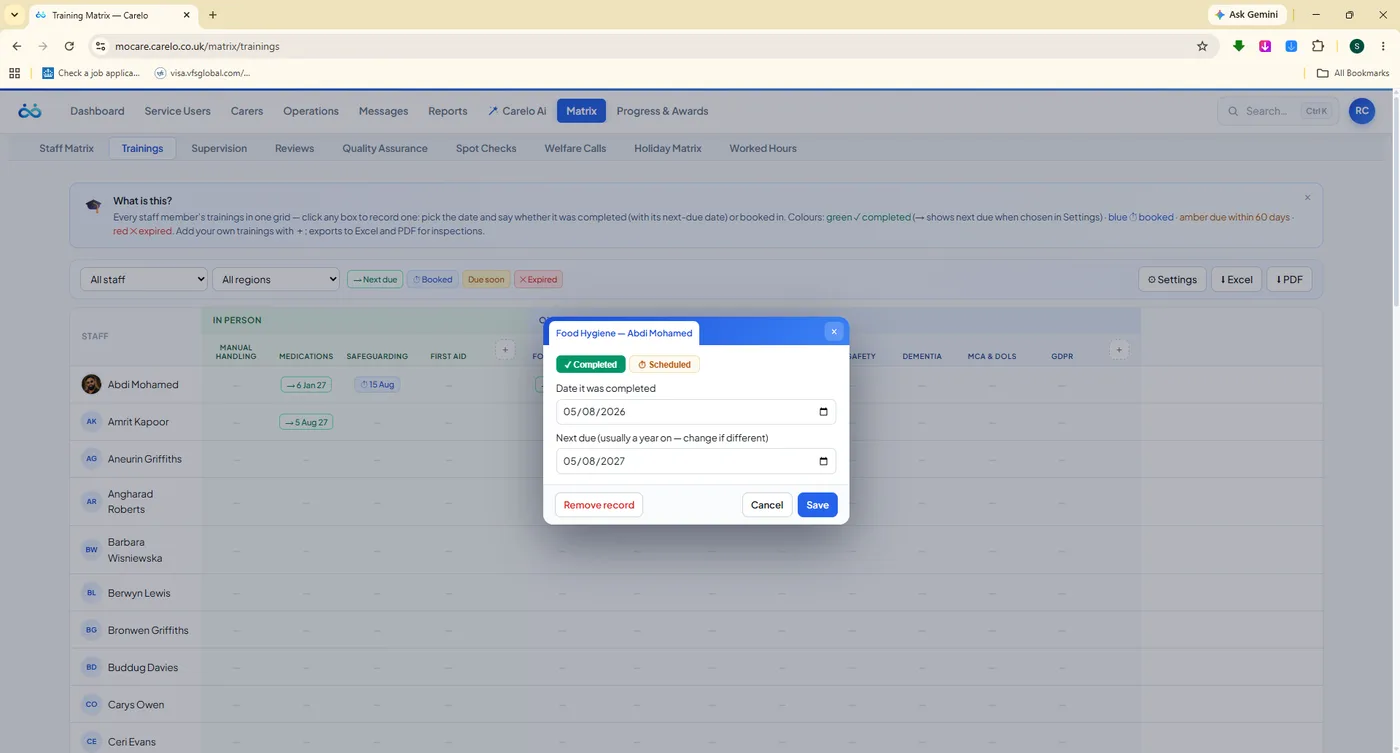
TrainingsEvery course your company delivers, recorded per carer with a completed date and the next due date.
SupervisionQuarterly 1:1s with a tap-to-ask question bank covering wellbeing, workload, clients, medication and boundaries.
ReviewsThe 7-day review and the quarterly care review per service user, with outcomes, risks and sign-off.
Quality AssuranceQuarterly QA checks per person with care-plan and safety question banks and a 1–10 satisfaction score.
Spot ChecksUnannounced observations per staff member — arrival, care delivery, findings, outcome and the client's own words.
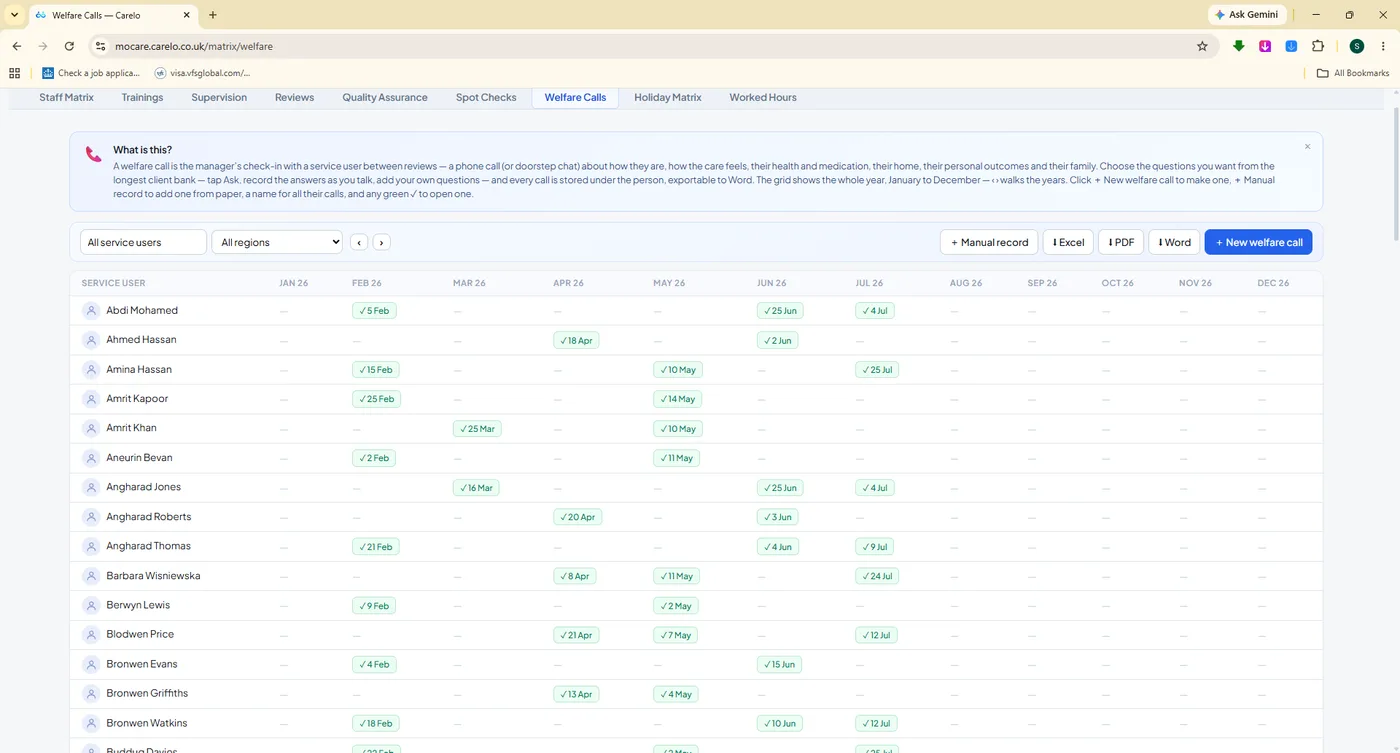
Welfare CallsA whole-year check-in grid per service user, with wellbeing, support, home and safety questions.
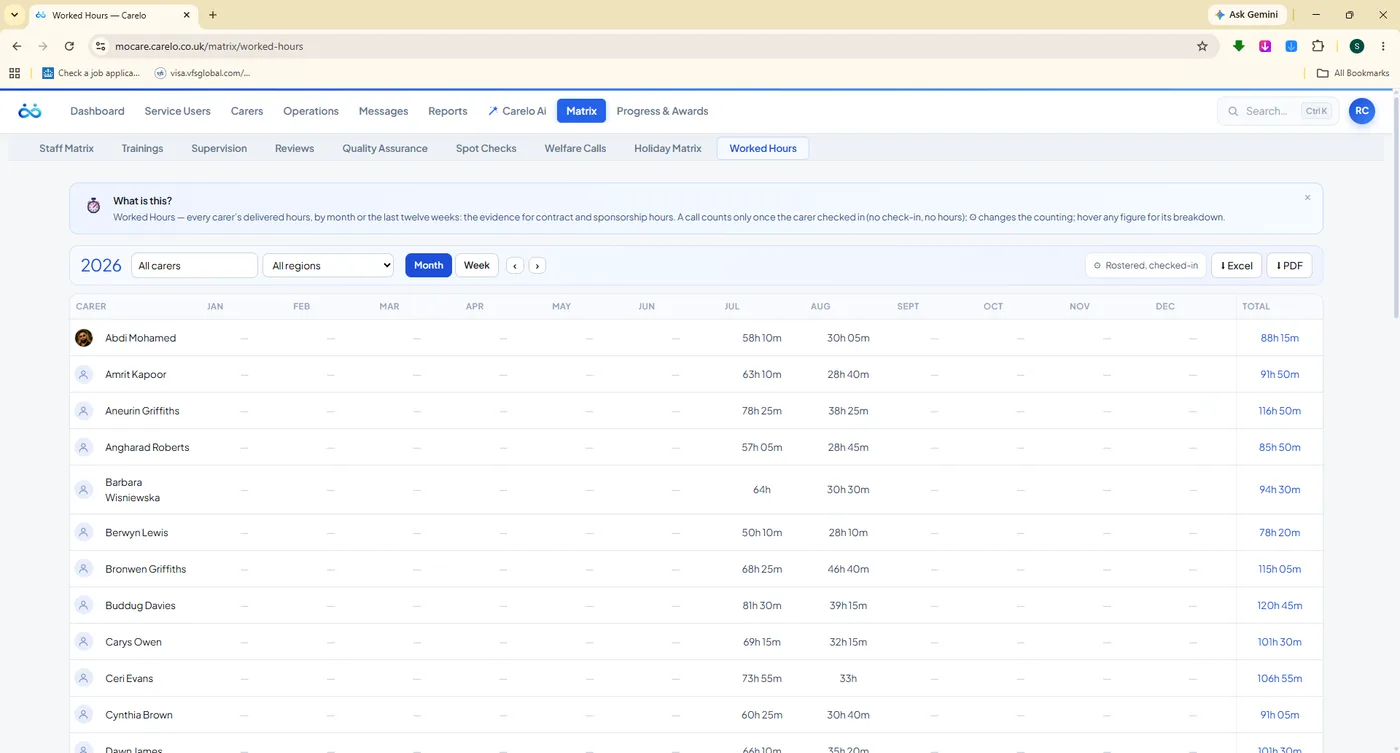
Holiday Matrix & Worked HoursYear-at-a-glance leave per carer, and delivered hours by month — the grid sponsorship evidence needs.
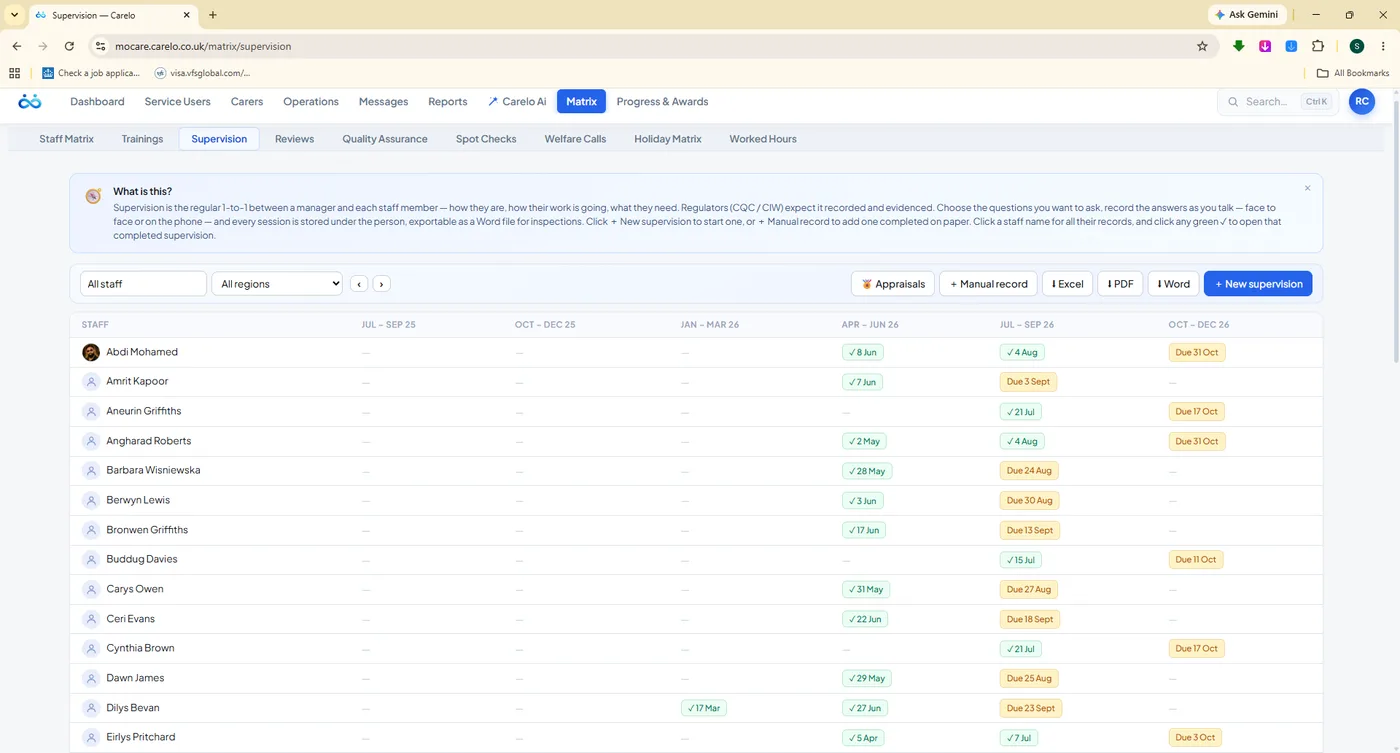
mocare.carelo.co.uk/matrix/supervision
Supervision, quarter by quarter, for the whole team. Green tick means done and dated. Amber says due. The Appraisals, Manual record, Excel, PDF and Word buttons sit on the same line — this grid becomes an inspection pack in one click.
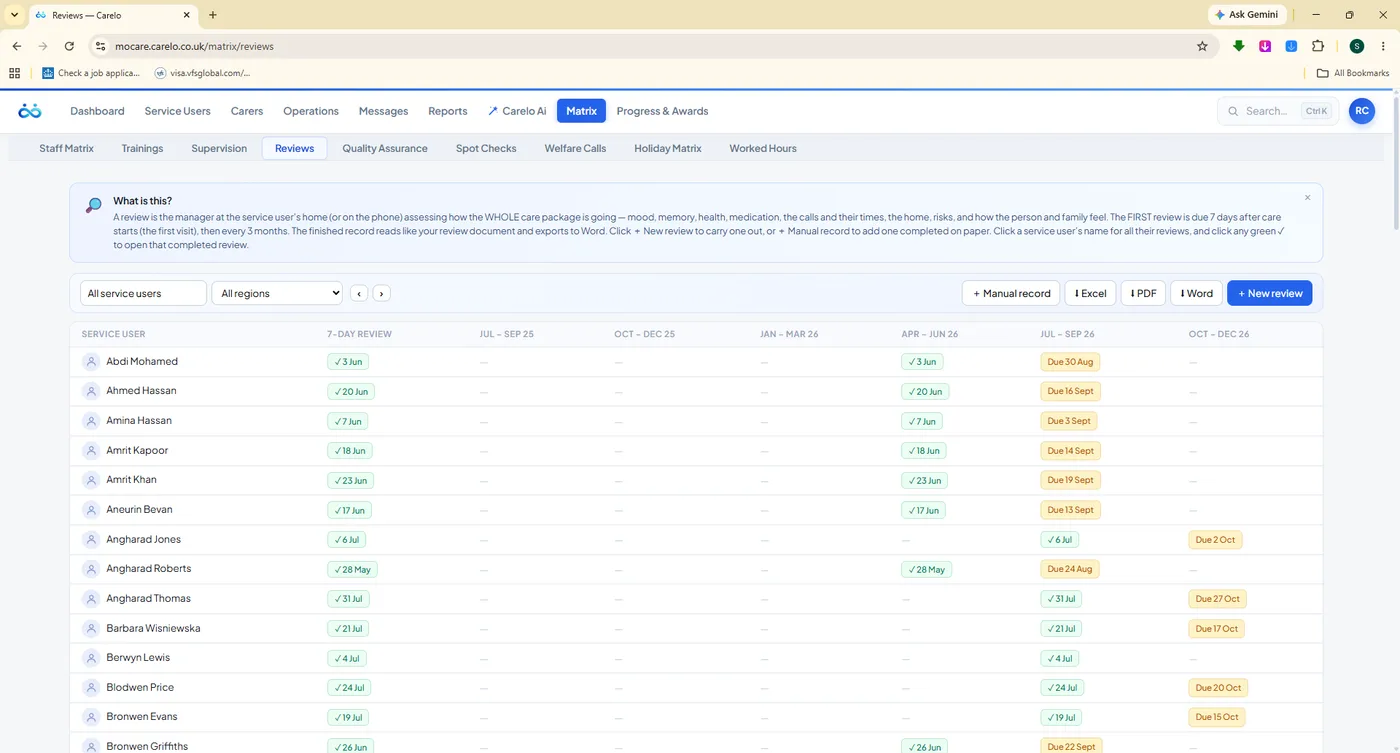
mocare.carelo.co.uk/matrix/reviews
Reviews. The 7-day and the quarterly, per person, never missed again.
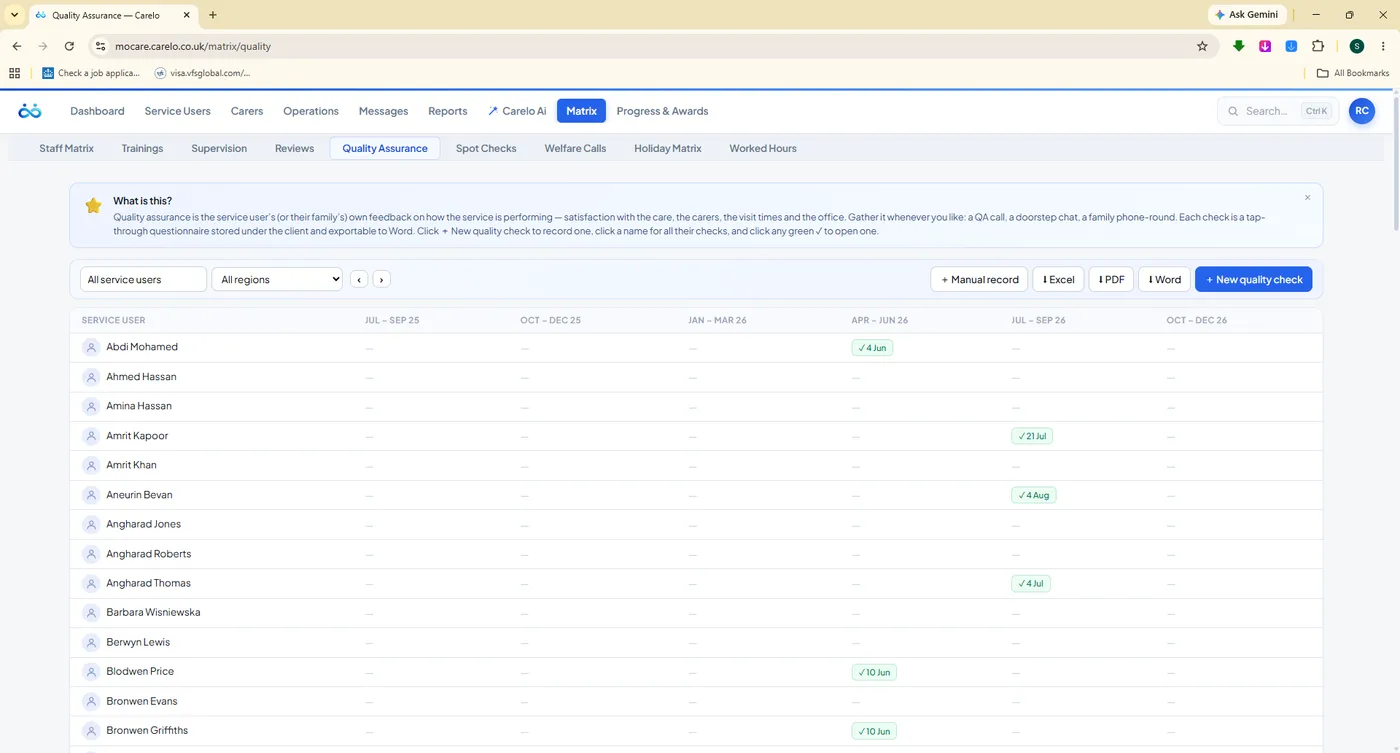
mocare.carelo.co.uk/matrix/quality-assurance
Quality Assurance. Quarterly checks with a satisfaction score you can trend.
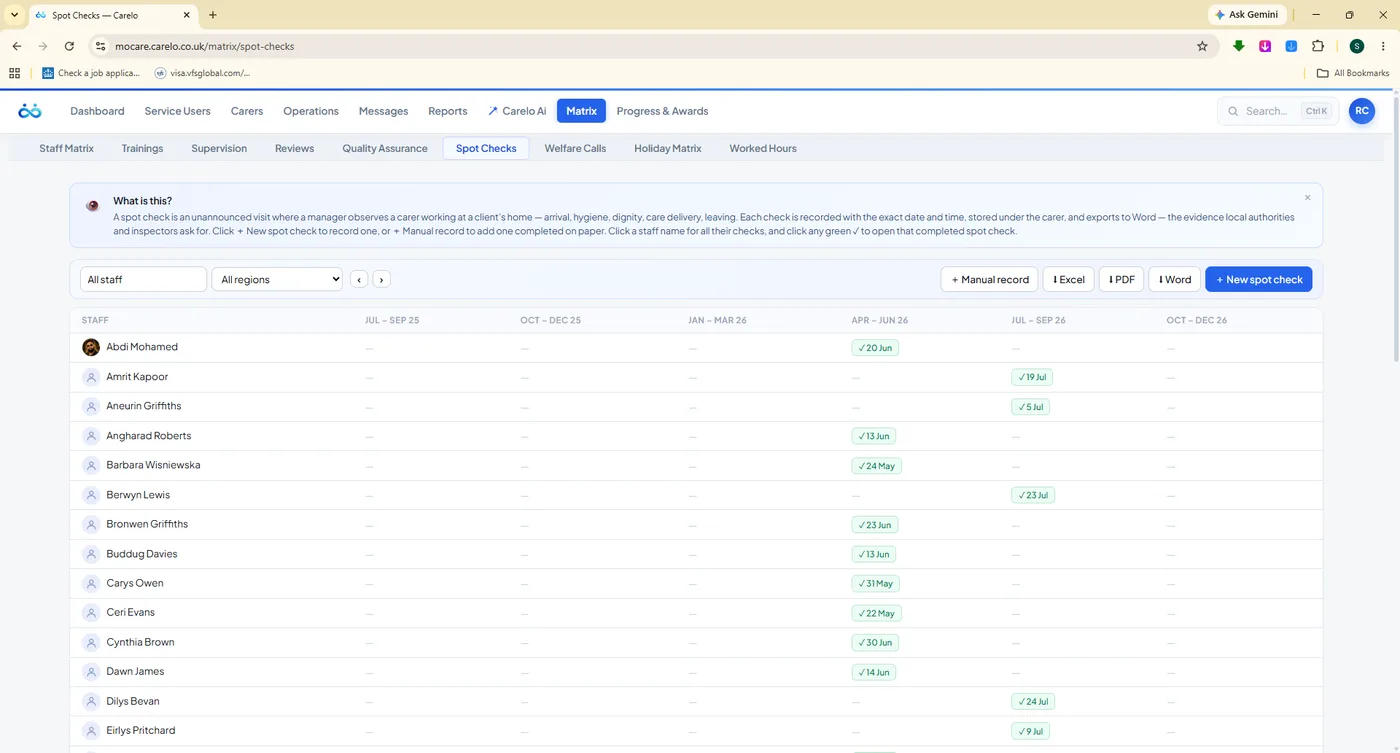
mocare.carelo.co.uk/matrix/spot-checks
Spot Checks. Unannounced observations, recorded properly.
mocare.carelo.co.uk/matrix/welfare-calls
Welfare Calls. A year of check-ins on one screen.
mocare.carelo.co.uk/matrix/trainings
Trainings. Completed today, due again in twelve months — tracked for you.
mocare.carelo.co.uk/matrix/worked-hours
Worked Hours. Delivered hours per carer per month — sponsorship evidence, ready.
Question Banks, So Nobody Starts From A Blank Page
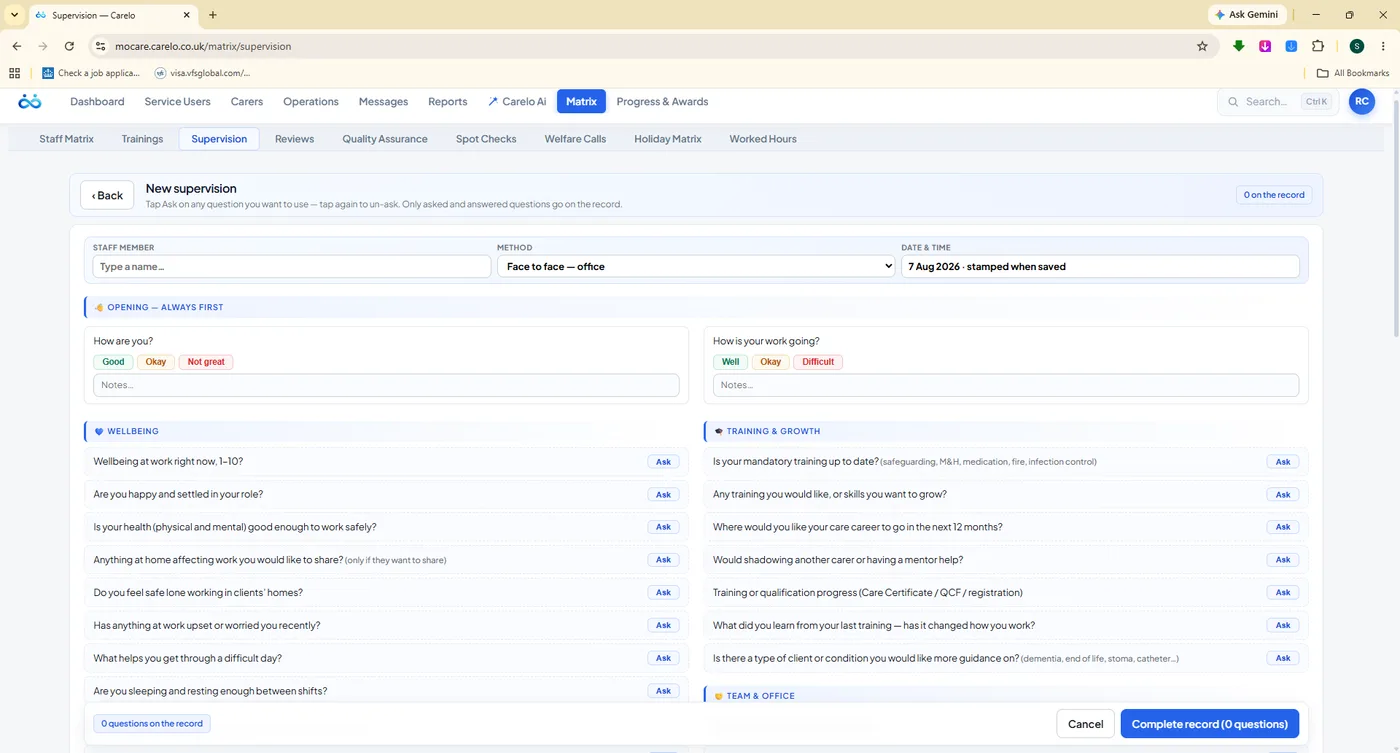
Every desk comes with the questions already written — and you tap the ones you want to ask. Supervision covers wellbeing, training, workload and rota, clients and practice, team and office, boundaries, medication and safety. Reviews cover mood, social life, personal outcomes, care tasks, equipment, health, the care package and risks. Add your own questions at any time; every completed record exports as a Word file for the file.
Tap-to-ask banks on supervision, appraisal, review, QA, spot check and welfare forms
Add-your-own questions on every form
Manual records for sessions done on paper, with the file attached
Completed records open from any green tick in the grid
Word, Excel and PDF exports on every desk
mocare.carelo.co.uk/matrix/supervision/new
The question bank in use. Tap a question, ask it, type the answer as you talk.
Luxury Branded Exports
Files You Are Proud To Send
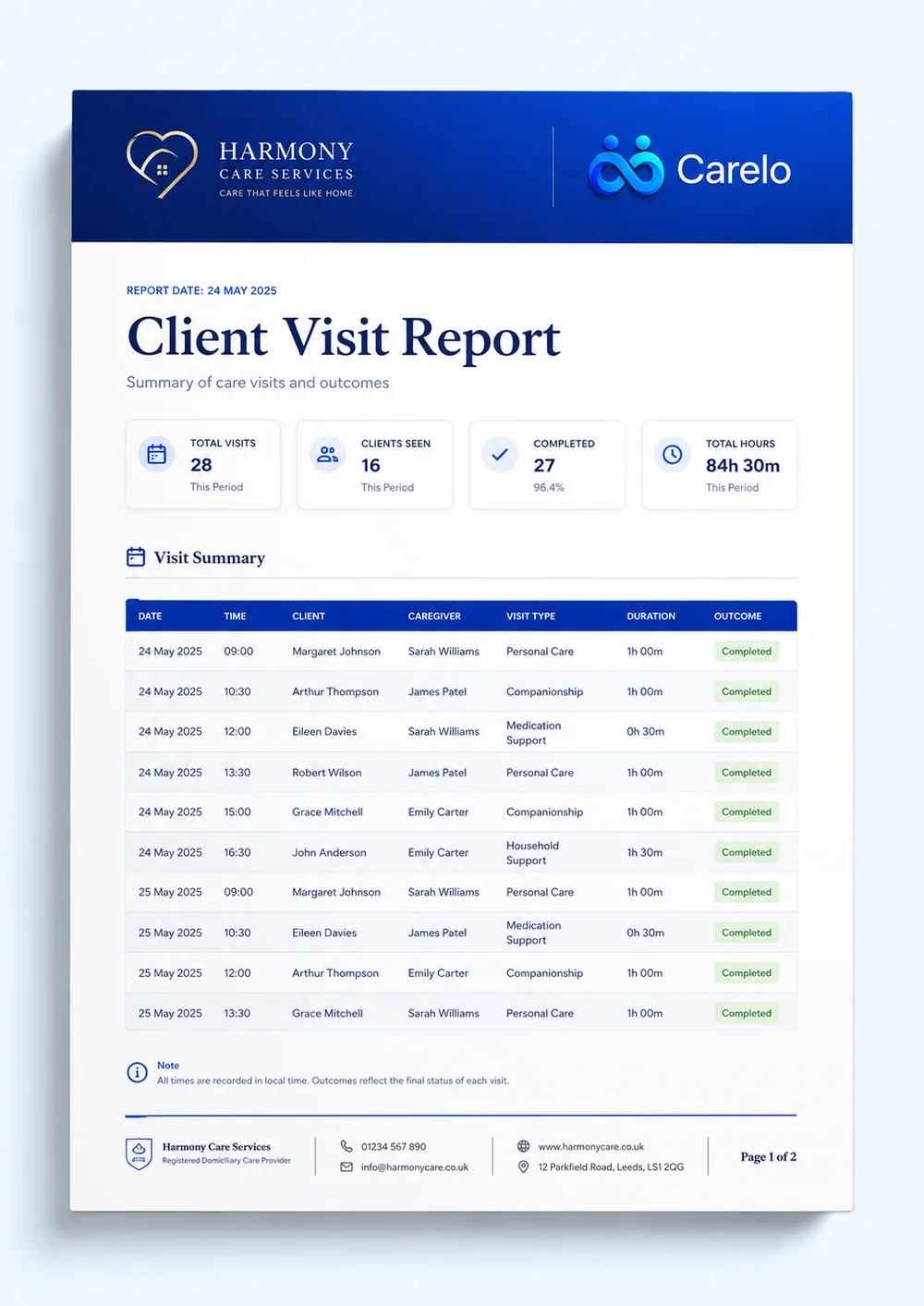
Most care software exports a bare spreadsheet with a filename like export_2026.csv. Every file Carelo produces leaves the building looking like your company: a deep blue title band, your company name and the Carelo mark, clean zebra tables, page footers and dates. Commissioners open it and see a professional operation. Which means every export is also free advertising — for you, and for us.
Word.docx
Records And Reports
Supervisions, appraisals, reviews, QA checks, spot checks, welfare calls, incidents and body maps — each a properly formatted document for the staff or client file.
Excel.xlsx
Grids And Payroll
Matrices, timesheets, worked hours, call monitoring and rota data as clean, sortable sheets your payroll or finance team can use immediately.
PDFPrint Ready
The Inspection Pack
Everything above, page-numbered and branded for printing — the every-call report, the compliance matrices, the certificates and the rota.
Compliance-Grade, Not Just Downloadable
An export is only useful if someone else can trust it. Ours carry the company name, the date range, the person or team it covers, and the Carelo mark that says where the data came from — so a file emailed to a commissioner, a local authority or an inspector stands on its own without a covering explanation.
Blue title bands with your company name and the Carelo mark
Zebra tables, aligned columns and readable typography
Page footers with dates, ranges and page numbers
Rota, timesheets, incidents, body maps, monitoring, matrices and reports
Certificates print beautifully enough to put on a wall
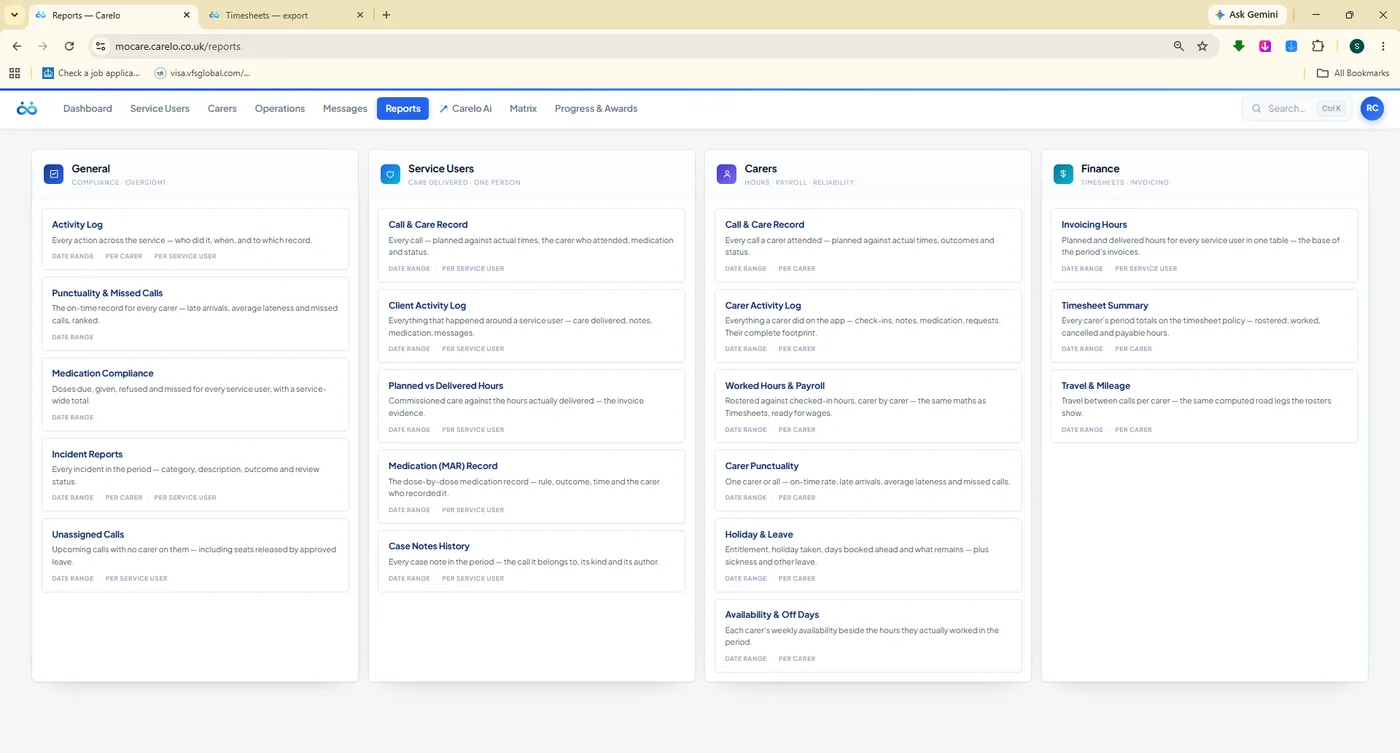
mocare.carelo.co.uk/reports
The report library. General, Service Users, Carers and Finance — pick a report, set the range, get a branded file.
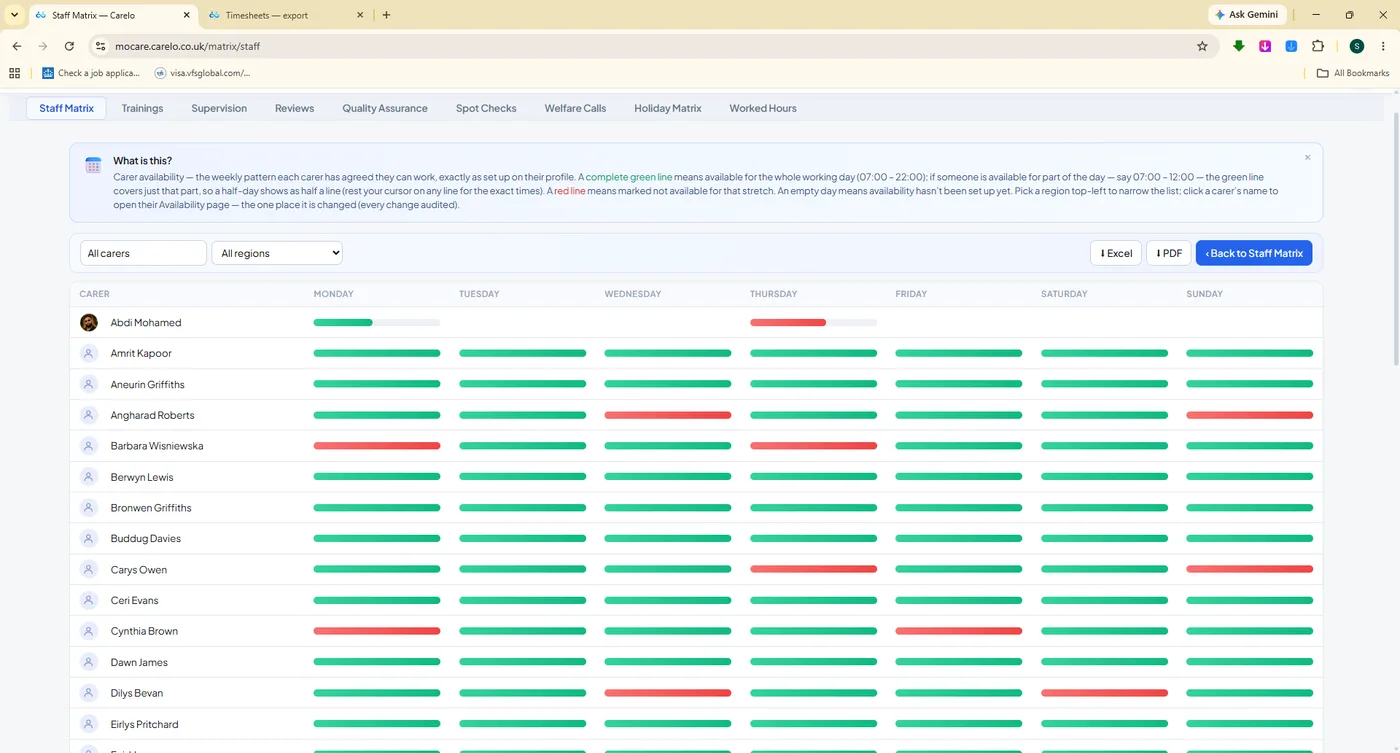
mocare.carelo.co.uk/matrix/staff-matrix
Any grid, exported. The staff register — and every matrix beside it — leaves as Word, Excel or PDF.
Live Monitor & Care Map
The Day, While It Is Still Happening
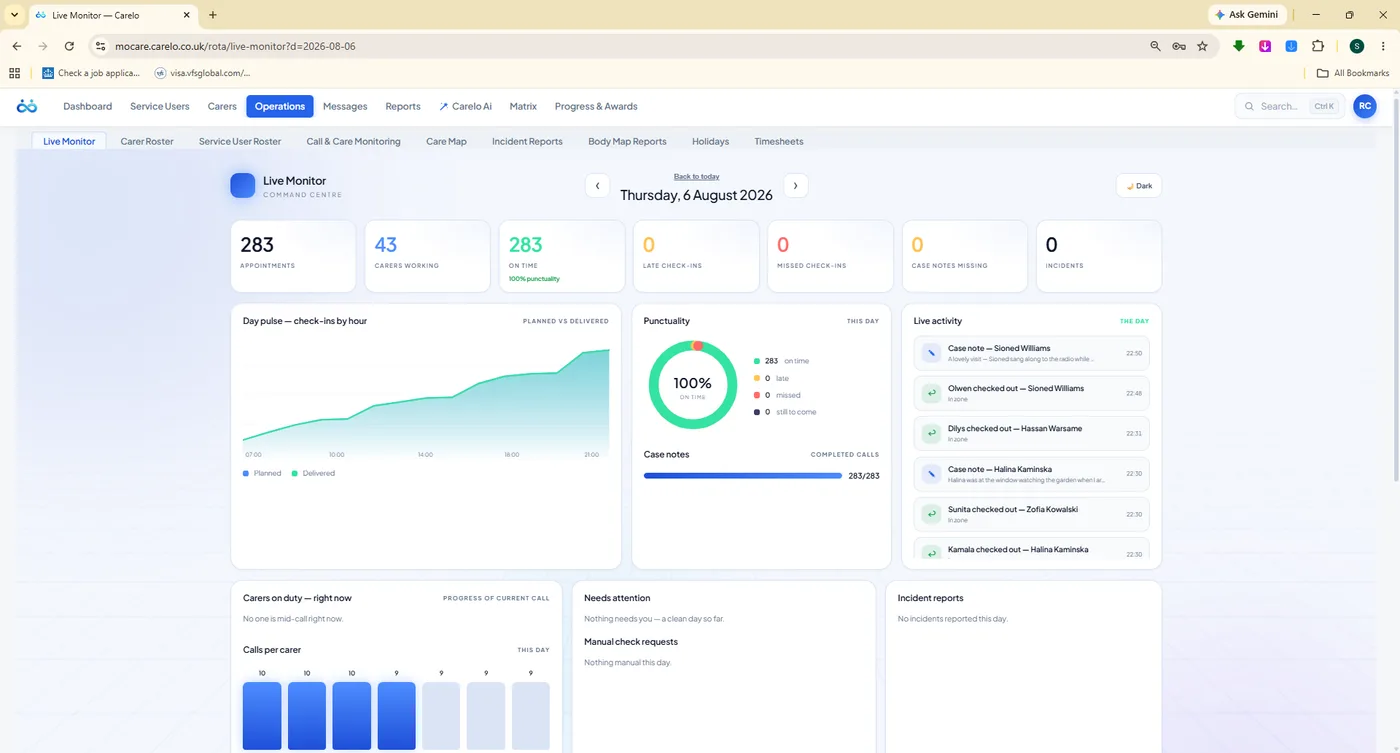
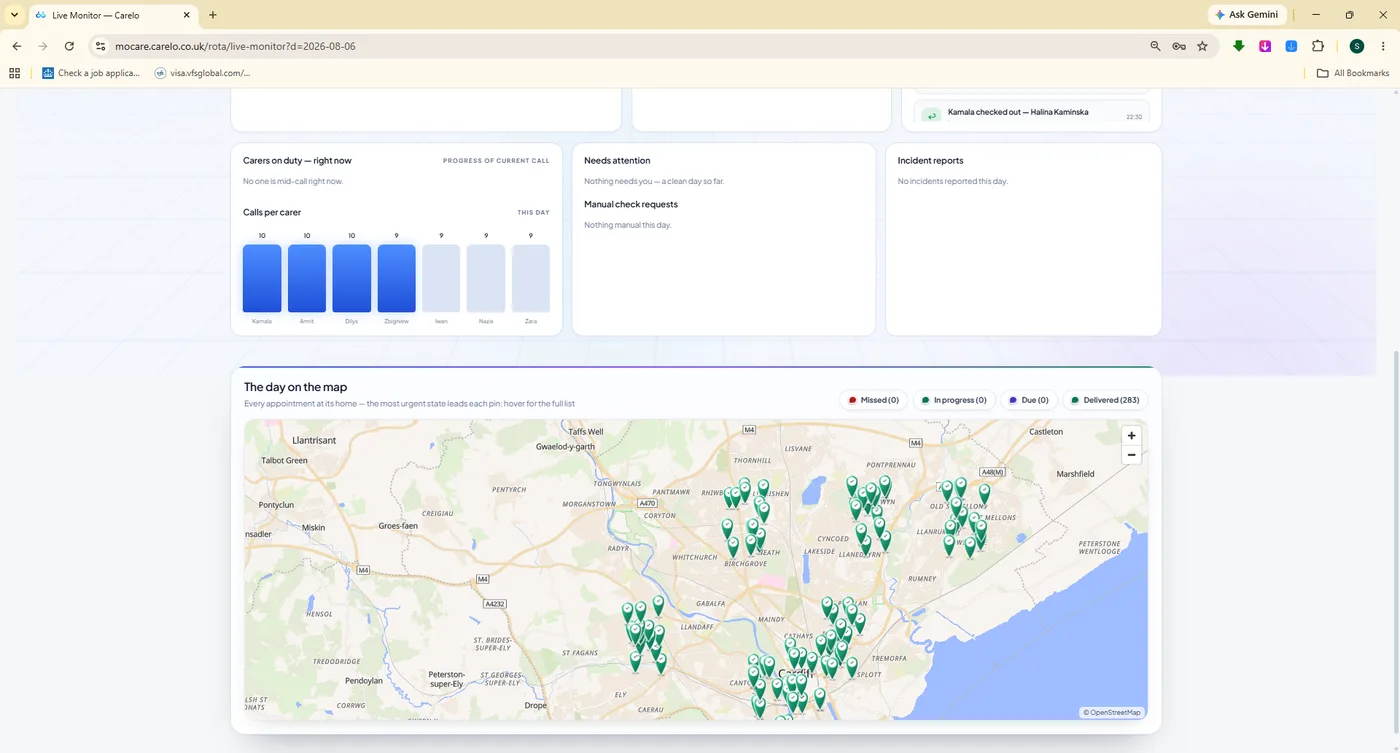
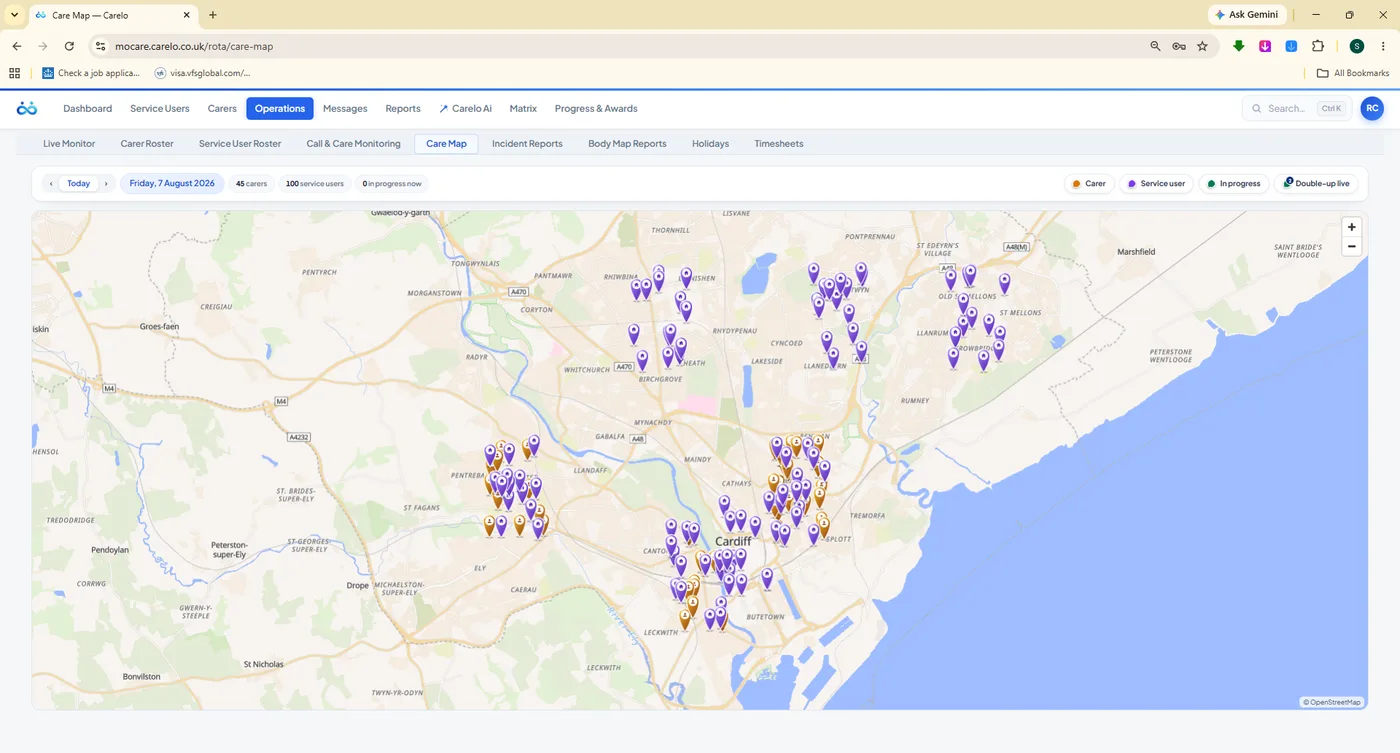
Live Monitor is the command centre: today's calls with check-ins arriving in real time, a punctuality dial, check-ins by hour, calls per carer, and a live activity feed that tells you a call is late before the family rings to ask. The Care Map puts the same day on real streets — carer pins, service-user pins and compute-once road routes across the city.
mocare.carelo.co.uk/operations/live-monitor
One screen your coordinator can leave open all day. Late and missed calls surface themselves; nobody has to go looking.
mocare.carelo.co.uk/operations/live-monitor
The whole day on the map. Delivered pins across the city, beside calls-per-carer bars.
mocare.carelo.co.uk/operations/care-map
Care Map. Carer pins, service-user pins, day and status filters — planning by geography, not by guesswork.
GPS Check-In & Out
Arrival and departure stamped at the doorstep with location and a geofence — evidence, not memory.
Honest Wall-Clock Times
Times are stored and shown as UK wall-clock, so a 7:30 call reads 7:30 in March and in August.
Late & Missed Alerts
The day tells you when it is going wrong, while there is still time to send someone else.
Compute-Once Road Routes
Real road distances between homes calculated once and remembered — fast maps, honest travel.
People, Timesheets & Holidays
Your Team, Paid Right And Rested Properly
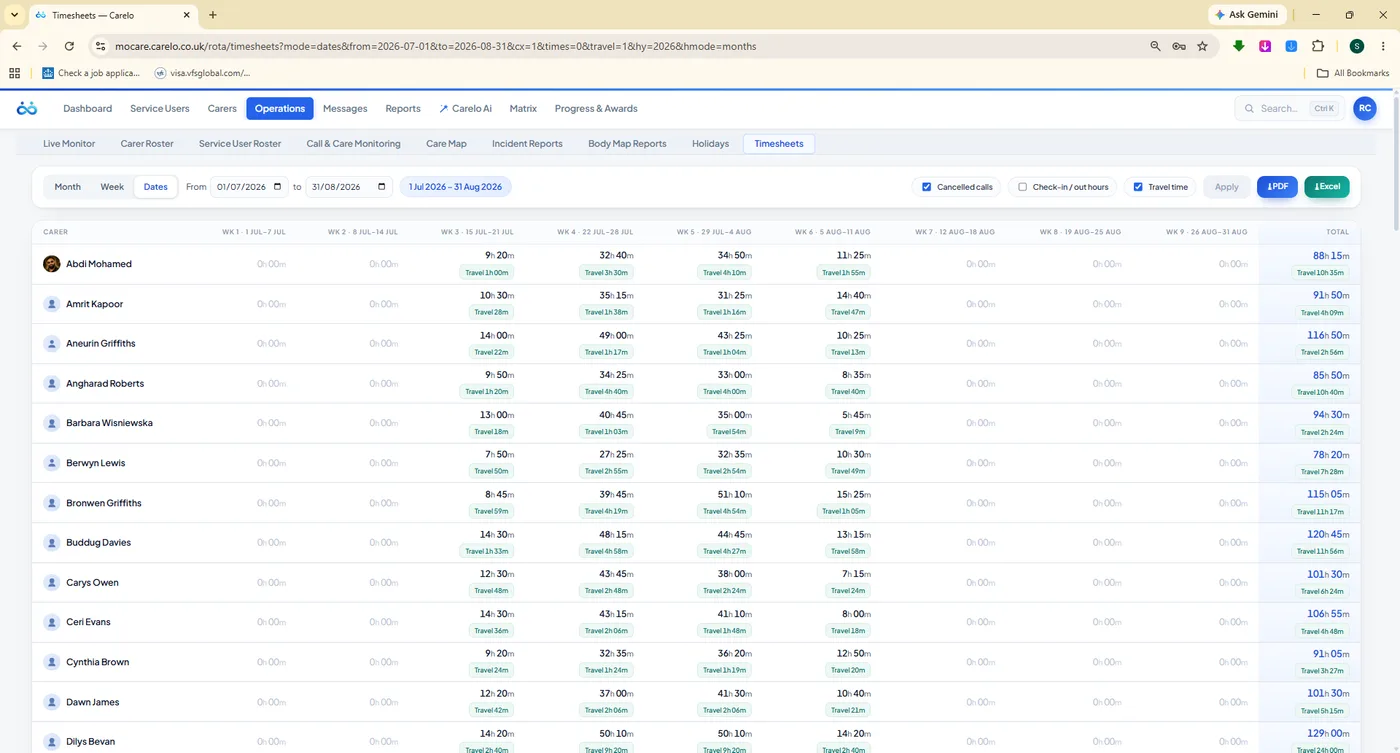
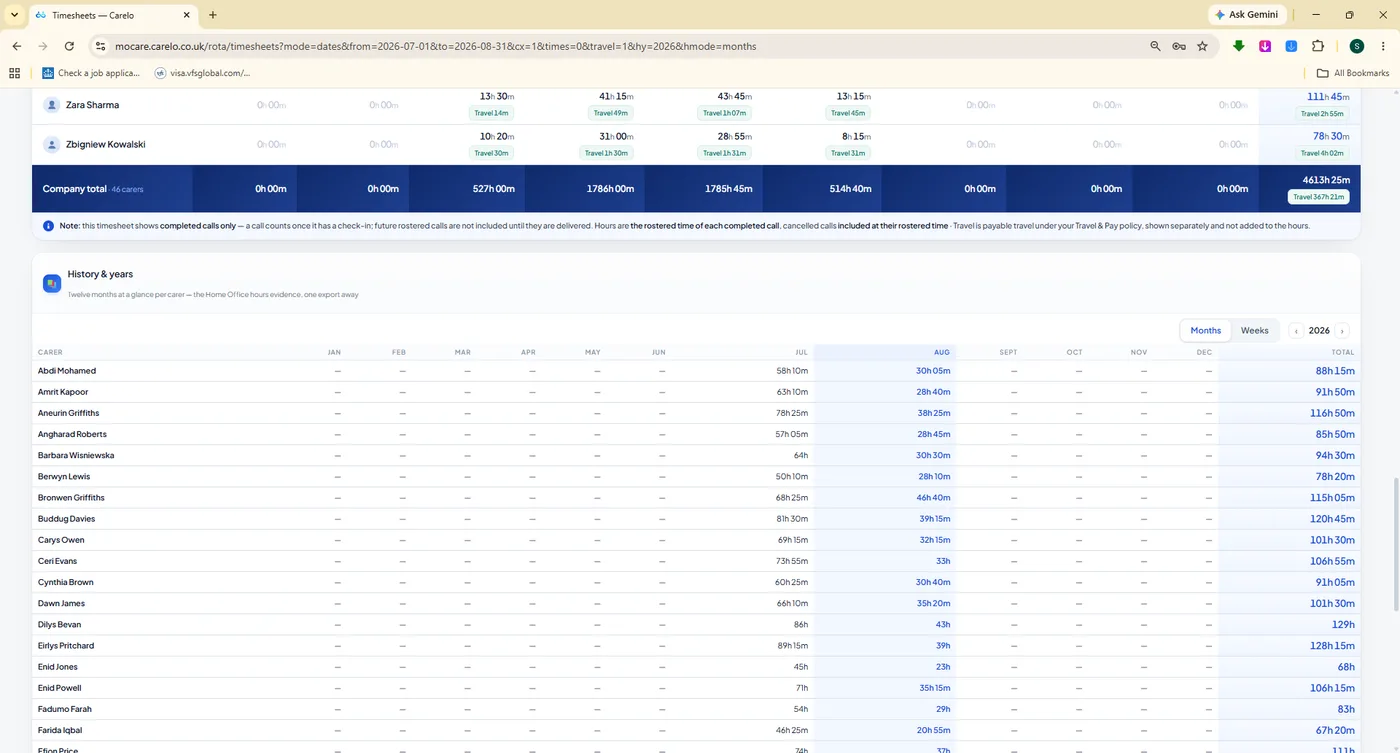
Carers are the business. Carelo holds each one's profile and compliance chips, their availability, their leave, their sickness, their supervision history and their verified hours — and turns the delivered rota straight into payroll-grade timesheets without a single re-keyed number.
mocare.carelo.co.uk/operations/timesheets
Delivered hours, not planned hours. Every cell is what actually happened, with travel time shown separately — decimal hours your payroll can take straight in.
mocare.carelo.co.uk/operations/timesheets
History and Years. Twelve months of company totals — the evidence grid for funding, sponsorship and audit.
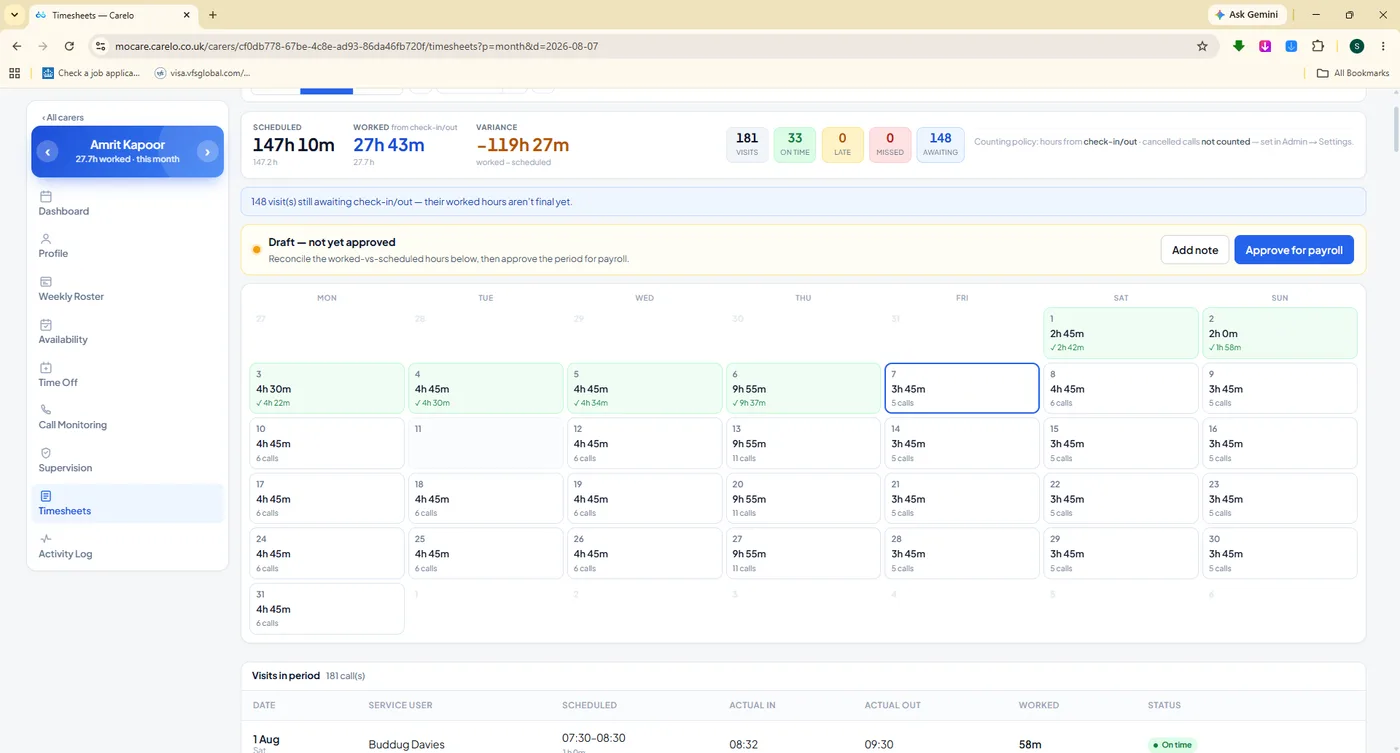
mocare.carelo.co.uk/carers/timesheets
Approve for payroll. One carer's month, the variance against plan, and a single approval step.
Holidays With A Traffic Light On Every Day
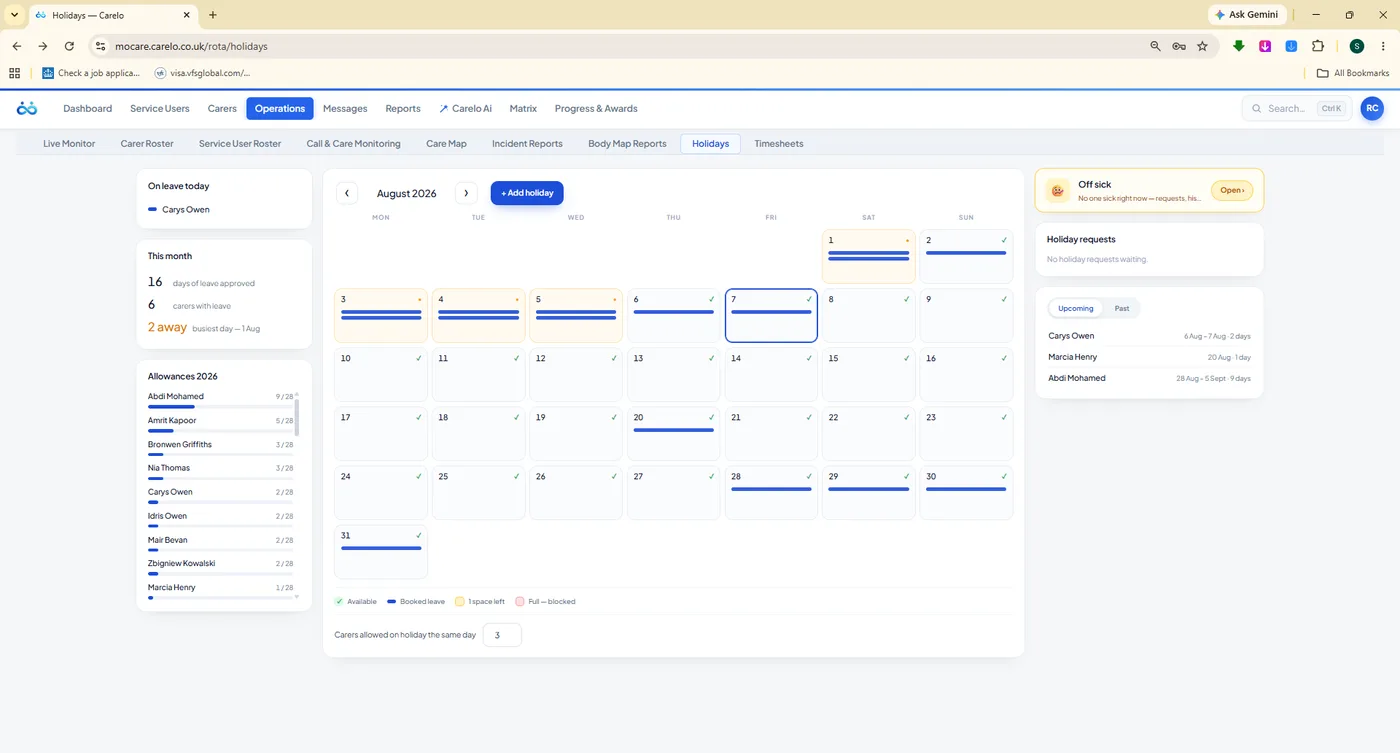
A month board where each day shows whether the team can afford to lose someone — green, amber, red — with allowances per carer and the requests rail beside it. Carers book from the app; the office approves; the rota shows the approved leave lane so nobody plans a call for someone on a beach.
Traffic-light day capacity across the month board
Allowance dials per carer, with days taken and days left
Requests booked from the carer app, approved in the office
Approved leave shows on the rota as its own lane
Sickness records with Bradford factor guidance and SSP
mocare.carelo.co.uk/operations/holidays
Colour with a purpose. Green days can spare someone. Red days cannot.
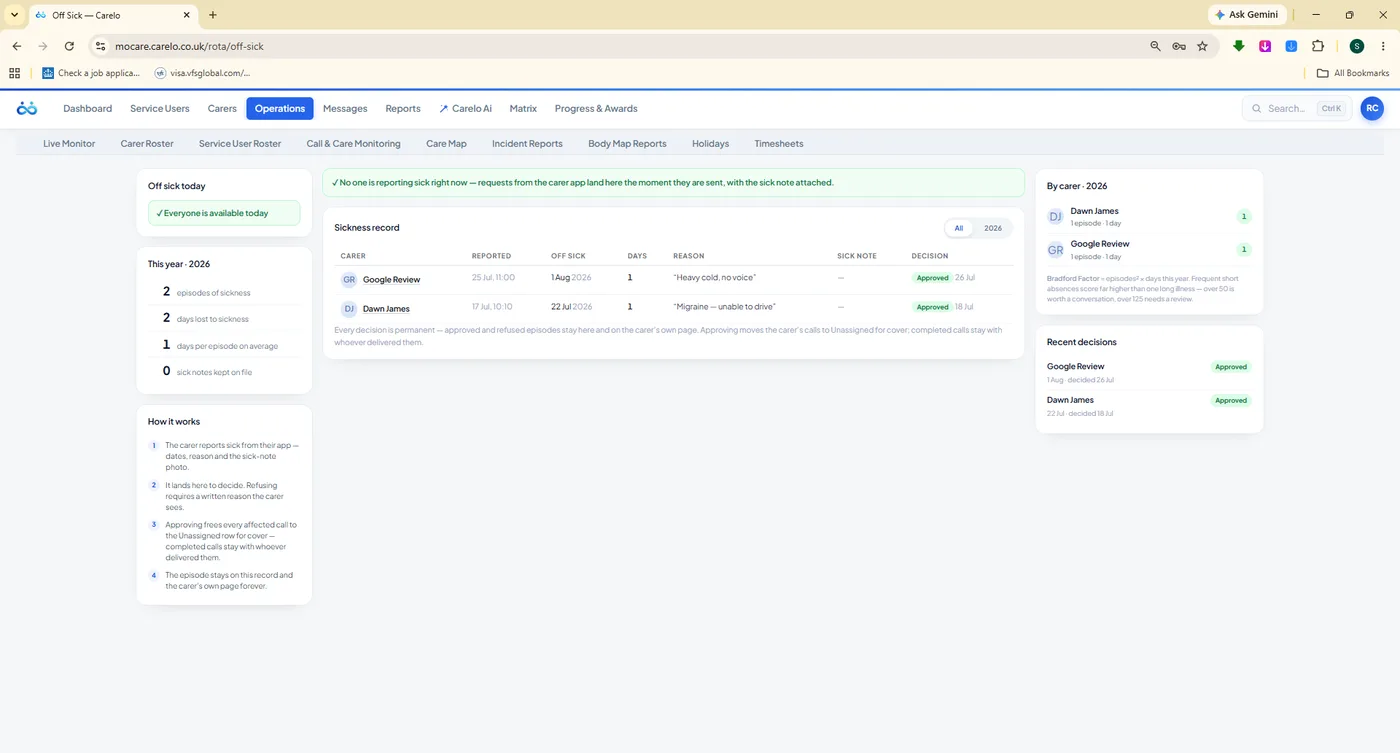
mocare.carelo.co.uk/operations/off-sick
Off Sick. Records, Bradford factor guidance and a clear decision on each one.
mocare.carelo.co.uk/carers/availability
Availability. Green and red lines per carer, set in the app, read by the rota.
mocare.carelo.co.uk/carers/profile
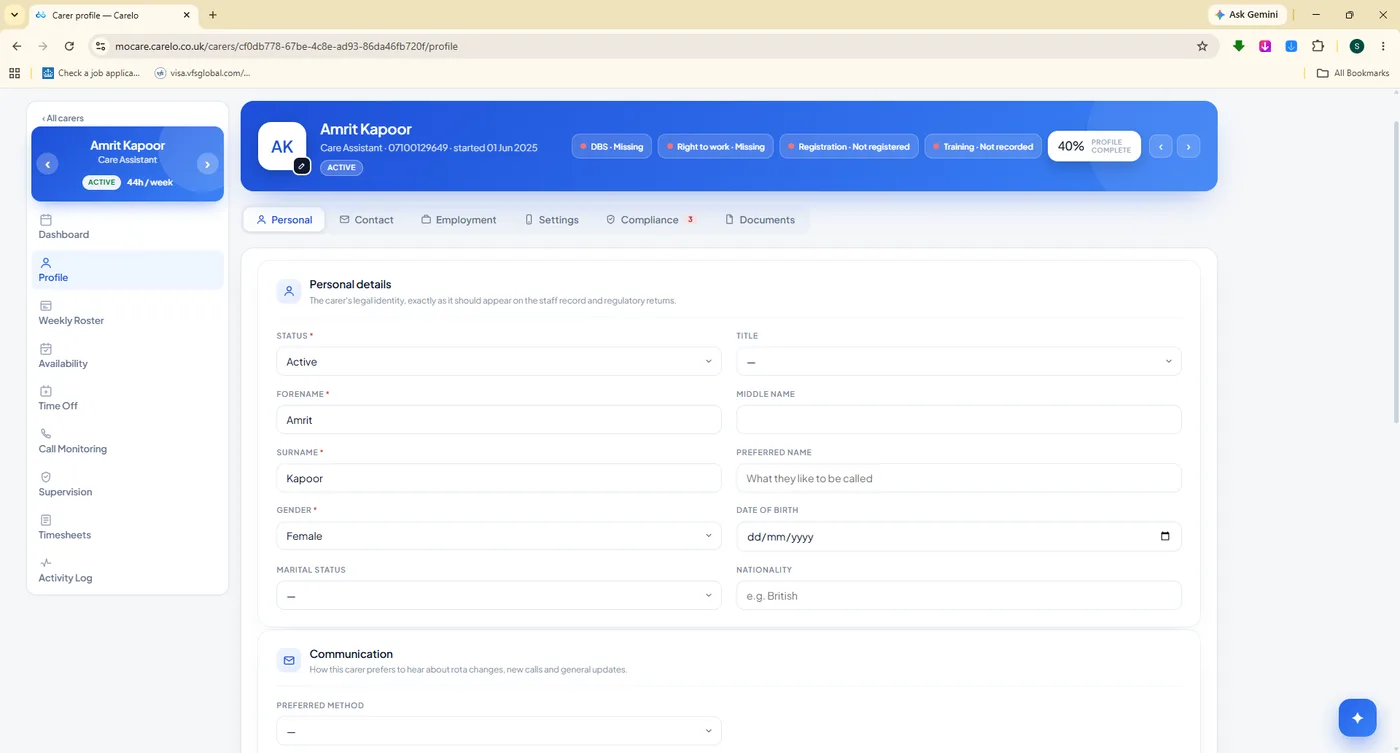
Carer profiles. DBS, right to work and a profile-complete meter that nags gently.
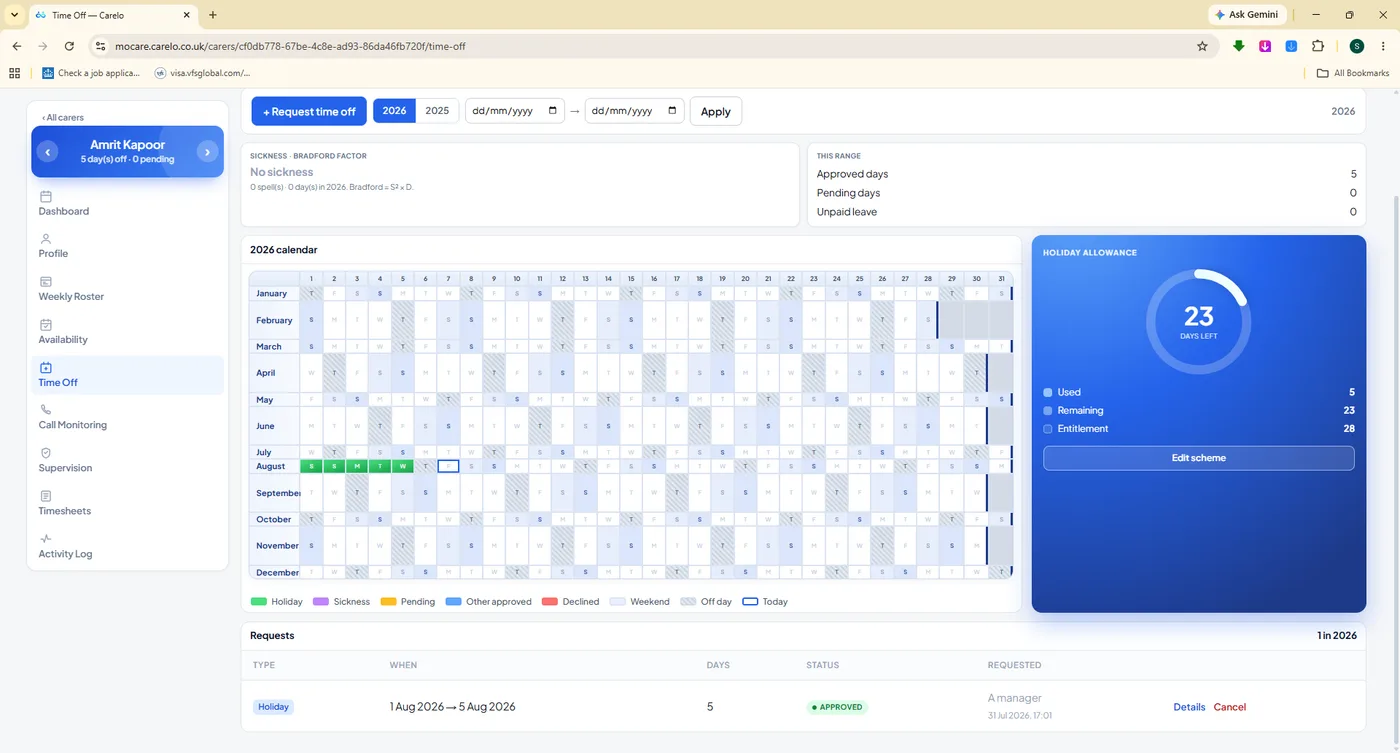
mocare.carelo.co.uk/carers/time-off
A year of leave per carer. The heat calendar beside the allowance dial — 23 days left, at a glance.
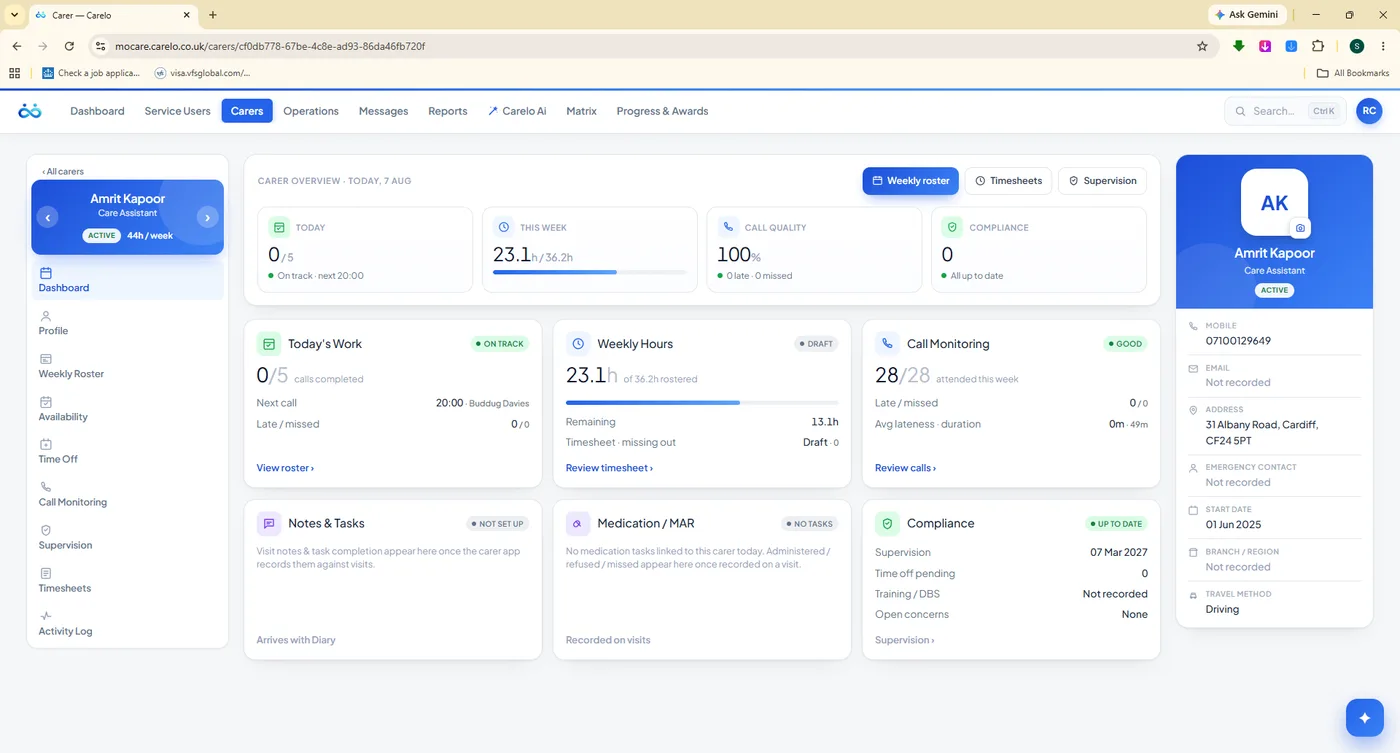
mocare.carelo.co.uk/carers/dashboard
One carer, whole. Today, the week's hours, call monitoring and compliance in six cards.
Progress & Awards
Recognition That Is Earned By The Record
Care is a retention business. Carelo scores every carer on the same open scale — punctuality, delivery, notes, medication, family feedback — trends the company pulse over months, and turns the result into Carer of the Week, Month and Year with a certificate you can print, sign and hand over. No favouritism, no committee: the record decides.
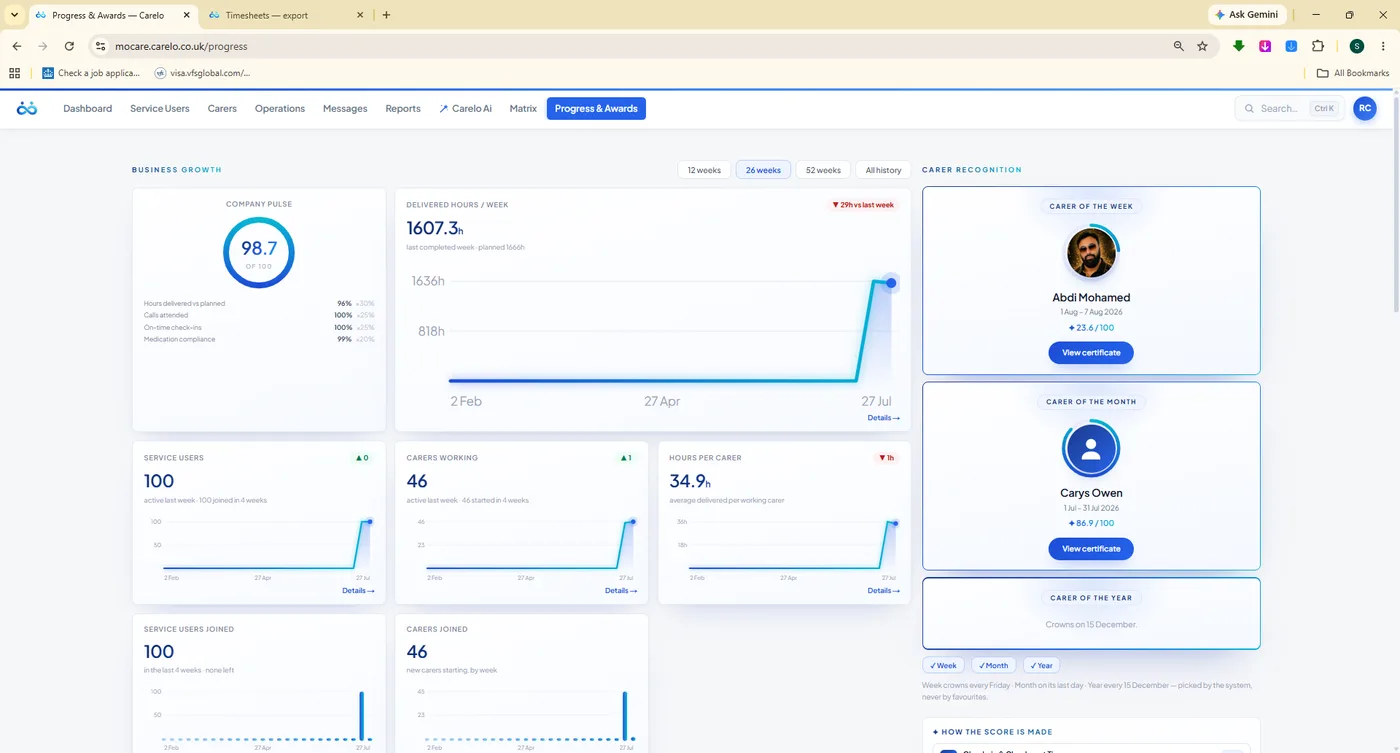
mocare.carelo.co.uk/progress-awards
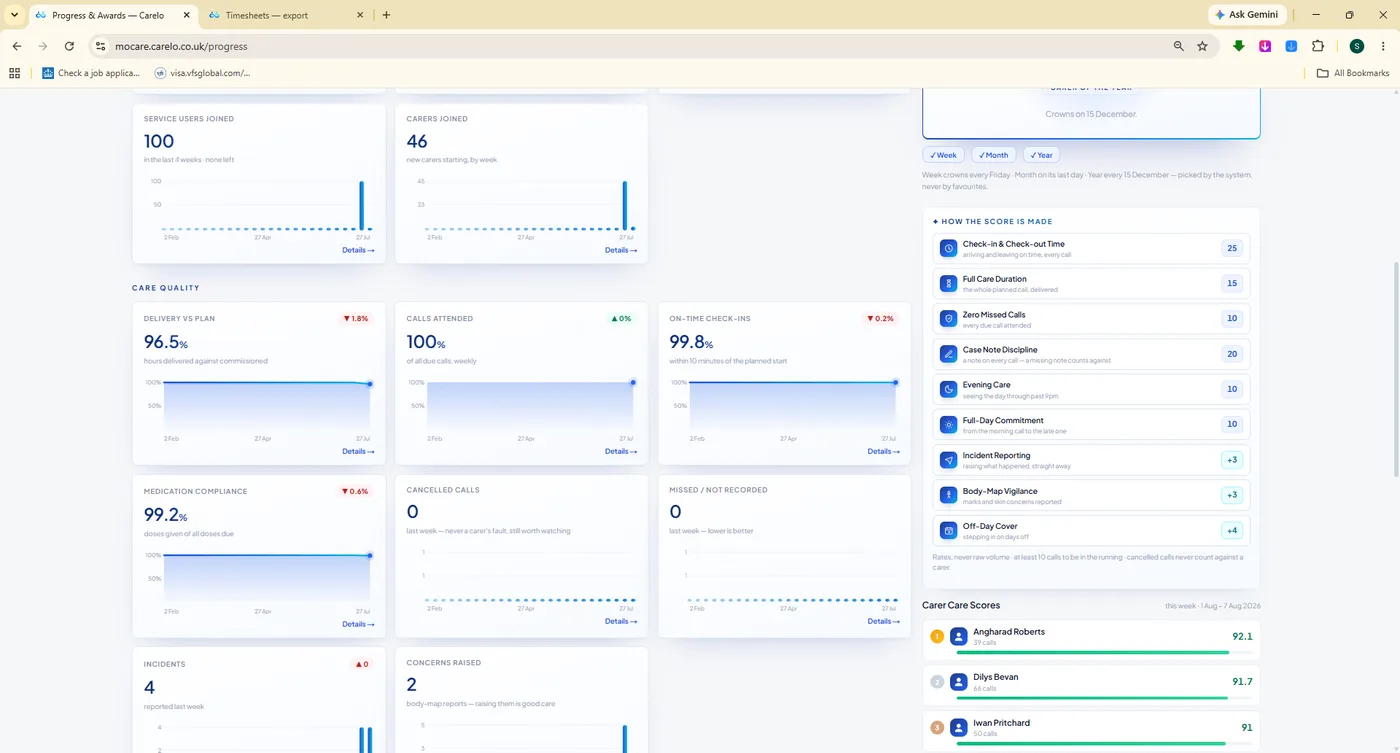
Growth you can show a commissioner. Company pulse, delivered-hours trend, growth tiles and this period's winners in one view.
mocare.carelo.co.uk/progress-awards
How the score is made. Published openly, so every carer knows how to improve it.
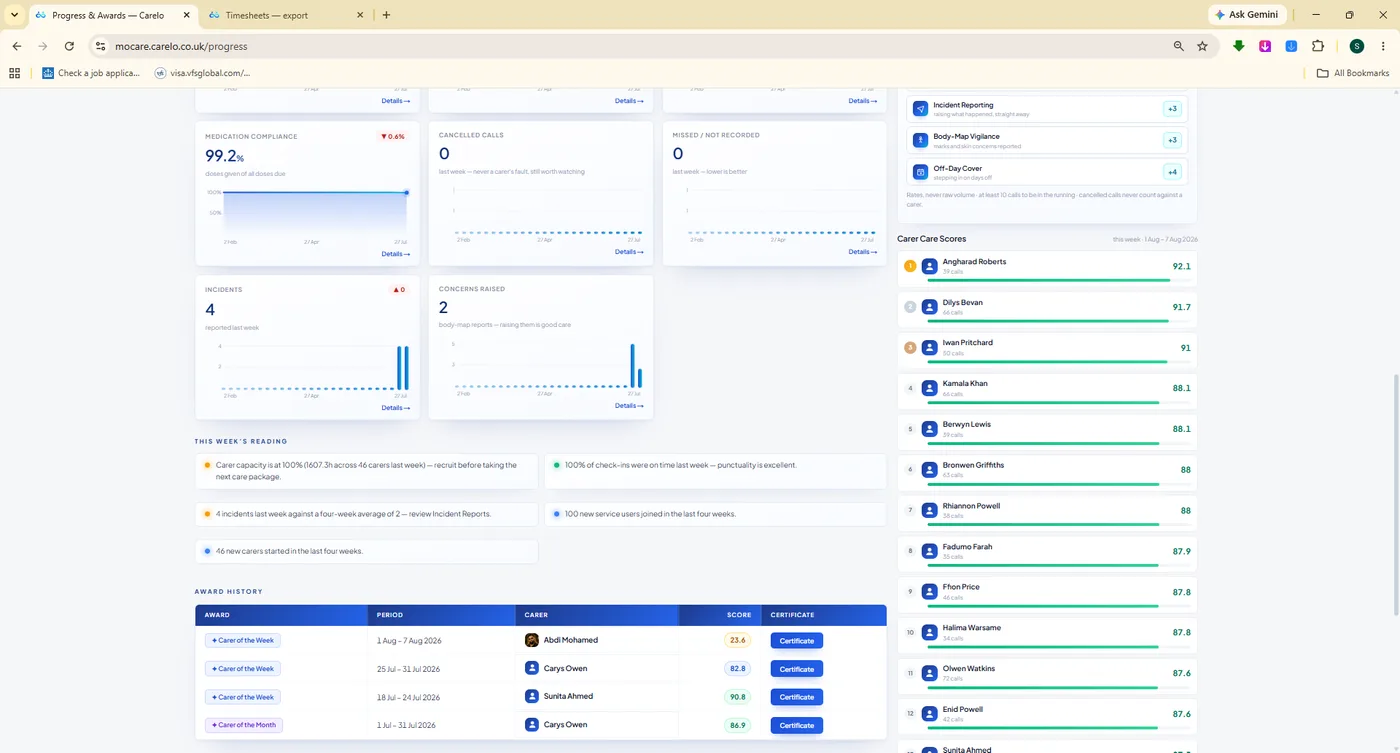
mocare.carelo.co.uk/progress-awards
The leaderboard and the history. Who won, when, and on what number.
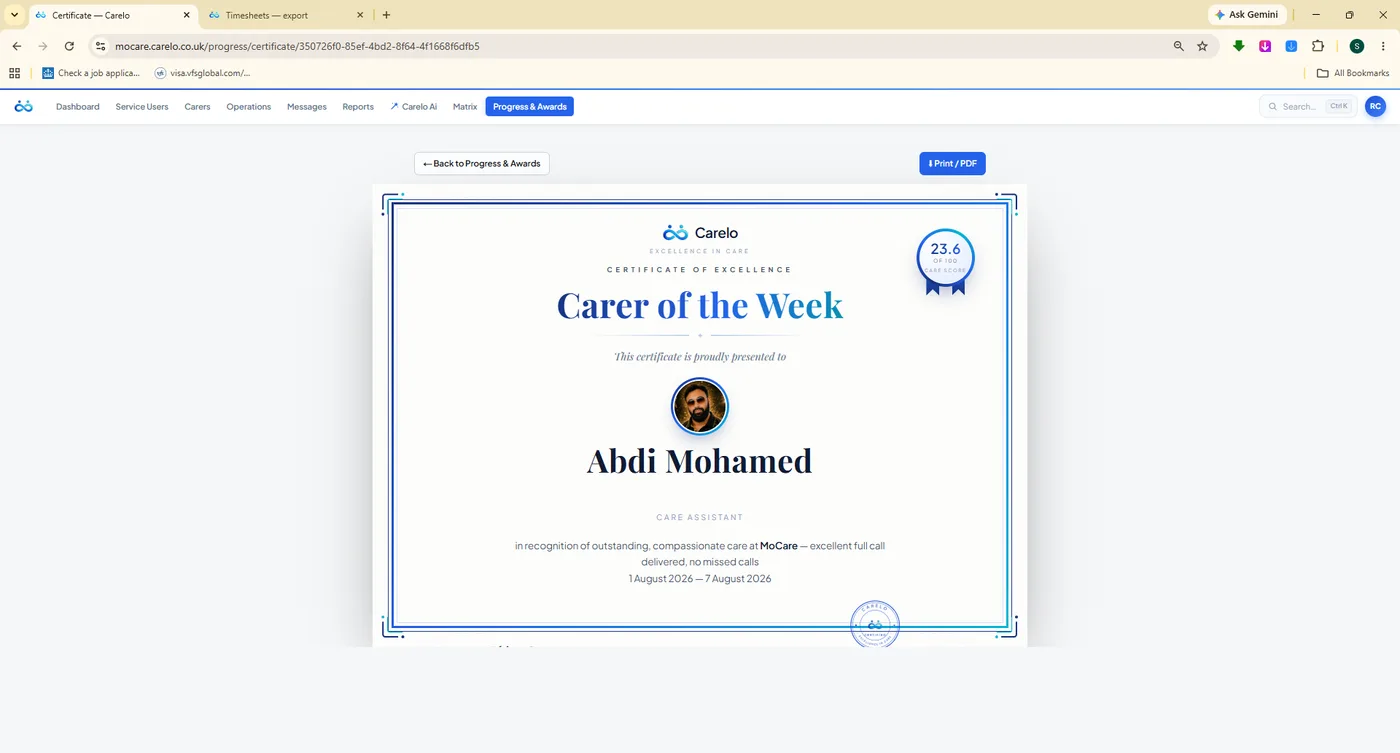
mocare.carelo.co.uk/progress-awards/certificate
Print it, sign it, hand it over. Carer of the Week and Month certificates, branded and ready.
Carelo AI
An Assistant That Knows Your Company — Not The Internet
Carelo AI is scoped to your own data: your visits, your carers, your clients, your compliance. Ask it who was late last Tuesday, why eight calls stayed unassigned, or which supervisions are overdue, and it answers from the record. Ask it to draft a care plan, a risk assessment or a MAR chart and it writes the first version for you to edit. Each company has its own token budget and ChatGPT-style spending limits, so the cost can never surprise you.
A Co-Worker, Not A Chatbot
Scoped to one company's data — never a general-purpose search engine
Paperwork shortcuts: care planner, risk assessment, MAR chart and more
Rota questions answered from the live grid you are looking at
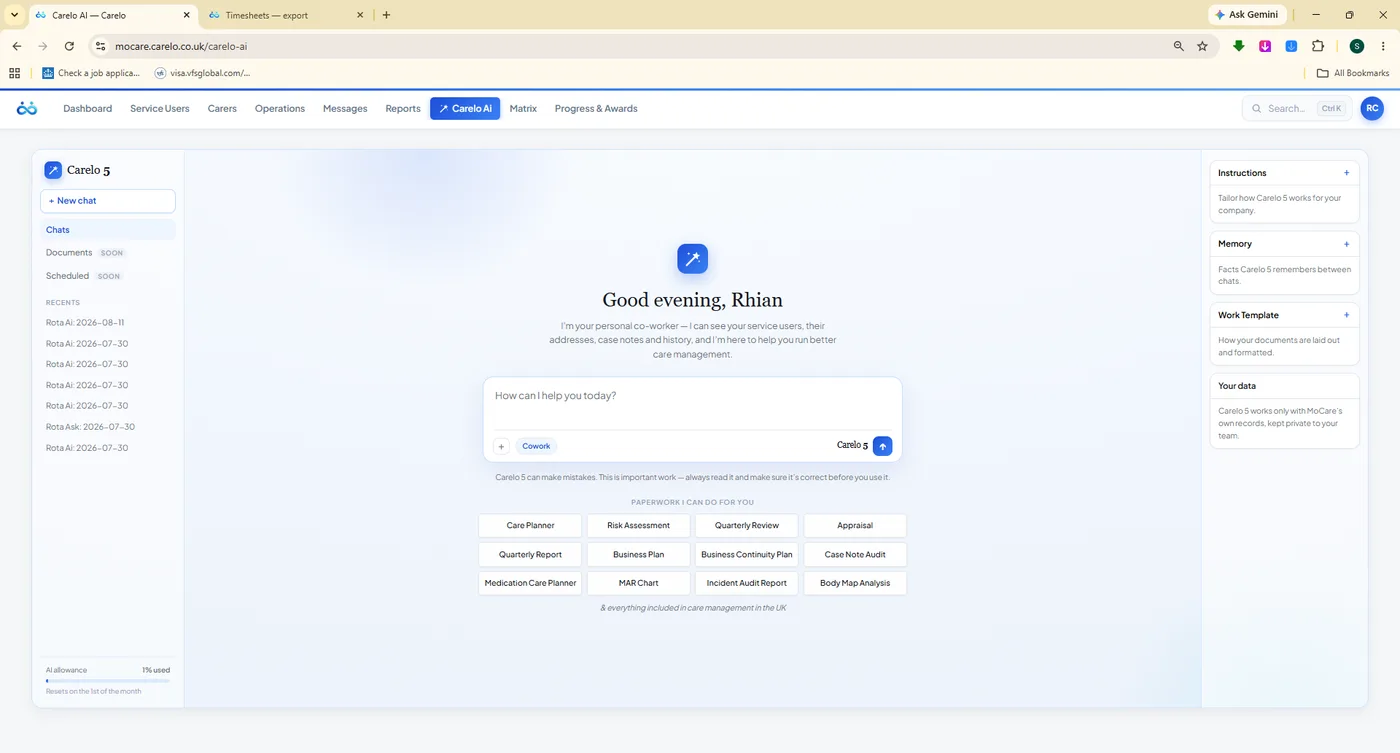
The assistant home. Paperwork that used to take an evening, drafted while you make tea.
mocare.carelo.co.uk/rota/carer-roster
It sits beside the rota. Ask about the day you are looking at, in the words you would use out loud.
mocare.carelo.co.uk/rota/assign-with-ai
Tell it the rules in English. Dates, limits, pairings to avoid — then let it propose the week.
The Two Apps
The Office Is Half The Story. The Phones Are The Other Half.
One app, two doors. Carers get their day, their tasks, medication, notes, body maps, incidents, timesheets, holidays and messages. Families get the schedule, the notes, the medication log, the reports and a way to comment — for one person only. Both are free on iPhone and Android, and the family app is included in every plan, never an upsell.
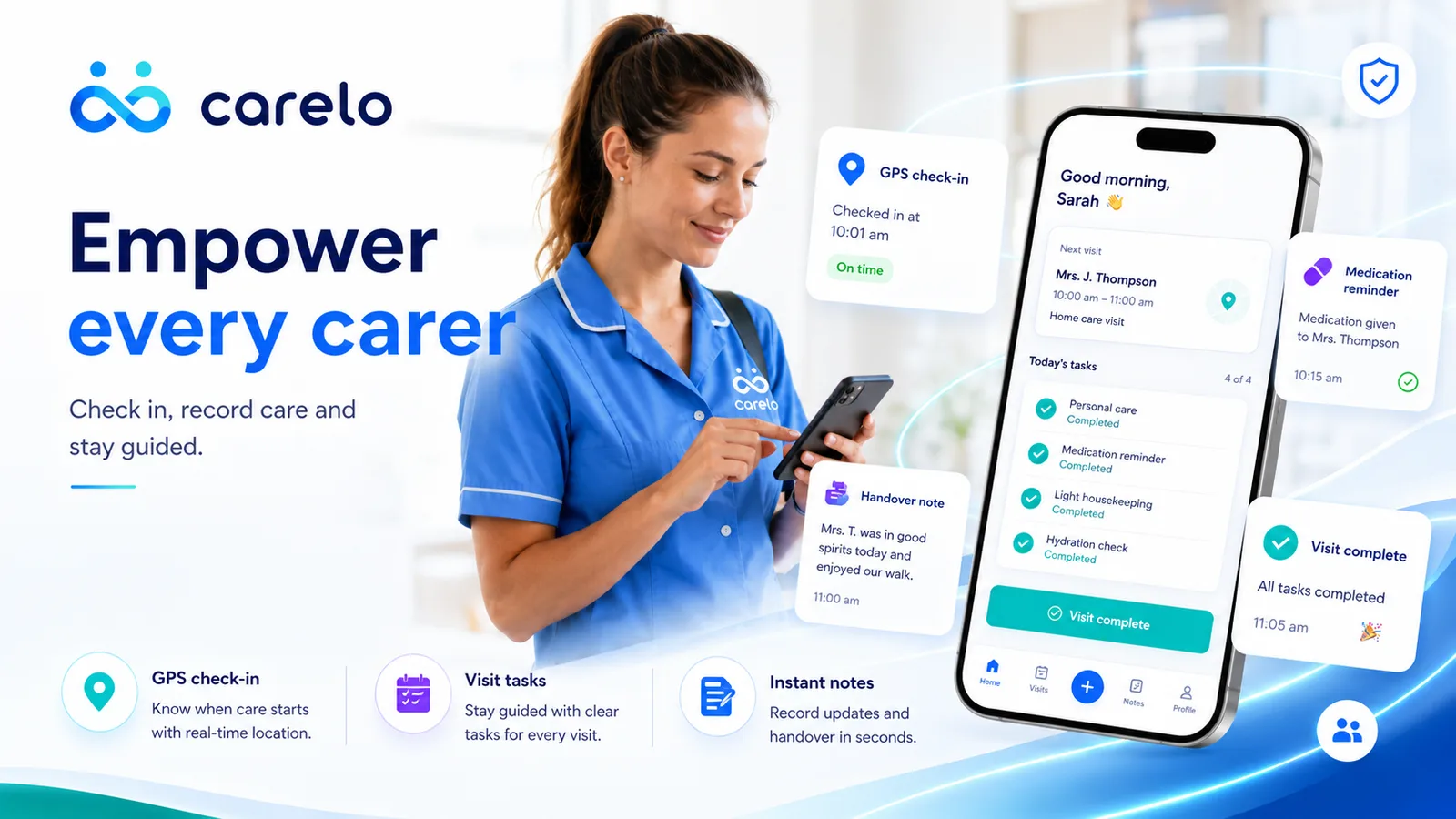
GPS Check-In
Stamped at the doorstep with a geofence, so the visit record is evidence rather than recollection.
Medication Due Now
Only what this call needs, recorded given, refused or missed with the amount and the time.
Notes At The Door
Care given ticked, the note written while it is fresh, handover carried to the next carer.
Body Maps & Incidents
Tap the body or answer the guided questions — the office has it before the carer reaches the car.
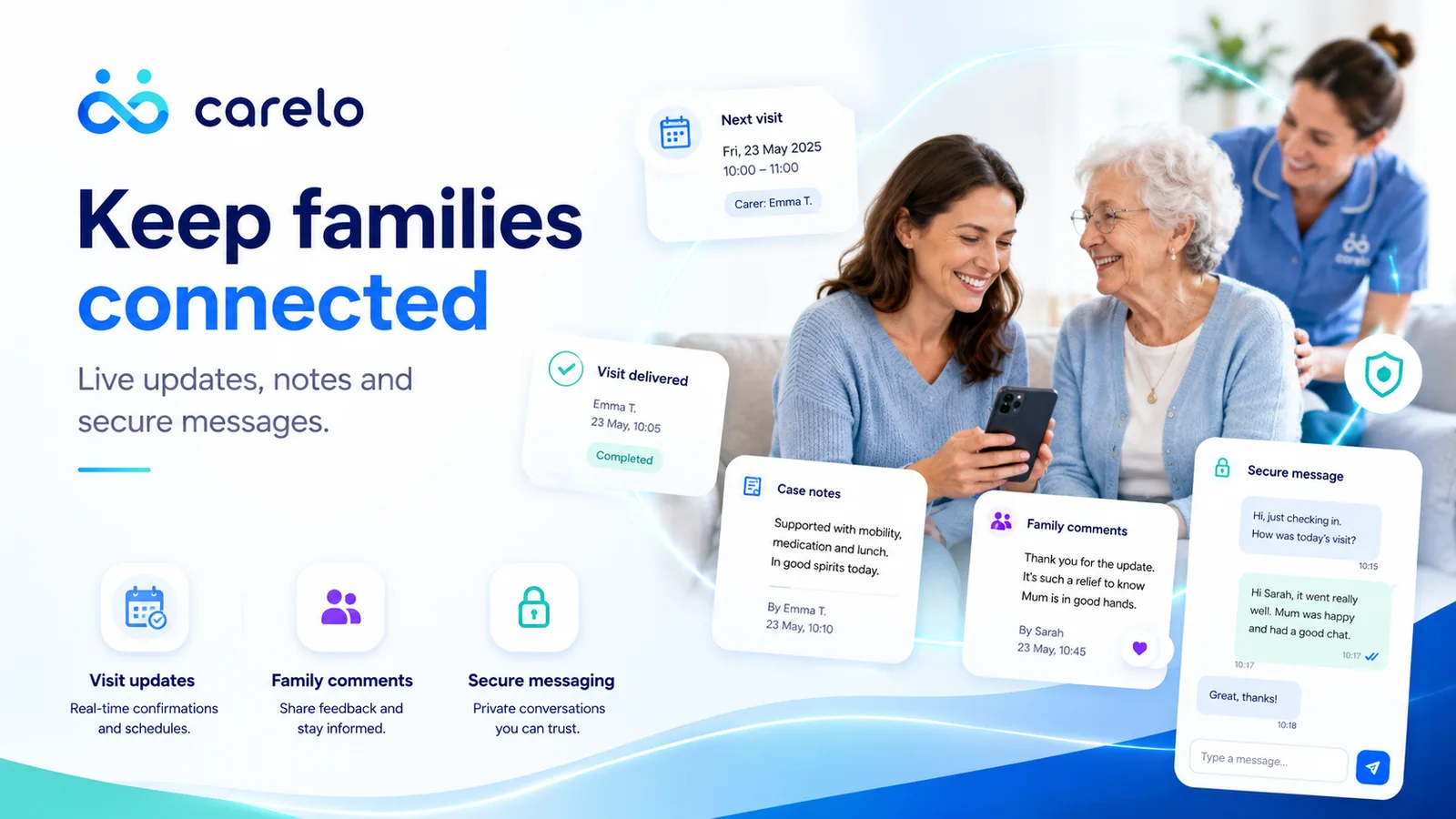
Families See The Day
The next visit, the last visit, and the note minutes after checkout — for their person only.
Comment On A Note
A family can reply to what they read, and the office answers a small worry before it grows.
Boundaried By Design
No carer-to-family channel. Every conversation flows through the office, audited and safeguarding-clean.
Setup Code & PIN
The office authorises the device once, then a private six-digit PIN unlocks it. No shared passwords.
Both Apps, Free On iPhone And Android
Included in every plan for every carer and every family. See all twenty-two screens, side by side, on the apps page.
Twenty more capabilities that never make a sales headline and quietly decide whether a Tuesday goes well. They are all here, and they are all included.
The Dashboard
Company Pulse, today's flow, this week's picture and care-quality dials — and a brand-new company opens clean, not on a misleading score.
Messages
Office to carer and office to family, with presence and read states. Nothing important living in a personal WhatsApp thread.
Knowledge Centre
A fourteen-chapter care handbook inside the app, so a carer can check the right thing to do at the door.
The User Manual
A written manual for the whole console, kept in step with the product — never a version behind.
Family Reviews
A few questions after a visit — punctuality, dignity, communication — feeding straight into the carer's quality score.
Complaints
A categorised route with a tracked response, instead of an awkward conversation at the door.
Respite & Admissions
Record a hospital admission or respite period and decide in the same dialog what happens to the booked calls.
Funders & Invoices
Funder setup per person, invoices raised from delivered care, and a finance report column of its own.
Unlimited Office Logins
Every plan. Add coordinators, managers and admin staff without a second thought about the bill.
Unlimited Clients
You are charged for active carers only. Grow your client list without the price moving.
Regions & Branches
Filter every operational screen to a region, so a branch manager sees their patch and nothing else.
Search Everywhere
One search box across clients, carers and screens, on a keyboard shortcut, from anywhere in the console.
Roles & Permissions
Office, carer and family each see only what their role allows, enforced at the database, not just the screen.
Full Audit Trail
Every entry carries who wrote it and when. Delivered calls are locked — no quiet edits, ever.
Wall-Clock Honesty
Times display exactly as recorded in UK time, so British Summer Time never shifts a record by an hour.
Light And Dark
The whole product is designed twice — every screen verified in both themes before it ships.
Built To Stay Fast
Indexed hot paths and no page that loads a hundred queries — designed for thousands of companies, not a demo.
Free Migration
We move your clients, carers, schedules and documents across for you. It costs nothing.
Training Matrix Settings
Tick which in-person and online courses your company actually delivers, and the matrix follows.
Carer Of The Year
Weekly and monthly winners roll into an annual award with the whole year's record behind it.
Everything Above Is Included. The Only Question Is How Many Carers.
One monthly price for your whole company — £59 plus VAT covers up to 15 active carers, with bigger bands as you grow. Your first month is free on every plan, with unlimited clients, unlimited office logins and the family app included, up to 40% off when you pay yearly — and free migration from whatever you use today.